
Cascading Metadata not displaying when opening existing pages in SITES | Community
Skip to main content
joe_s66
Level 3
March 18, 2021
Solved

Cascading Metadata not displaying when opening existing pages in SITES

  • March 18, 2021
  • 1 reply
  • 1233 views

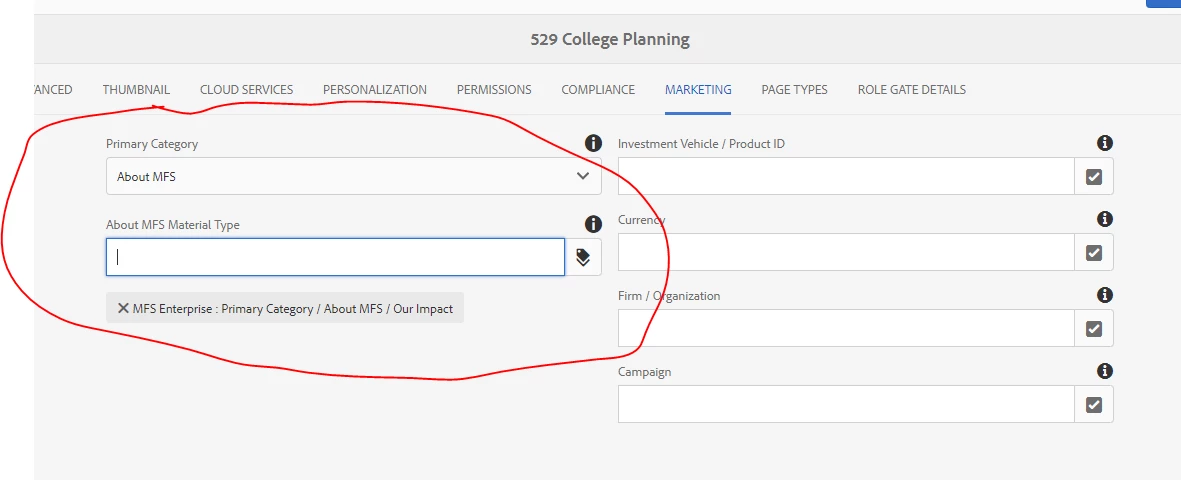
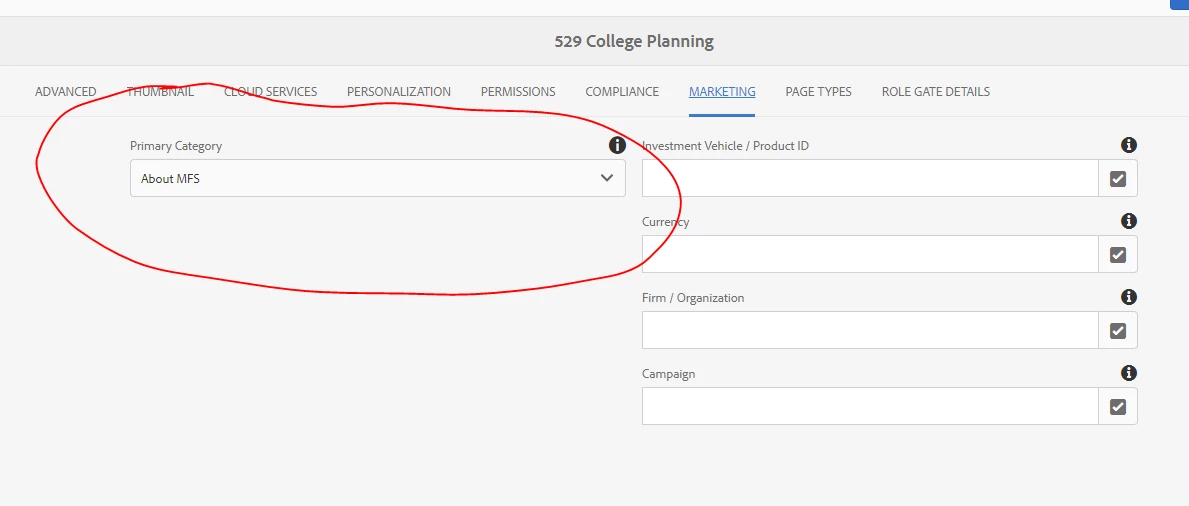
We use cascading metadata in some of our available fields for tagging pages in SITES. The cascading metadata works fine when we first tag pages with new values. However when authors edit existing pages with saved metadata, the cascading metadata does not display with the saved metadata. (see screenshots below)
This post is no longer active and is closed to new replies. Need help? Start a new post to ask your question.
Best answer by Vijayalakshmi_S

Hi @joe_s66,

Can you confirm if you are controlling the display of the highlighted tag field using granite:renderconditions or granite:hide?

It will be helpful if you could share your page dialog to answer appropriately (In particular, Marketing tab or the tag field node)

1 reply

Vijayalakshmi_S
Vijayalakshmi_SAccepted solution
Level 10
March 19, 2021

Hi @joe_s66,

Can you confirm if you are controlling the display of the highlighted tag field using granite:renderconditions or granite:hide?

It will be helpful if you could share your page dialog to answer appropriately (In particular, Marketing tab or the tag field node)

joe_s66
joe_s66Author
Level 3
March 19, 2021

Hi,

Please see code snippet below:

<marketing jcr:primaryType="nt:unstructured" jcr:title="Marketing" sling:resourceType="granite/ui/components/foundation/section"> <layout jcr:primaryType="nt:unstructured" sling:resourceType="granite/ui/components/foundation/layouts/fixedcolumns" margin="{Boolean}false" /> <items jcr:primaryType="nt:unstructured"> <col1 jcr:primaryType="nt:unstructured" sling:resourceType="granite/ui/components/coral/foundation/container" listOrder="0"> <items jcr:primaryType="nt:unstructured"> <primarycategory jcr:primaryType="nt:unstructured" sling:resourceType="granite/ui/components/foundation/form/select" class="cq-dialog-dropdown-showhide cq-dialog-dropdown-showhide-required" cq-dialog-dropdown-showhide-target=".type-option-listtype-showhide-target" fieldDescription="Select a primary category for this piece of content. Based on your selection, you will be prompted to add category-specific information." fieldLabel="Primary Category" name="./mfs:primaryCategory"> <items jcr:primaryType="nt:unstructured"> <select jcr:primaryType="nt:unstructured" text="Select Option" value="" /> <productStrategies jcr:primaryType="nt:unstructured" text="Product &amp; Strategies" value="ProductsAndStrategies"/> <aboutMFS jcr:primaryType="nt:unstructured" text="About MFS" value="AboutMFS"/> <pracManagement jcr:primaryType="nt:unstructured" text="Practice Management" value="PracticeManagement"/> <resources jcr:primaryType="nt:unstructured" text="Resources" value="Resources"/> <insights jcr:primaryType="nt:unstructured" text="Insights" value="Insights"/> </items> </primarycategory> <productmaterialtype jcr:primaryType="nt:unstructured" sling:resourceType="granite/ui/components/foundation/container" class="type-option-listtype-showhide-target foundation-layout-util-vmargin" showhidetargetvalue="ProductsAndStrategies"> <items jcr:primaryType="nt:unstructured"> <role cq:showOnCreate="{Boolean}true" jcr:primaryType="nt:unstructured" sling:resourceType="cq/gui/components/common/tagspicker" fieldLabel="Product Material Type" name="./mfs:productMaterialType" rootPath="/content/cq:tags/mfsenterprise/PRCA/PROD/PRCO" fieldDescription="Select a material type within the available categories. This is visible to the end user." renderReadOnly="{Boolean}true" /> </items> </productmaterialtype>