Cannot author styles and paraformat in Chrome/Firefox | Community
Skip to main content
January 3, 2018
Solved

Cannot author styles and paraformat in Chrome/Firefox

  • January 3, 2018
  • 4 replies
  • 1818 views

At our project, we are using AEM 6.2.

We've created a number of pages, and so far there were no problems.

However, myself and a colleague now want to start to do some authoring.

This is where we are encountering an issue:

1. Log in to AEM

2. Select a page and go into edit mode

3. Press on a text

4. Press the pencil icon (Edit)

5. The text editor is now opened, with a list of buttons in the top
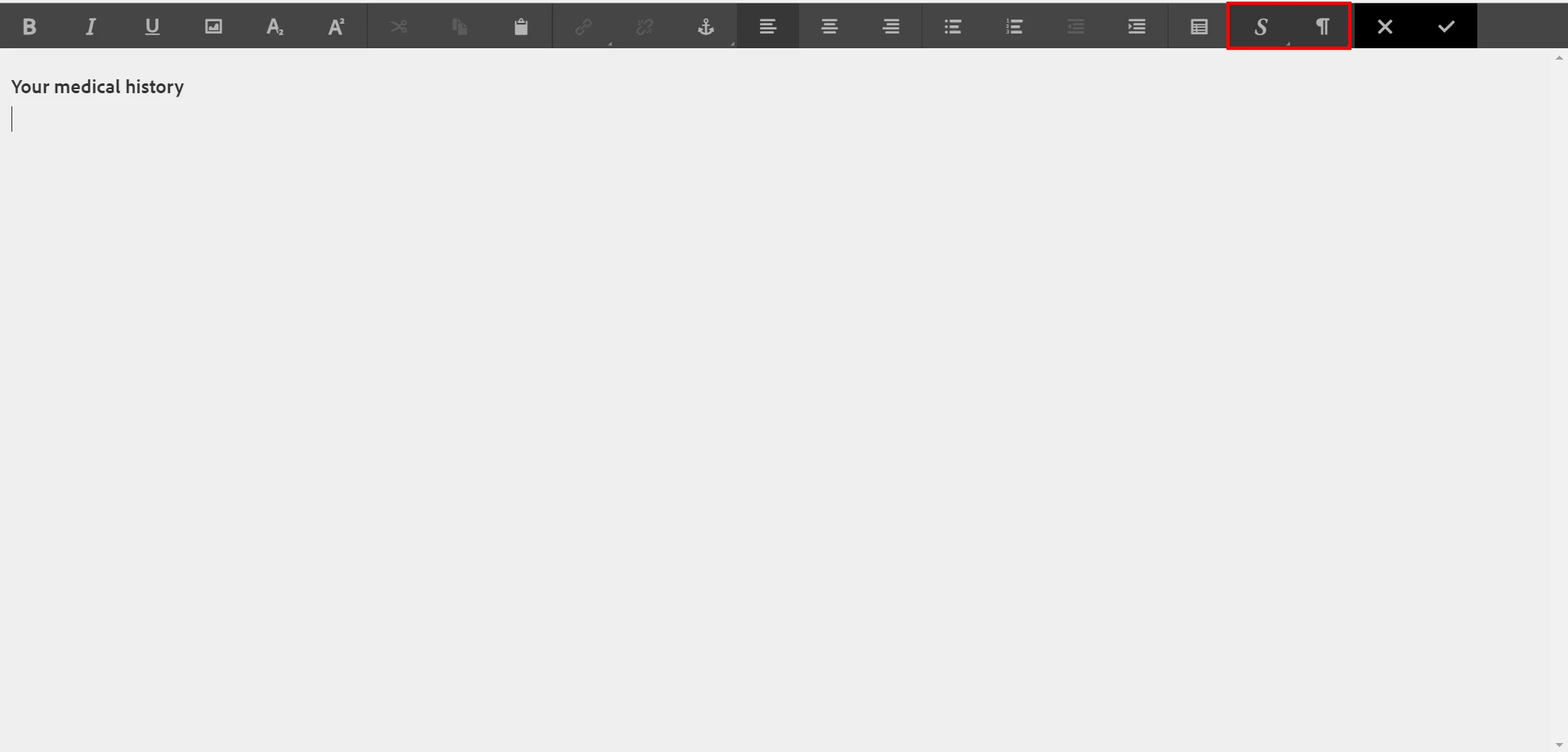
When I press the Styles or Paraformat icon (highlighted in red), it really quickly opens it open (for Paraformat it shows paragraph, header 1, header 2) but then immediately closes the text editor and it goes back to the page itself in Edit mode.

I've used Chrome and Firefox (latest versions), in both cases it doesn't work. There are no console errors.
I've cleared cache and cookies, used incognito mode, not helping.

In Internet Explorer 11 it does work fine.

Here the behaviour is different as well.

1. Log in to AEM

2. Select a page and go into edit mode

3. Press on a text

4. Press the pencil icon (Edit)

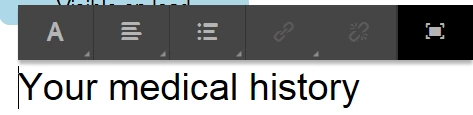
5. It now shows only a few options, I have to press the enlarge button to show the text editor
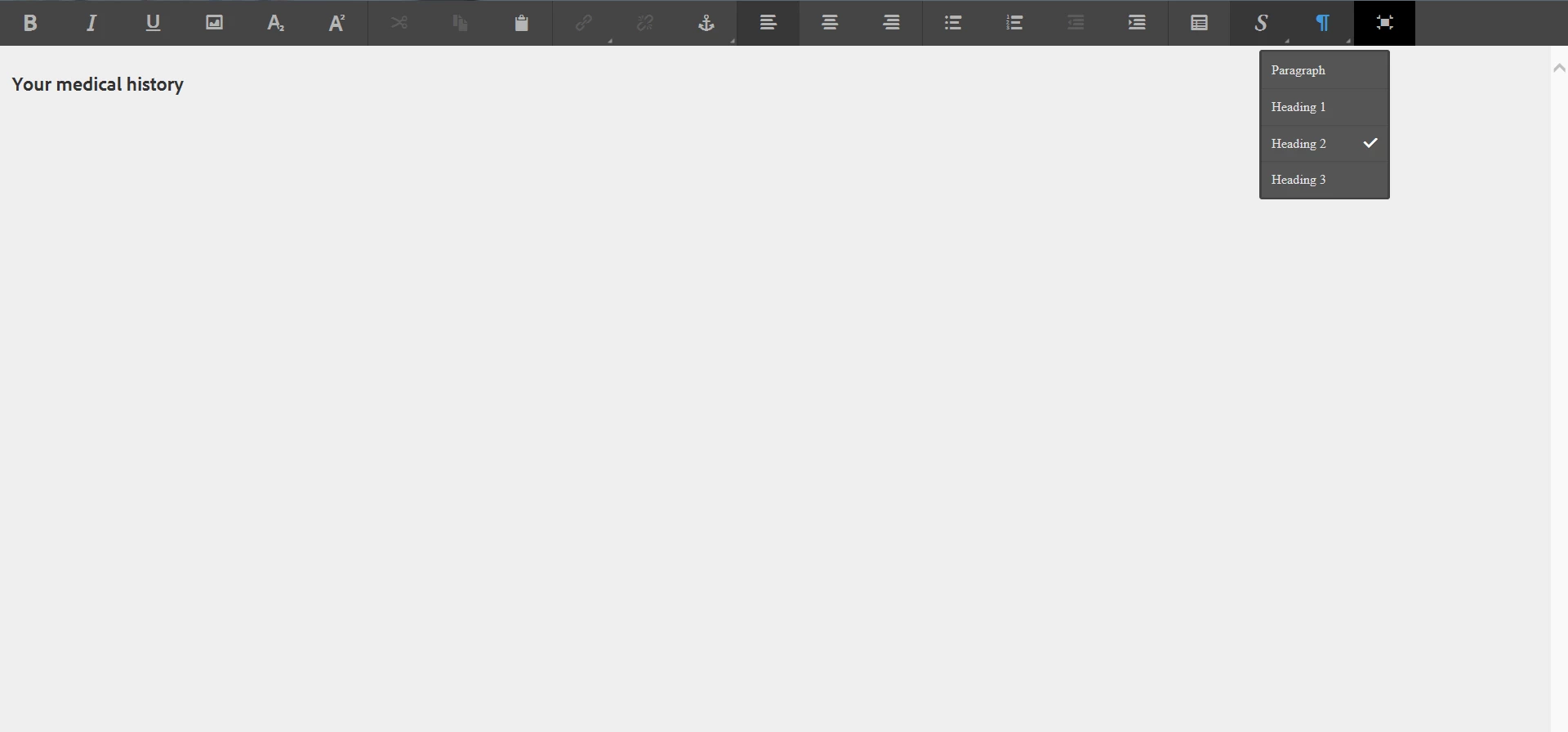
6. The Styles and Paraformat buttons work fine now.
For the developers it works fine in all browsers. They are using identical browser versions, settings and the AEM same account.

Anyone else experienced this?

This post is no longer active and is closed to new replies. Need help? Start a new post to ask your question.
Best answer by thilaks18944609

I know few cases where touch was an issue. I haven't tested this with touchscreen before.

try these:

  • Open Google Chrome
  • Type chrome://flags/ in the address bar and press Enter.
  • Click on Enable touch events > Disabled.
  • Relaunch the browser

if this doesn't work
in device manager disable 'HID-Compliant touch screen'

4 replies

thilaks18944609
Level 2
January 3, 2018

do you use touchscreen enabled laptop?

nickpmaAuthor
January 3, 2018

The laptop I am using indeed has touchscreen capability, but I've disabled it.

The other dev team have different laptops without touchscreen.

Could the touchscreen cause the issue, even though touch is actually disabled?

thilaks18944609
thilaks18944609Accepted solution
Level 2
January 3, 2018

I know few cases where touch was an issue. I haven't tested this with touchscreen before.

try these:

  • Open Google Chrome
  • Type chrome://flags/ in the address bar and press Enter.
  • Click on Enable touch events > Disabled.
  • Relaunch the browser

if this doesn't work
in device manager disable 'HID-Compliant touch screen'

nickpmaAuthor
January 3, 2018

Yes! Thanks so much!

It is called Touch Events API in my version of Chrome.

Setting it to disabled and restarting Chrome fixed the issue.

You made my day.