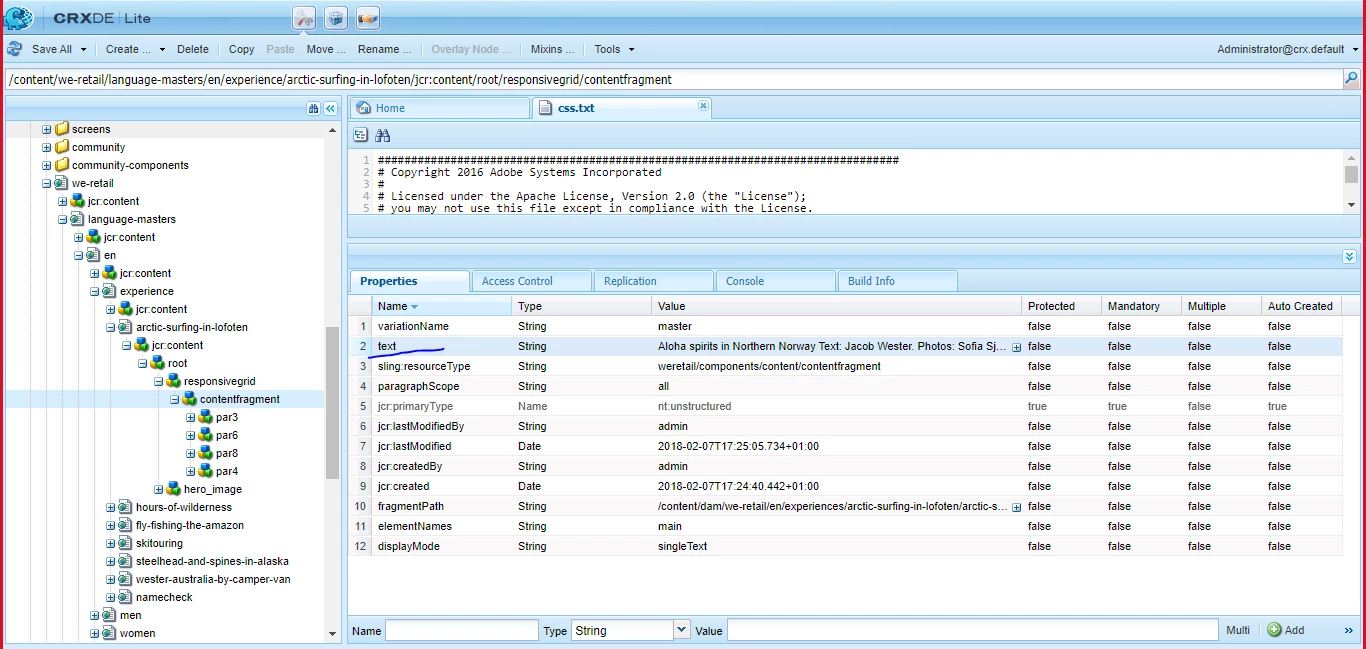
Can we change the name of property. | Community
Skip to main content
This post is no longer active and is closed to new replies. Need help? Start a new post to ask your question.
Best answer by B_Sravan

At node level, you can't change the existing property name but you can delete it and add a new name with the same details at the node level.
But if this name is a dialog property, please change it at the dialog level of that property in the respective component. 


In the above screen shot, you are referring to a content fragment, which is a ootb component. In order to customise it you'll have to create a custom component which acts like a CF or overlay/extend the CF.


Thank you,

Sravan

2 replies

Mohit_KBansal
Adobe Employee
Adobe Employee
July 22, 2022

You can change the property name, just update the dialog of the component and update the property name there.


For existing content created using this component, you may need to write a script to update the property name. You can try ACS Commons on deploy scripts [1], this is supported for on-prem version only.


[1] https://adobe-consulting-services.github.io/acs-aem-commons/features/on-deploy-scripts/index.html

B_Sravan
Community Advisor
B_SravanCommunity AdvisorAccepted solution
Community Advisor
July 22, 2022

At node level, you can't change the existing property name but you can delete it and add a new name with the same details at the node level.
But if this name is a dialog property, please change it at the dialog level of that property in the respective component. 


In the above screen shot, you are referring to a content fragment, which is a ootb component. In order to customise it you'll have to create a custom component which acts like a CF or overlay/extend the CF.


Thank you,

Sravan