
Can't see components left rail when using editor.html | Community
Skip to main content
kishore_polsani
Level 4
June 27, 2017
Solved

Can't see components left rail when using editor.html

  • June 27, 2017
  • 1 reply
  • 1645 views

Hi,

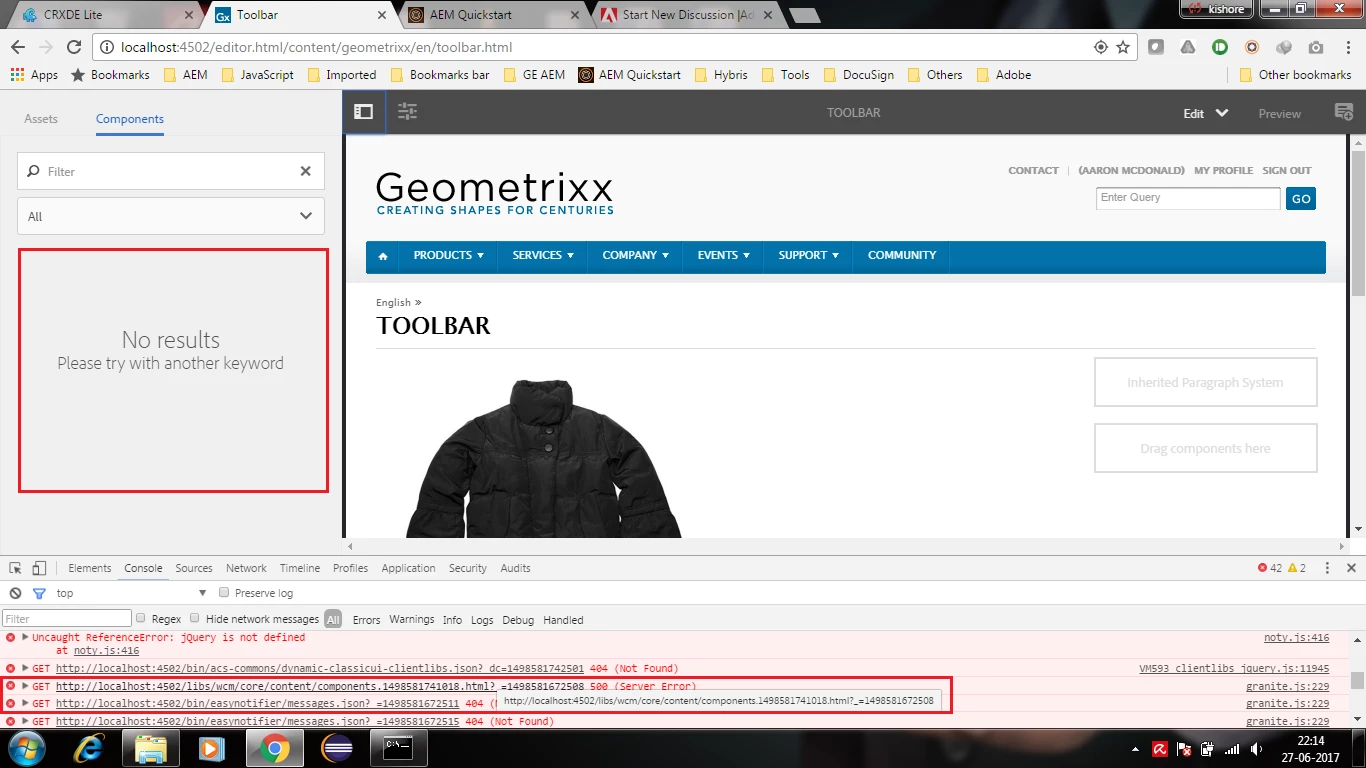
I tried accessing Geometrixx toolbar page [1] in editor.html, I found that no components are displayed on the left rail. I have checked the following,

  • checked if component has cq:editConfig.
  • component were added in design mode
  • checked if page is having/inheriting cq:designPath
  • checked if component group is not starting with period.
  • checked if component title is starting with capital letter.

[1] - http://localhost:4502/editor.html/content/geometrixx/en/toolbar.html

In browser console am getting below error. Attached screenshot.

http://localhost:4502/libs/wcm/core/content/components.1498581741018.html?_=1498581672508  - 500 internal server error.
This post is no longer active and is closed to new replies. Need help? Start a new post to ask your question.
Best answer by kishore_polsani

I found the issue, when I tried accessing url [1], its throwing toomanycalls excpetion. I have increased "sling.max.calls" value in Apache Sling Main Servlet OSGI config, default value is 1500. I have increased value to 2000. Now I could see components in left side rail

[1] - http://localhost:4502/libs/wcm/core/content/components.1498583387463.html?_=1498583378895

1 reply

kishore_polsani
kishore_polsaniAuthorAccepted solution
Level 4
June 27, 2017

I found the issue, when I tried accessing url [1], its throwing toomanycalls excpetion. I have increased "sling.max.calls" value in Apache Sling Main Servlet OSGI config, default value is 1500. I have increased value to 2000. Now I could see components in left side rail

[1] - http://localhost:4502/libs/wcm/core/content/components.1498583387463.html?_=1498583378895