Can I identify different environments by color code or other means? | Community
Skip to main content
Level 2
June 14, 2023
Solved

Can I identify different environments by color code or other means?

  • June 14, 2023
  • 4 replies
  • 1264 views

I know this can be done because I worked with this setup at another job. Unfortunately, nobody I worked with is around anymore.


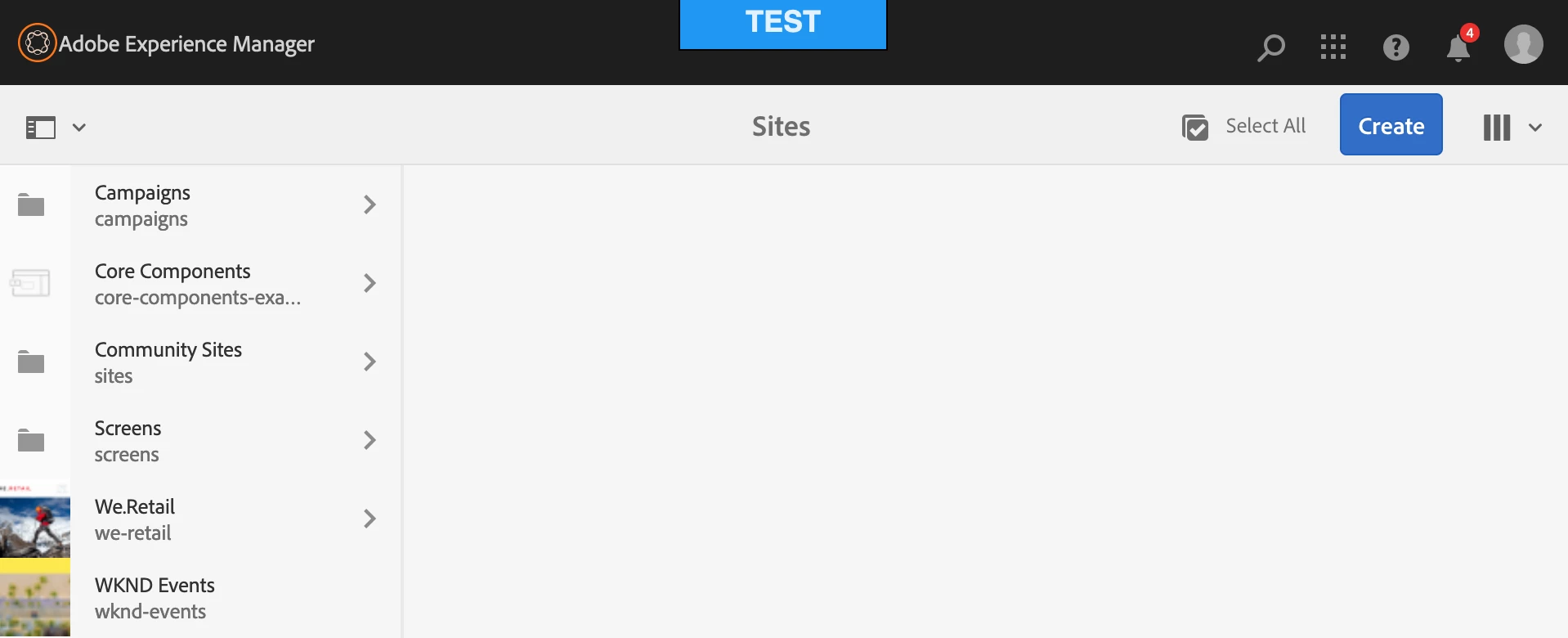
Our team is working with quite a few AEM environments at the same time as we create, test, and deploy 15 websites in our current project. With every screen looking the same, it's easy to get lost and be on the wrong site. Is there a way to add some sort of a color code or other kind of identification to the screen we work with so people will know what site they're on?  As I said, I've seen this before with a small square of color being added in the general vicinity of the highlighted area on the screenshot I've attached.


I'm open to any idea or enhancement that can be used to Indicate which environment users are working in. Thank you in advance for any help you can provide!

 

This post is no longer active and is closed to new replies. Need help? Start a new post to ask your question.
Best answer by lukasz-m

Hi @mark_edelstein,

I think AEM Environment Indicator from ACS Commons is what you are looking for.

Sample result:

4 replies

lukasz-m
Community Advisor
lukasz-mCommunity AdvisorAccepted solution
Community Advisor
June 14, 2023

Hi @mark_edelstein,

I think AEM Environment Indicator from ACS Commons is what you are looking for.

Sample result:

Level 2
June 15, 2023

Thank you all for your lightning-fast response. I really appreciate your help!

Jagadeesh_Prakash
Community Advisor
Community Advisor
June 14, 2023
ManviSharma
Adobe Employee
Adobe Employee
June 14, 2023

Hi,


To indicate the AEM environment or site you are working on, you can use browser extensions, customize CSS, add a custom logo or watermark, or utilize different favicon icons for each environment in browser tabs.

DPrakashRaj
Community Advisor
Community Advisor
June 14, 2023