call third part y Rest service from aem as cloud using certificate | Community
Skip to main content
Level 3
February 6, 2023
Solved

call third part y Rest service from aem as cloud using certificate

  • February 6, 2023
  • 3 replies
  • 2943 views

 I need to call Rest service from my Java backend , the issue is that i need to supply Certificate for the calls . i could not find any articles "how to" regarding aem as cloud

1 - where so i store the certificates on the cloud ?
https://experienceleague.adobe.com/docs/experience-manager-cloud-service/content/implementing/using-cloud-manager/manage-ssl-certificates/add-ssl-certificate.html. ?

2- can you provide example how to invoke rest call from Java beckend that use this certificate ?

3 - for developing - how to call the rest with the certificate on my local instance ? where to put the certificate ?

4 - java has lot of http client , like Jersey / Restlet does one of the is integrated into AEM already ?

This post is no longer active and is closed to new replies. Need help? Start a new post to ask your question.
Best answer by nirshani

hi

after struggling  with this issue , i found the solution 

Solution overview:


  1. Extract pfx information
  2. Create system user.
  3. Map the system user.
  4. Add the certificate to this user.
  5. Create Servlet that will run under that user.


Prerequisites


  • Certificate file
  • Know the certificate keystore password (some time call passphrase)


Step 1 - extract key alias from certificate


The certificate in our case is in pfx format.

Using java “keytool” we will extract the key alias from the keystore


keytool -v -list -keystore cert.pfx

you will be prompt for the pfx password

value of the “alias name” , we will use it later


step 2


create system user.

Navigate to http://localhost:4502/crx/explorer/index.jsp
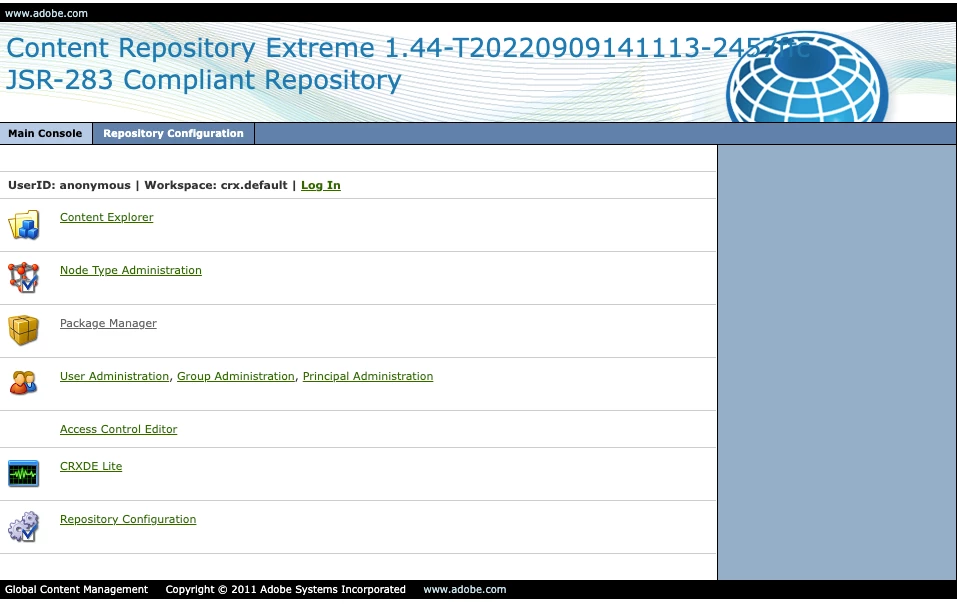


Click “User Administration”

Click “login”. And give the admin credential


Then click “Create System User”

Give user id , in the path use  “/home/users/system


Don’t forget to click the green V


Click “close”


Step 3 -  map


Go to http://localhost:4502/system/console/configMgr

Find Apache Sling Service User Mapper Service Amendment



Click on the +


On the service mapping you need to supply the domain (you can take it from the pom.xml )


Then “:” then user name and the permission needed


״nameoftheuserhere"=content-writer-service (in case you need to write to aem , use “content-writer-service”
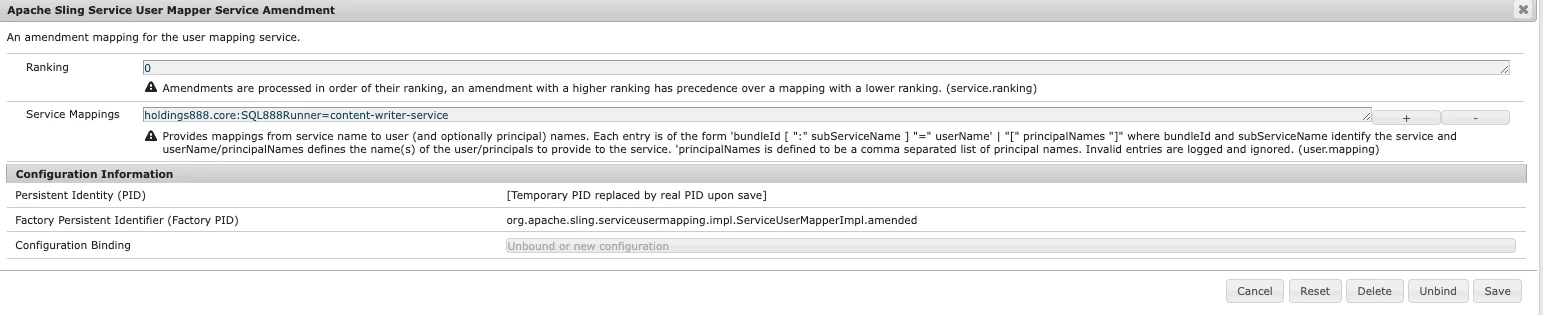


Click “Save”


Step 4 – add certificate to user


Navigate to tools->security->users

http://localhost:4502/security/users.html



Find your user. “nameoftheuser”


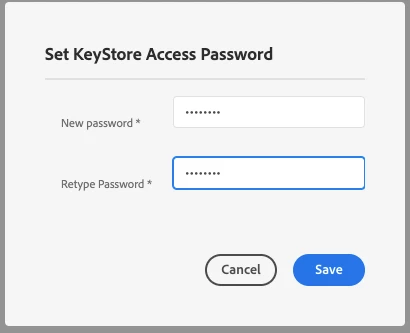
Create new KeyStore and give it password (we won’t use this password now but log it)


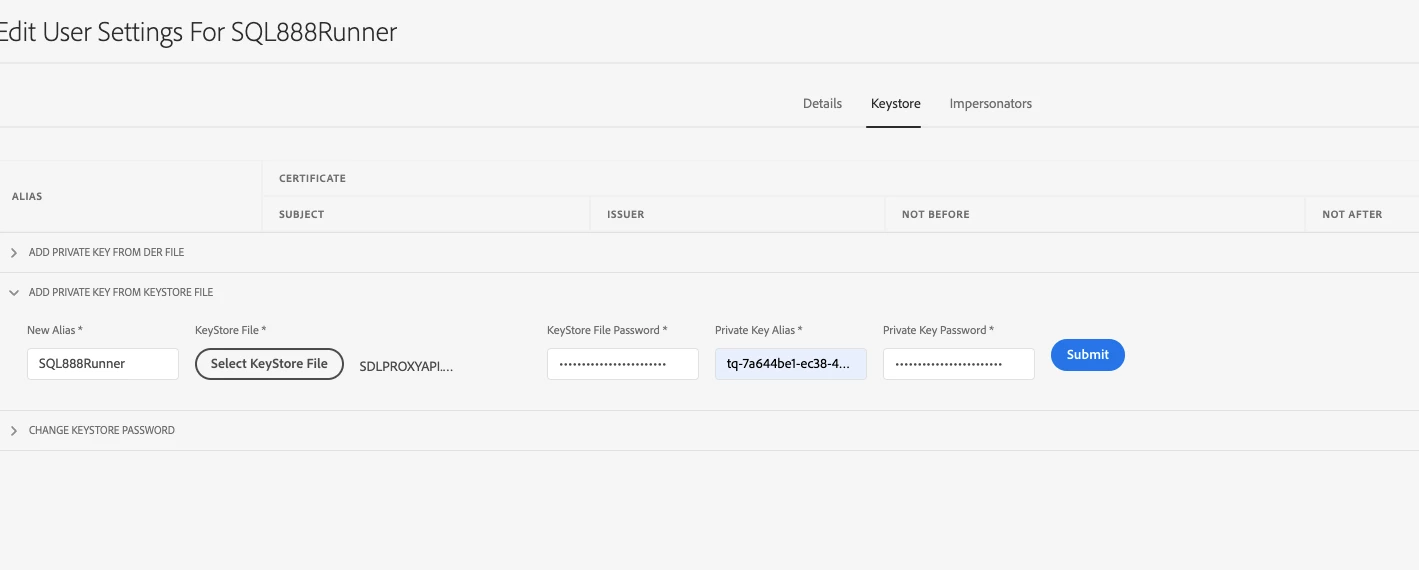
Use “Add Private Key from Keystore File” option


New alias – free choice , I put the user name for better clarity

Upload the pfx file in “keyStoreFile” and set the password of the pfx


On the “private key alias “ use the alias that you extracted before ,  and private key password use the same as keystore file password


Step 5. – running the servlet with the user


import org.apache.sling.api.SlingHttpServletRequest;

import org.apache.sling.api.SlingHttpServletResponse;

import org.apache.sling.api.resource.ResourceResolver;

import org.apache.sling.api.resource.ResourceResolverFactory;

import org.apache.sling.api.servlets.SlingAllMethodsServlet;


import org.osgi.service.component.annotations.Component;

import org.osgi.service.component.annotations.Reference;


import javax.servlet.Servlet;

import javax.servlet.ServletException;

import java.io.IOException;

import java.util.HashMap;


import org.osgi.framework.Constants;

import holdings888.core.utils.HttpsClient;


@8220494(service = Servlet.class,

property = {

    Constants.SERVICE_DESCRIPTION + "=JSON Servlet to  api",

     "sling.servlet.paths=" + "/bin/readRules" })


public class RedirectionServlet extends SlingAllMethodsServlet {


    @3214626

    private ResourceResolverFactory resolverFactory;


    private static final long serialVersionUID = 1L;


    @9944223

    protected void doGet(final SlingHttpServletRequest req,

            final SlingHttpServletResponse resp) throws ServletException, IOException {


ResourceResolver resolver = null;

            HashMap<String, Object> param = new HashMap<>();

            param.put(ResourceResolverFactory.SUBSERVICE, "nameoftheuser");


            resolver = resolverFactory.getServiceResourceResolver(param);

       // make the call with any client implementation 

        String  res = _client.Get(http://urltoapi)


3 replies

Saravanan_Dharmaraj
Community Advisor
Community Advisor
February 6, 2023

You can check this java example of loading the cert from keystore and making the HTTP Get REST API call. You can try that in AEM code too.


https://www.javatips.net/api/uw-android-master/UWPreloader/httpcomponents-client-4.5/examples/org/apache/http/examples/client/ClientCustomSSL.java


nirshaniAuthor
Level 3
February 7, 2023

thanks, this might work on my local i'll update after implementing.

 but i'm looking for a solution that will work on  aem as cloud so no local keystore 


thanks

Nir

nirshaniAuthorAccepted solution
Level 3
February 28, 2023

hi

after struggling  with this issue , i found the solution 

Solution overview:


  1. Extract pfx information
  2. Create system user.
  3. Map the system user.
  4. Add the certificate to this user.
  5. Create Servlet that will run under that user.


Prerequisites


  • Certificate file
  • Know the certificate keystore password (some time call passphrase)


Step 1 - extract key alias from certificate


The certificate in our case is in pfx format.

Using java “keytool” we will extract the key alias from the keystore


keytool -v -list -keystore cert.pfx

you will be prompt for the pfx password

value of the “alias name” , we will use it later


step 2


create system user.

Navigate to http://localhost:4502/crx/explorer/index.jsp


Click “User Administration”

Click “login”. And give the admin credential


Then click “Create System User”

Give user id , in the path use  “/home/users/system


Don’t forget to click the green V


Click “close”


Step 3 -  map


Go to http://localhost:4502/system/console/configMgr

Find Apache Sling Service User Mapper Service Amendment


Click on the +


On the service mapping you need to supply the domain (you can take it from the pom.xml )


Then “:” then user name and the permission needed


״nameoftheuserhere"=content-writer-service (in case you need to write to aem , use “content-writer-service”


Click “Save”


Step 4 – add certificate to user


Navigate to tools->security->users

http://localhost:4502/security/users.html


Find your user. “nameoftheuser”


Create new KeyStore and give it password (we won’t use this password now but log it)


Use “Add Private Key from Keystore File” option


New alias – free choice , I put the user name for better clarity

Upload the pfx file in “keyStoreFile” and set the password of the pfx


On the “private key alias “ use the alias that you extracted before ,  and private key password use the same as keystore file password



Step 5. – running the servlet with the user


import org.apache.sling.api.SlingHttpServletRequest;

import org.apache.sling.api.SlingHttpServletResponse;

import org.apache.sling.api.resource.ResourceResolver;

import org.apache.sling.api.resource.ResourceResolverFactory;

import org.apache.sling.api.servlets.SlingAllMethodsServlet;


import org.osgi.service.component.annotations.Component;

import org.osgi.service.component.annotations.Reference;


import javax.servlet.Servlet;

import javax.servlet.ServletException;

import java.io.IOException;

import java.util.HashMap;


import org.osgi.framework.Constants;

import holdings888.core.utils.HttpsClient;


@8220494(service = Servlet.class,

property = {

    Constants.SERVICE_DESCRIPTION + "=JSON Servlet to  api",

     "sling.servlet.paths=" + "/bin/readRules" })


public class RedirectionServlet extends SlingAllMethodsServlet {


    @3214626

    private ResourceResolverFactory resolverFactory;


    private static final long serialVersionUID = 1L;


    @9944223

    protected void doGet(final SlingHttpServletRequest req,

            final SlingHttpServletResponse resp) throws ServletException, IOException {


ResourceResolver resolver = null;

            HashMap<String, Object> param = new HashMap<>();

            param.put(ResourceResolverFactory.SUBSERVICE, "nameoftheuser");


            resolver = resolverFactory.getServiceResourceResolver(param);

       // make the call with any client implementation 

        String  res = _client.Get(http://urltoapi)


June 21, 2023

Hey Nir,

I wanted to let you know that I came across your question about making secure HTTP calls from AEM as a Cloud. I found the problem interesting and decided to write an article addressing this issue. I'm excited to share with you that I have published an article titled Safeguarding Third-Party Integrations: Secure HTTP Calls in AEM as a Cloud.  In the article, I discuss the challenge of secure integrations, walk through the steps involved, and provide code samples for implementing the solution. I wanted to express my gratitude for inspiring me to write the article. Your question motivated me to explore this topic further and share my findings with the community. I hope the article proves helpful and valuable to you and others facing similar 

Avi Dalal