Bullet(lists) is not rendering in the page while clicking the save button. | Community
Skip to main content
Level 3
June 4, 2020
Solved

Bullet(lists) is not rendering in the page while clicking the save button.

  • June 4, 2020
  • 6 replies
  • 6648 views

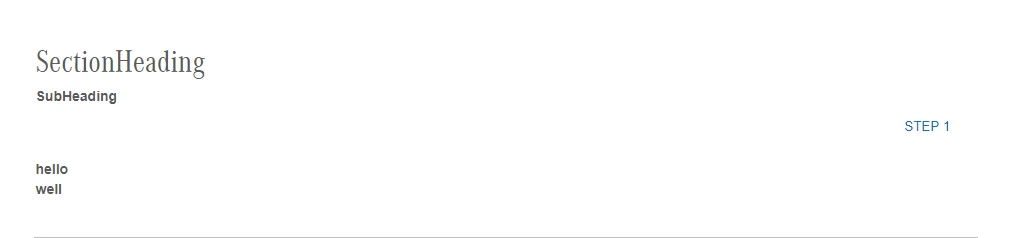
I have developed tabbed module component in AEM 6.5.When I have selected the bullet point  in any text then it has appear in the dialog but when clicked the save  then bullet points are not rendered to the page. PFB Screenshot.
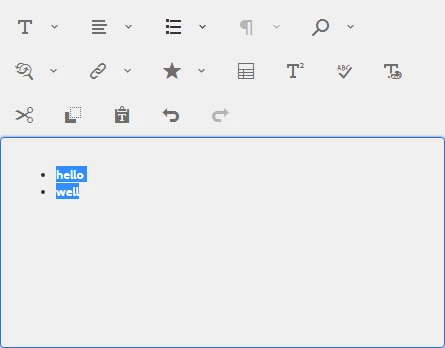
When I clicked the save button bullets points not rendered to the page.
node structure of rte-Config:
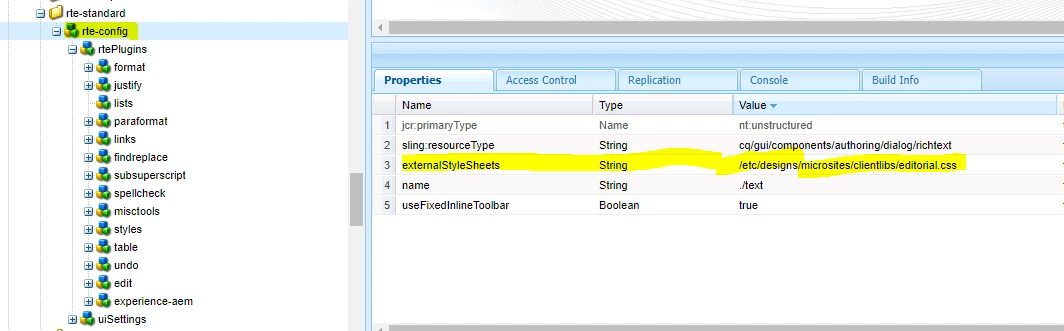
When I have seen this rte-Config node here externalStyleSheets presented and when I went to this path (/etc/design/microsites/clientlibs/editorial.css )no editorial.css presented.I think styled property has applied in editorial.css but from where I found this file.
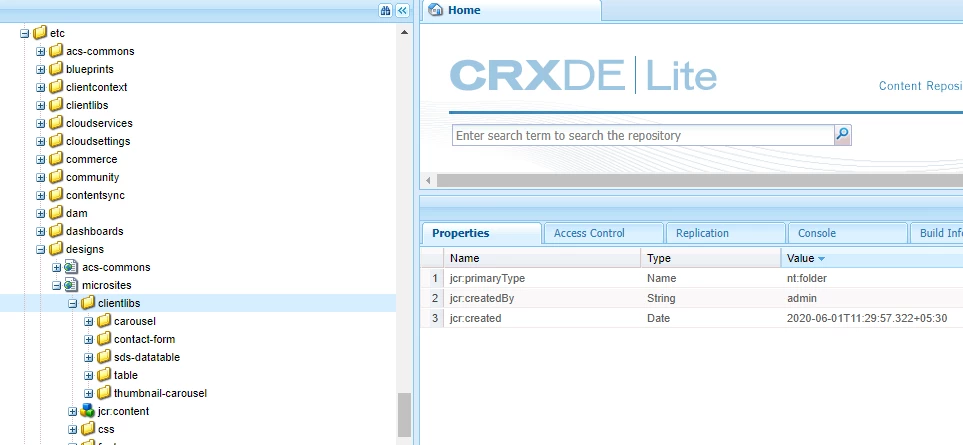
In above image(inside clientlibs) no editorial.css folder presented.
 

This post is no longer active and is closed to new replies. Need help? Start a new post to ask your question.
Best answer by Nupur_Jain

Hi @kkhan_123 


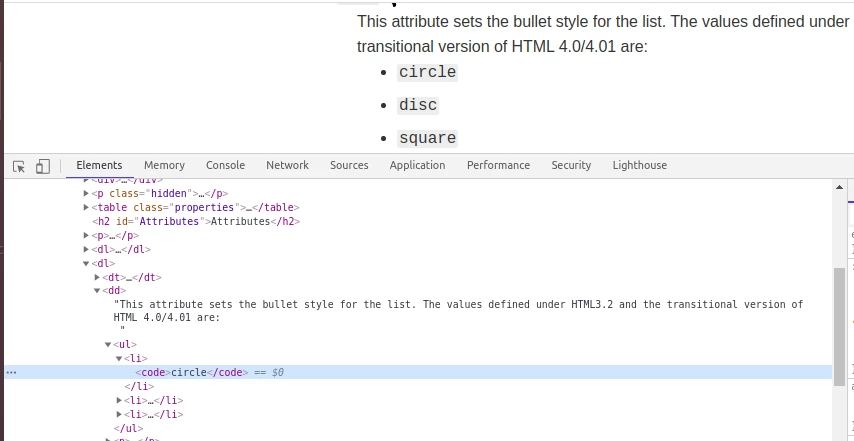
Can you inspect this page and send me the final html rendered from element section of developers tool like given in below screenshot:


Thanks,

Nupur

6 replies

Adobe Employee
June 4, 2020

.

Nupur_Jain
Adobe Employee
Nupur_JainAdobe EmployeeAccepted solution
Adobe Employee
June 4, 2020

Hi @kkhan_123 


Can you inspect this page and send me the final html rendered from element section of developers tool like given in below screenshot:


Thanks,

Nupur

kkhan_123Author
Level 3
June 4, 2020

Hi @nupur_jain,

PFB Screenshot:


Adobe Employee
June 4, 2020
Have you check the borwser debugger to verify if there is any error e.g. js error, when clicking save in dialg ?
kkhan_123Author
Level 3
June 5, 2020
Hi @hamid1350 there is no error in js I think this is the problem with css because editorial.css is not present in clientlib folder.
VeenaVikraman
Community Advisor
Community Advisor
June 5, 2020

As @nupur_jain mentioned, the issue is with the site specific CSS overriding the ul and li stlyes. To check that please do the below steps


  1. Click inspect element 
  2. Highlight your ul tag , and on the right side , check the computed styles tab. There you should see list-style-type , if you click that it will tell you exactly which is the last CSS style which is getting rendered. I will also show you styles which are overridden by a strike-off mark.
  3. If you don't find anything on ul tag, do the same with li tag . This will help you find the exact CSS which is overriding your CSS

Hope this helps. Happy Developing 🙂

Veena ✌

kkhan_123Author
Level 3
June 8, 2020

Hi @veenavikraman, @nupurjain, found main.css when I have highlighted the ul tag and when I remove the ul { list-style-type: none; } none option here then the bullet is reflecting properly in page but outside the dialog-box. PFB Details.

and it is reflecting the some other component instead of rte(lists).PFB Details.

in this field text there is no rte bullet points is present it is only a heading.

when i save the dialog then a bullet point came in heading also.

my doubt is that In rte-Config on externalstylesheet path is present but when i am going to that path(/etc/designs/microsites/clientlibs/editorial.css) there is no editorial.css is present,If i can make a css file in that path then problem might be solve.


VeenaVikraman
Community Advisor
Community Advisor
June 12, 2020

@kkhan_123 I read your comments under my reply. Just replying here as it might be visible and might help other too. When working with CSS , you have to be careful about few things

  • Never modify styles under generic tags . For eg, if you have a css style 


ul { list-style-type: circle; }​


never modify that directly as it will affect all the ul tags in your page. Rather to work with any specific ul tag issue , give a class name or identify a unique reference for the tag in question and apply the styles only to that 


For e.g. In your case your ul tag has a class="featured-list__list-container" so , you can add a style like below to make the bullets appear 


.featured-list__list-container ul { list-style-type: circle; }


Hope this is your issue and will solve it. 


Veena ✌