Brand portal Publishing - Asset contribution tab not visisble | Community
Skip to main content
Adobe Champion
July 31, 2023
Solved

Brand portal Publishing - Asset contribution tab not visisble

  • July 31, 2023
  • 1 reply
  • 512 views

We have a brand portal functionality where users are able to publish to AEM and vice versa.

In AEM, users who are part of certain group are unable to see the below high lighted tab. 
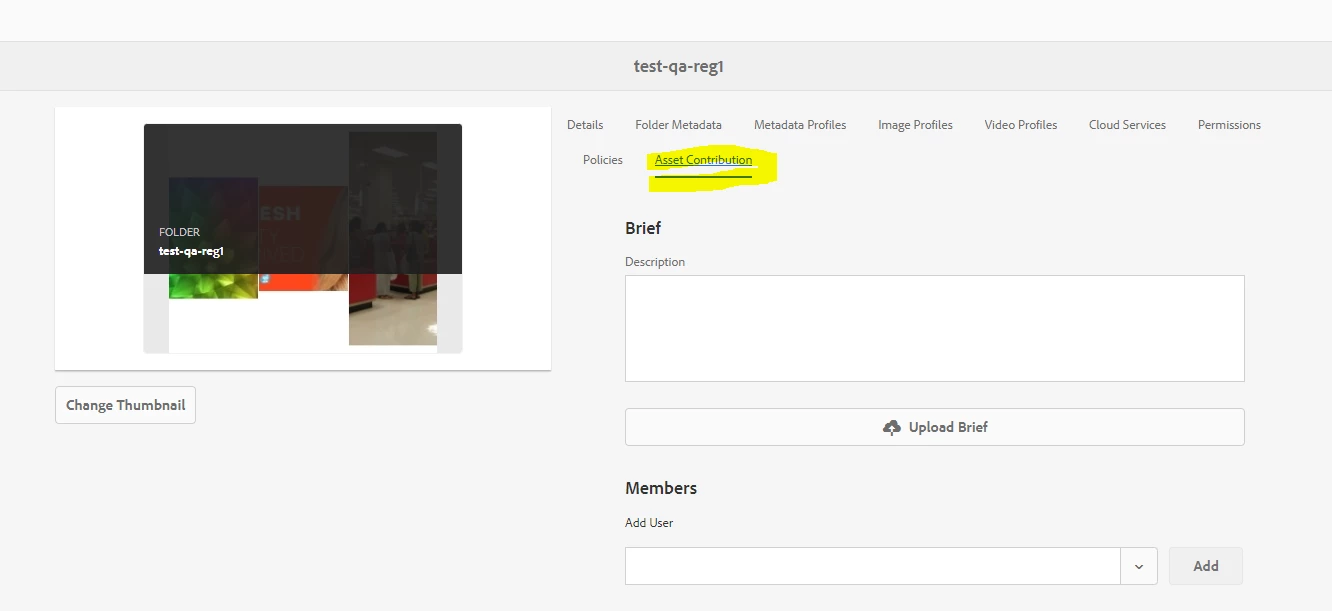


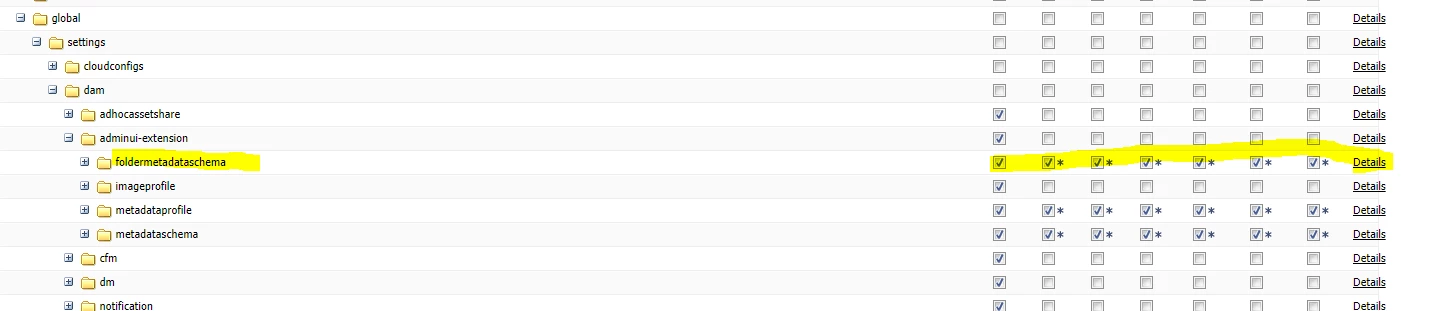
Other than the below permission, do we need to give any additional permission for users to see the Asset contribution tab?
 

Admin users are able to see this tab without any issues.

This post is no longer active and is closed to new replies. Need help? Start a new post to ask your question.
Best answer by Tushar_Gupta

Experience Manager Assets administrator performs the following activities while configuring the properties of a contribution folder.

  • Add description: Provide a high-level description of the contribution folder.
  • Upload brief: Upload Asset Requirement document containing asset related information.
  • Add contributors: Add Brand Portal users to grant them access to the contribution folder.

Asset requirement refers to the details provided by administrators to help contributors (Brand Portal users) understand the need and requirements of the contribution folder. Administrator uploads an asset requirement document which contains a brief about the type of assets that should be added to the contribution folder and asset related information, for example, purpose, type of images, max size, etc.

Refer https://experienceleague.adobe.com/docs/experience-manager-brand-portal/using/asset-sourcing-in-brand-portal/brand-portal-publish-contribution-folder-to-brand-portal.html?lang=en for more information.

1 reply

Tushar_GuptaAdobe EmployeeAccepted solution
Adobe Employee
August 1, 2023

Experience Manager Assets administrator performs the following activities while configuring the properties of a contribution folder.

  • Add description: Provide a high-level description of the contribution folder.
  • Upload brief: Upload Asset Requirement document containing asset related information.
  • Add contributors: Add Brand Portal users to grant them access to the contribution folder.

Asset requirement refers to the details provided by administrators to help contributors (Brand Portal users) understand the need and requirements of the contribution folder. Administrator uploads an asset requirement document which contains a brief about the type of assets that should be added to the contribution folder and asset related information, for example, purpose, type of images, max size, etc.

Refer https://experienceleague.adobe.com/docs/experience-manager-brand-portal/using/asset-sourcing-in-brand-portal/brand-portal-publish-contribution-folder-to-brand-portal.html?lang=en for more information.