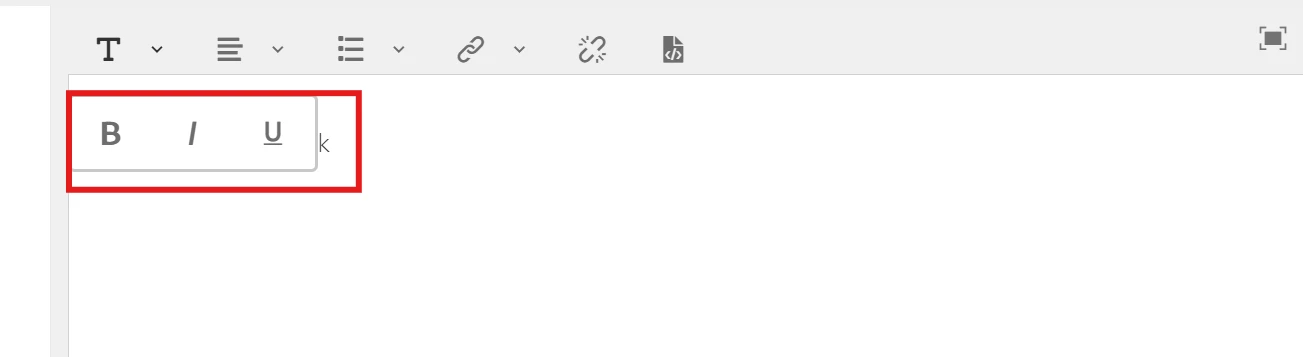
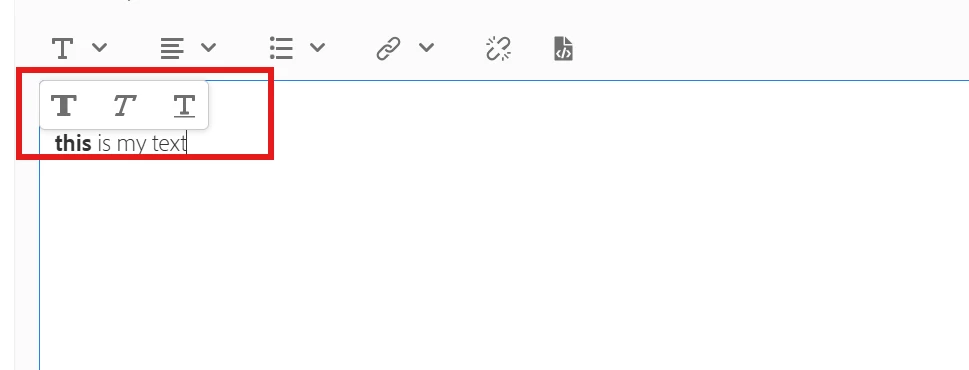
Bold , Italic , Underline Icons are coming differently | Community
Skip to main content
This post is no longer active and is closed to new replies. Need help? Start a new post to ask your question.
Best answer by Mohit_Singh_01

Hi @viveksr1 you can change the icon by using the following steps:

  1. create a proxy component of text in your project and copy the cq:dialog and paste under the text proxy component.
  2. Create a node named icons under uiSettings/cui.
  3. Create nodes for individual icons under it.

  4. On each of the individual icon nodes, specify a Coral icon and a command to map to the icon.

Below is a sample snippet to map the command Bold to the Coral icon named textColor.

 
<text jcr:primaryType="nt:unstructured" sling:resourceType="cq/gui/components/authoring/dialog/richtext" name="./text" useFixedInlineToolbar="{Boolean}true"> <rtePlugins jcr:primaryType="nt:unstructured"> <format jcr:primaryType="nt:unstructured" features="bold,italic"/> </rtePlugins> <uiSettings jcr:primaryType="nt:unstructured"> <cui jcr:primaryType="nt:unstructured"> <inline jcr:primaryType="nt:unstructured" toolbar="[format#bold,format#italic,format#underline,links#modifylink,links#unlink]"> </inline> <icons jcr:primaryType="nt:unstructured"> <bold jcr:primaryType="nt:unstructured" command="format#bold" icon="textColor"/> </icons> </cui> </uiSettings> </text>

Generated Output:
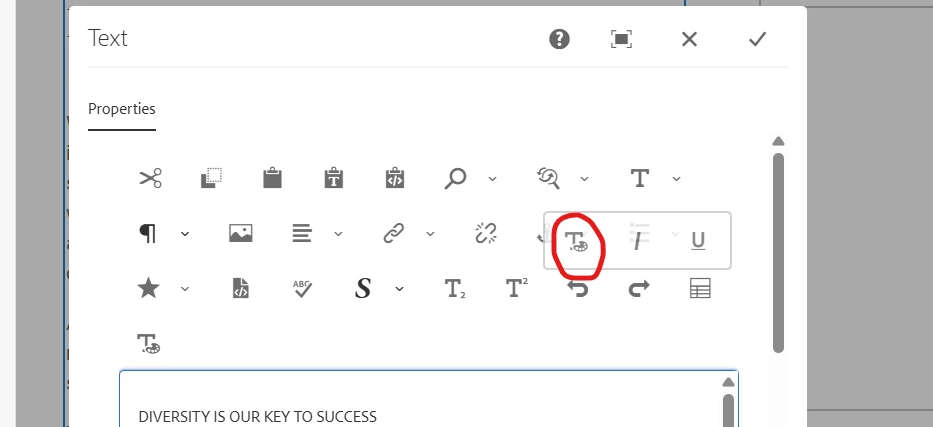

Following the instructions in: https://experienceleague.adobe.com/en/docs/experience-manager-65/content/sites/administering/operations/rich-text-editor#:~:text=Customize%20mapping%20between%20toolbar%20icons,to%20map%20to%20the%20icon. 

3 replies

Pallavi_Shukla_
Community Advisor
Community Advisor
June 17, 2025

This may be due to Touch UI RTE modernization and dependency updates that happened when AEM moved to the Cloud Service stream. AEMaaCS uses a newer version of Coral UI and Granite UI.


If your team is OK with the new look (and it’s only a visual shift), let it be — just make sure:

  • Your content authors are trained on the new UI

  • Style consistency is preserved in your frontend via CSS 

VivekSr1Author
Level 2
June 17, 2025

Hi @pallavi_shukla_ ,

Can we change it to previous look. Its ask that it should look like previously.
This is for content fragment RTE.

Mohit_Singh_01
Mohit_Singh_01Accepted solution
Level 2
June 19, 2025

Hi @viveksr1 you can change the icon by using the following steps:

  1. create a proxy component of text in your project and copy the cq:dialog and paste under the text proxy component.
  2. Create a node named icons under uiSettings/cui.
  3. Create nodes for individual icons under it.

  4. On each of the individual icon nodes, specify a Coral icon and a command to map to the icon.

Below is a sample snippet to map the command Bold to the Coral icon named textColor.

 
<text jcr:primaryType="nt:unstructured" sling:resourceType="cq/gui/components/authoring/dialog/richtext" name="./text" useFixedInlineToolbar="{Boolean}true"> <rtePlugins jcr:primaryType="nt:unstructured"> <format jcr:primaryType="nt:unstructured" features="bold,italic"/> </rtePlugins> <uiSettings jcr:primaryType="nt:unstructured"> <cui jcr:primaryType="nt:unstructured"> <inline jcr:primaryType="nt:unstructured" toolbar="[format#bold,format#italic,format#underline,links#modifylink,links#unlink]"> </inline> <icons jcr:primaryType="nt:unstructured"> <bold jcr:primaryType="nt:unstructured" command="format#bold" icon="textColor"/> </icons> </cui> </uiSettings> </text>

Generated Output:


Following the instructions in: https://experienceleague.adobe.com/en/docs/experience-manager-65/content/sites/administering/operations/rich-text-editor#:~:text=Customize%20mapping%20between%20toolbar%20icons,to%20map%20to%20the%20icon. 

kautuk_sahni
Community Manager
Community Manager
June 30, 2025

@viveksr1 Just checking in — were you able to resolve your issue?
We’d love to hear how things worked out. If the suggestions above helped, marking a response as correct can guide others with similar questions. And if you found another solution, feel free to share it — your insights could really benefit the community. Thanks again for being part of the conversation!

Kautuk Sahni
VivekSr1Author
Level 2
June 30, 2025

Yes Thank you for your kind help.

Appreciated.