Blank Pages | Community
Skip to main content
November 27, 2022
Solved

Blank Pages

  • November 27, 2022
  • 2 replies
  • 824 views

Following to the steps for WKND project tutorial and i am able to build the project successfully but the content pages are completely blank. appreciate if any help please.

This post is no longer active and is closed to new replies. Need help? Start a new post to ask your question.
Best answer by SantoshSai

Hi @shoib_i,

There might be one out of many reasons that causing this issue as below

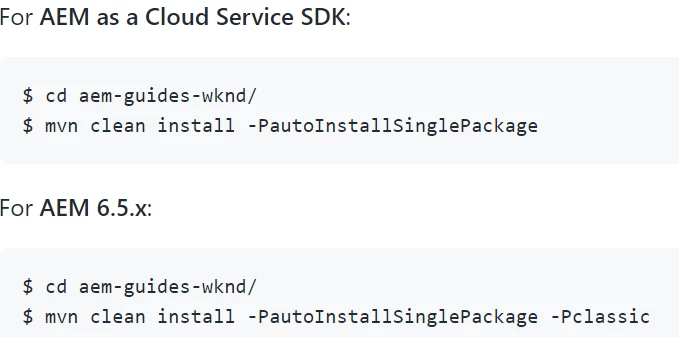
  • Please check what AEM version are you using and the respective command you are using it as below per documentation here [0].

    For AEM as a Cloud Service SDK:

    $ cd aem-guides-wknd/
    $ mvn clean install -PautoInstallSinglePackage
    

    For AEM 6.5.x:

    $ cd aem-guides-wknd/
    $ mvn clean install -PautoInstallSinglePackage -Pclassic
  • Check if your WNKD bundle is in Active state here: http://localhost:4502/system/console/bundles
  • Most likely your bundle must be in Installed state, If you found any errors try to resolve them - the bundle should be in Active state to make WKND site functional - according to the documentation[0] you need to have AEM 6.5 with Service Pack 10 or newer. 
  • You can find link to SP10 on Adobe Software Distribution along with other Service Packs.

[0]: https://github.com/adobe/aem-guides-wknd#system-requirements

Hope that helps!

Regards,

Santosh

2 replies

SantoshSai
Community Advisor
SantoshSaiCommunity AdvisorAccepted solution
Community Advisor
November 27, 2022

Hi @shoib_i,

There might be one out of many reasons that causing this issue as below

  • Please check what AEM version are you using and the respective command you are using it as below per documentation here [0].

    For AEM as a Cloud Service SDK:

    $ cd aem-guides-wknd/
    $ mvn clean install -PautoInstallSinglePackage
    

    For AEM 6.5.x:

    $ cd aem-guides-wknd/
    $ mvn clean install -PautoInstallSinglePackage -Pclassic
  • Check if your WNKD bundle is in Active state here: http://localhost:4502/system/console/bundles
  • Most likely your bundle must be in Installed state, If you found any errors try to resolve them - the bundle should be in Active state to make WKND site functional - according to the documentation[0] you need to have AEM 6.5 with Service Pack 10 or newer. 
  • You can find link to SP10 on Adobe Software Distribution along with other Service Packs.

[0]: https://github.com/adobe/aem-guides-wknd#system-requirements

Hope that helps!

Regards,

Santosh

Santosh Sai
HeenaMadan
Community Advisor and Adobe Champion
November 28, 2022

Are you using aem as cloud or AEM-6.5.x ? Deploy accordingly for https://github.com/adobe/aem-guides-wknd