Auto sync not happening after custom workflow deployment | Community
Skip to main content
samsundar23
Level 4
March 23, 2023

Auto sync not happening after custom workflow deployment

  • March 23, 2023
  • 2 replies
  • 943 views

I'm using AEM 6.5.15 and I have updated the Dam Update Asset Workflow.


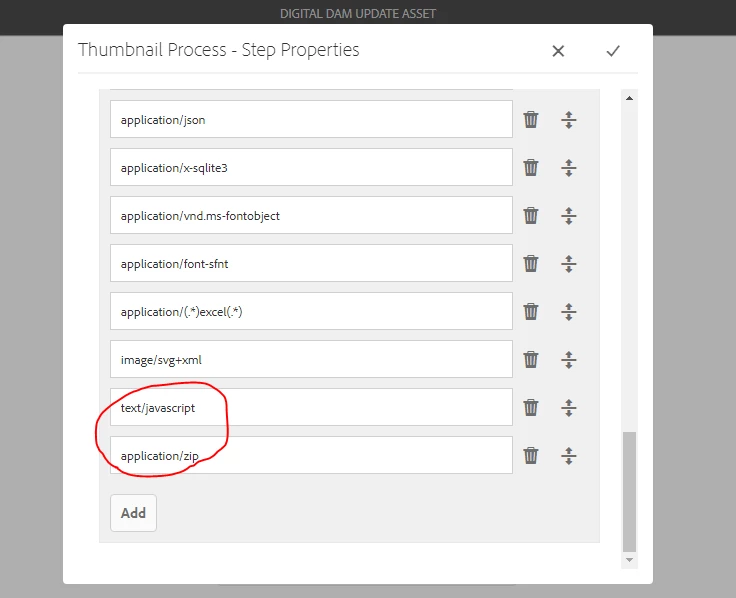
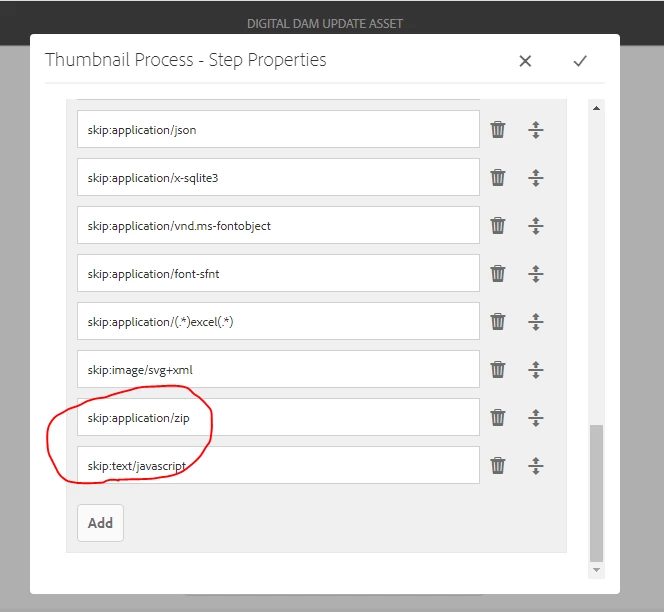
In the Process Thumbnail step, we have updated Skip Mime Types field available at Thumbnail Tab and in the Web Enabled Image Tab, we have updated the  Skip List field. Please refer the below screenshots for the changes.


The changes are done in both /var workflow model path and in /conf path. Now, after a regular Teamcity build deployment, each time I need to do a manual sync in the workflow page to make the functionality work.


Any way to resolve this problem?

I tried adding lastSynced, cq:lastModifiedBy and cq:lastModified which doesn't solve the actual problem.

Can someone help with the solution.

Kindly let me know.


Thanks in advance.


Regards
SHYAMSUNDAR TK

This post is no longer active and is closed to new replies. Need help? Start a new post to ask your question.

2 replies

Rohit_Utreja
Community Advisor
Community Advisor
March 23, 2023

Hi @samsundar23 

Could you please share logs from AEM while performing this activity?


Thanks,

Rohit

samsundar23
Level 4
April 19, 2023

Sorry guys.

It's a flaw from my end.

I missed to update a node from the workflow in the /conf path which was the root cause for the auto-sync not working properly.


Thanks
SHYAMSUNDAR TK

Level 3
September 20, 2024

Hi @samsundar23 
can you please elaborate what have you done, we have a similar kind of requirement in AEMAACS where we need to update asset_processing_on_sdk Workflow, and the sync is not happening

Thanks