Auto delete/deactivate page | Community
Skip to main content
jamesm77050123
Level 2
September 28, 2018
Solved

Auto delete/deactivate page

  • September 28, 2018
  • 4 replies
  • 2001 views

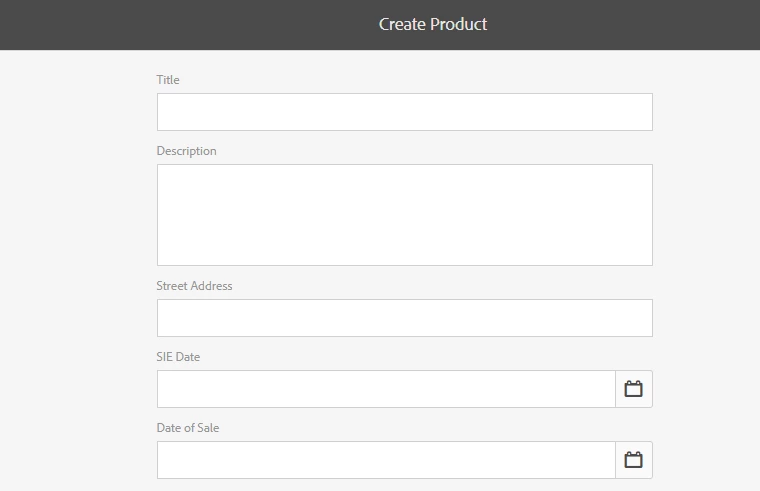
I'm working on enhancing an existing ecommerce page. The product is created using scaffolding, a page is created and the product is imported into the page. One of the product parameters is a sale date. The client wants the product and the page to be automatically deactivated and deleted when the sale date has passed. Is this possible? I've attached a screenshot of the product creation page
This post is no longer active and is closed to new replies. Need help? Start a new post to ask your question.
Best answer by VeenaVikraman

jamesm77050123

      I think may be you can solve this issue by using a scheduler you can solve this issue. Run the scheduler every night and check for the product's sale date against current date and deactivate those which are expired. I am pasting few links from www below,

Apache Sling :: Scheduler Service (commons scheduler)

https://hashimkhan.in/aem-adobecq5-code-templates/scheduler/

Adobe Experience Manager Help | Scheduling Adobe Experience Manager Jobs using Apache Sling

4 replies

Peter_Puzanovs
Community Advisor
Community Advisor
September 28, 2018

Dear James,

Deactivate later is OOTB functionality present in AEM.

Delete after deactivate is not OOTB and would require a customisation.

This customisation can be achieved using AEM Workflow system.

Regards,

Peter

Adobe Employee
September 28, 2018

OOTB a page deletion on an AEM author also unpublishing the page. You can easily build your solution by using workflows:

Request for Deactivation - /etc/workflow/models/request_for_deactivation

Request for Deletion - /etc/workflow/models/request_for_deletion

smacdonald2008
Level 10
September 28, 2018

As Peter and Leo point out - the solution here is using Workflows.

VeenaVikraman
Community Advisor
VeenaVikramanCommunity AdvisorAccepted solution
Community Advisor
September 28, 2018

jamesm77050123

      I think may be you can solve this issue by using a scheduler you can solve this issue. Run the scheduler every night and check for the product's sale date against current date and deactivate those which are expired. I am pasting few links from www below,

Apache Sling :: Scheduler Service (commons scheduler)

https://hashimkhan.in/aem-adobecq5-code-templates/scheduler/

Adobe Experience Manager Help | Scheduling Adobe Experience Manager Jobs using Apache Sling