Audit log with extra information | Community
Skip to main content
January 27, 2021
Solved

Audit log with extra information

  • January 27, 2021
  • 4 replies
  • 3919 views

My project has requirement to log all user activities.. i.e., what all is happening in the environment and by whom. I have enabled  audit logging feature in AEM by going to http://localhost:4502/system/console/slinglog -> change the log level of logs/audit.log to DEBUG.


This solves my purpose and logs all the user activities but it doesn't log what content changes has been made. For example, if value of a property is changed from "Hello World" to "Hello Earth" I want to log both old and new values, if not both at least the new value.


Is this possible? If not using audit log, can be done with custom logs or any workflows?

This post is no longer active and is closed to new replies. Need help? Start a new post to ask your question.
Best answer by Sanket_Kumbharkhane

You can use an event listener to listen to all the activities on your website. Create a separate class and log all the activities in info mode. 

  1. NODE_ADDED
  2. NODE_MOVED
  3. NODE_REMOVED
  4. Event.PERSIST
  5. PROPERTY_ADDED
  6. PROPERTY_CHANGED
  7. PROPERTY_REMOVED

https://aem.redquark.org/2018/10/day-14-eventing-in-aem.html


and then register that class with a new log file name at

http://localhost:4502/system/console/slinglog


Note: Its better to add more restriction to listen to those events like

a. listen only for cq: page 

b. under a specific  parent folder

c. Strictly for Author

as per the requirement.

4 replies

Kiran_Vedantam
Community Advisor
Community Advisor
January 27, 2021

Hi @infinityskyline,


For logging all the user-level activities, you can write a filter and log them to a custom log. Related thread here.


If you need only the content level changes, you can write some listeners and can log the activities. Please find my blog for the annotations here.


Hope this helps!


Thanks,

Kiran Vedantam.

Sanket_Kumbharkhane
Sanket_KumbharkhaneAccepted solution
January 27, 2021

You can use an event listener to listen to all the activities on your website. Create a separate class and log all the activities in info mode. 

  1. NODE_ADDED
  2. NODE_MOVED
  3. NODE_REMOVED
  4. Event.PERSIST
  5. PROPERTY_ADDED
  6. PROPERTY_CHANGED
  7. PROPERTY_REMOVED

https://aem.redquark.org/2018/10/day-14-eventing-in-aem.html


and then register that class with a new log file name at

http://localhost:4502/system/console/slinglog


Note: Its better to add more restriction to listen to those events like

a. listen only for cq: page 

b. under a specific  parent folder

c. Strictly for Author

as per the requirement.

January 29, 2021
@sanket_kumbharkhane I have created eventlistener class to achieve event handling at the JCR level. Everything is working as given in the example. But how can I achieve value of the property on PROPERTY_CHANGED or PROPERTY_ADDED event?
January 27, 2021

Hi,


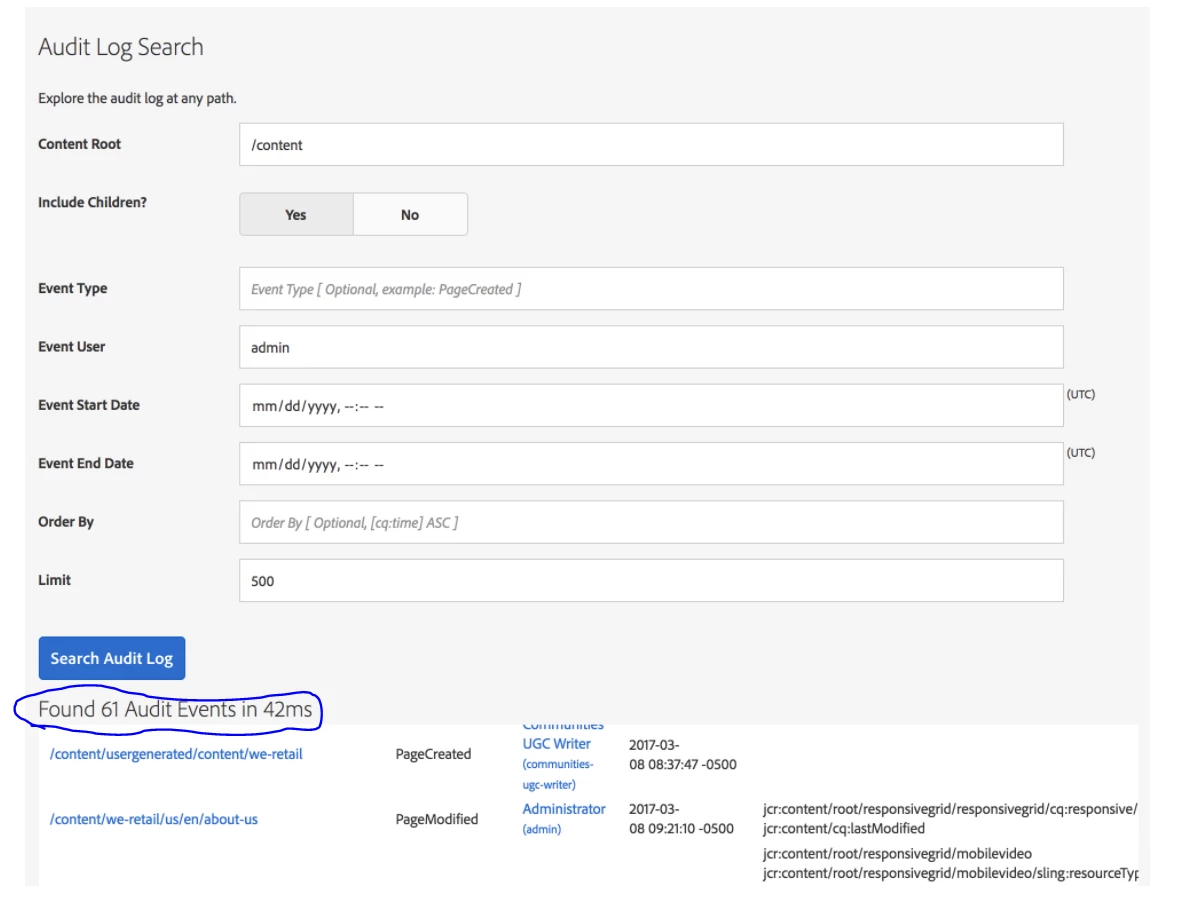
You don't have to write any custom code for listeners instead you can go with ACS commons available feature Audit log serch


https://adobe-consulting-services.github.io/acs-aem-commons/features/audit-log-search/index.html


It will Trace all the Audit log depends on your Event Type like Page created, Page deleted, etc.. and provide the required information as needed till the date Audit log is available in instance. Purging for Audit log should not happen for that particular date.


Thanks,

Kiran Parab


January 28, 2021

That's True. But If you are trying to capture very granular level properties or modified transactions then author will slow down with all this logging log sizes and my suggetion is don't go with Debug mode.


If author replicates the final version to publisher then, it will create the auto created version in Author and easy to find diff the page with older version if you really looking for changes.

As i said Audit OOTB logs also captures the timesstamp for each transaction so it will helpful to backtrack to do reverse engineering.


This might help to take call on your usecase.


Thanks,

Kiran Parab

joerghoh
Adobe Employee
Adobe Employee
January 31, 2021

As already stated, it's not useful to log all repository changes, because 1) you have to filter out the changes caused by system processes 2) no one will ever review these changes, 3) they slow down the system and 4) consume a lot of storage.


For what purpose do you need the audit log? What is the livecycle of these audit log data, how long do you want/need to keep them?