Solved
Assets || Color space of an image asset
Hello,
We would like to display information about color spaces in our asset properties (RGB, CMYK, sRBK etc.).
Something like that:
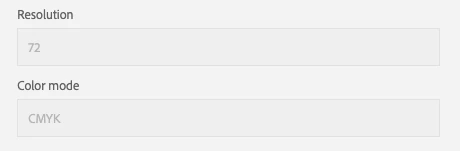
What is the best solution to get the data?
Hello,
We would like to display information about color spaces in our asset properties (RGB, CMYK, sRBK etc.).
Something like that:
What is the best solution to get the data?
- Create a new namespace and use that to create custom properties to map to these new fields
- Edit the OOTB metadata schema to add these properties to the schema
- Apply the metadata schema to a particular folder where you would need these new properties
- Now, when you do a metadata import, the properties will be automatically mapped to the assets. Just make sure the name of the properties in the import step matches what you created in step 1
See [1] for more details
Enter your E-mail address. We'll send you an e-mail with instructions to reset your password.