
Asset remains in processing state after uploading | Community
Skip to main content
vjleo94
November 1, 2022
Solved

Asset remains in processing state after uploading

  • November 1, 2022
  • 2 replies
  • 2253 views

Hi,


The asset remains in processing state after uploading. But the asset can still be referenced and published.


I am on 6.5.11 


Please find the screenshot below :
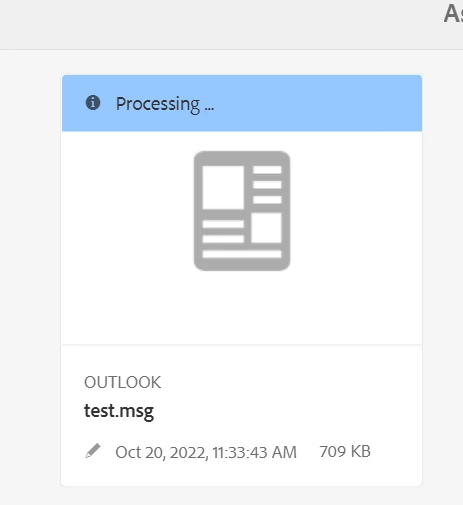


Thanks and regards,

Vijaya Kumar A

This post is no longer active and is closed to new replies. Need help? Start a new post to ask your question.
Best answer by smahesh

Hi @vjleo94 

If the asset is still in processing then please go to workflows and then instances tab. Check if your asset is there and select it and check the history and you can see at what step the workflow is stuck.This way you can find where it is failing and further you can debug the root cause. Also you can manually complete that step later.


Thanks,

Mahesh 

2 replies

Jagadeesh_Prakash
Community Advisor
Community Advisor
November 1, 2022

@vjleo94 do u see any error in the logs? ideally this should not be case unless if u have Dynamic media integration and asset is yet to process and unable to get the DM connectivity

vjleo94
vjleo94Author
November 1, 2022

java.lang.NullPointerException
    at com.adobe.granite.workflow.core.advance.AdvanceUtil.findOrSplits(AdvanceUtil.java:217)
    at com.adobe.granite.workflow.core.advance.AdvanceUtil.resetOrSplitMemory(AdvanceUtil.java:197)
    at com.adobe.granite.workflow.core.advance.AdvanceUtil.transitionFrom(AdvanceUtil.java:142)
    at com.adobe.granite.workflow.core.WorkflowSessionImpl.completeInternal(WorkflowSessionImpl.java:1119)
    at com.adobe.granite.workflow.core.job.HandlerBase.complete(HandlerBase.java:518)
    at com.adobe.granite.workflow.core.job.JobHandler.process(JobHandler.java:375)
    at org.apache.sling.event.impl.jobs.JobConsumerManager$JobConsumerWrapper.process(JobConsumerManager.java:502)
    at org.apache.sling.event.impl.jobs.queues.JobQueueImpl.startJob(JobQueueImpl.java:293)
    at org.apache.sling.event.impl.jobs.queues.JobQueueImpl.access$100(JobQueueImpl.java:60)
    at org.apache.sling.event.impl.jobs.queues.JobQueueImpl$1.run(JobQueueImpl.java:229)
    at java.base/java.util.concurrent.ThreadPoolExecutor.runWorker(ThreadPoolExecutor.java:1128)
    at java.base/java.util.concurrent.ThreadPoolExecutor$Worker.run(ThreadPoolExecutor.java:628)
    at java.base/java.lang.Thread.run(Thread.java:829)

Siva_Sogalapalli
Community Advisor
Community Advisor
November 1, 2022

Do you see workflows failed in workflows failure tab related to the DAM update asset workflow? If there are any workflows failed related to the assets which you're checking, please retry and see if that resolves. 

http://localhost:4502/libs/cq/workflow/admin/console/content/failures.html 

smaheshAccepted solution
November 1, 2022

Hi @vjleo94 

If the asset is still in processing then please go to workflows and then instances tab. Check if your asset is there and select it and check the history and you can see at what step the workflow is stuck.This way you can find where it is failing and further you can debug the root cause. Also you can manually complete that step later.


Thanks,

Mahesh