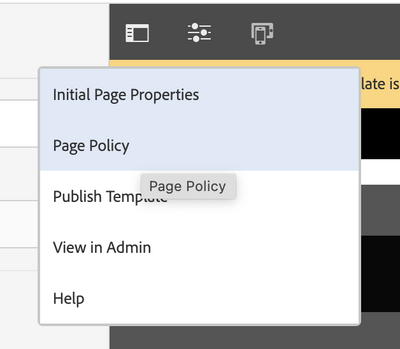
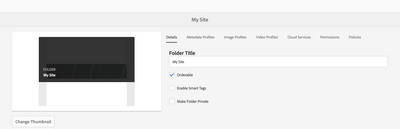
I had an instance that crashed. I was working on content fragments and had set policies to only allow certain content fragment models to be under some folders to organize data. I have stood up a new instance but the policies tab does not show in the folder configurations so I can change which content fragment models may be seen. If I apply a package that had the old settings, clicking on the folder causes errors.
What do I need to set to enable the policies tab on folders?
@RobertHarper I am also using same 6.5.11 and it works for me, Please try starting fresh AEM instance without your code and check if it works.
Although you can make it work configuring in Cloud Services.
The Content Fragment Models allowed for a folder are resolved as follows:
The Policies for Allowed Content Fragment Models.
If empty, then try to determine the policy using the inheritance rules.
If the inheritance chain does not deliver a result, then look at the Cloud Services configuration for that folder (also first directly and then via inheritance).
If none of the above deliver any results, then there are no allowed models for that folder.
The policy tab is not listed when I select the folder properties. I had this ability in the old instance on a VDI that crashed. Now I no longer see the properties tab to set which content fragment models are allowed.
I could but I don't think it is caused by my code. It was working great in my previous instance and I don't have any custom overlays that should come into play.
Checking properties on the We-Retail sample pages, the properties tab isn't there either.
I understand that. I am checking FOLDER properties and the policies tab, where you select if the policies are inherited from the parent and if you are overriding them, which content fragments are allowed.
I deleted the crx-quickstart folder and children. Restarted a new instance of AEM, stand alone, 6.5. The policies tab does not show to set which fragments is not displayed.
Also, I had an old package with the content fragment definitions in it and there were policy nodes on the folders that specified which content fragments to allow. This doesn't seem to be working because the specified models are not shown when I try to create a new fragment.