Asset Collections Action Condition | Community
Skip to main content
mkumar
August 8, 2019
Solved

Asset Collections Action Condition

  • August 8, 2019
  • 8 replies
  • 4546 views

Hello Community,

Need help with new requirement. I want to provide certain actions for collections for the user who has created the collection Eg: I need to provide the Delete button only if the collection is created by the editing user and should be hidden to rest of the users.

How can i achieve this through render conditions upon selecting the collection.?

Please let me know if you guys have any thoughts on this.

Thanks,

Vinay

This post is no longer active and is closed to new replies. Need help? Start a new post to ask your question.
Best answer by arunpatidar

Hi,

Granite Renderer works only when the resource is getting rendered(page load).

In your case, you can write a servlet, which will be triggered when you select the collection then check the selected collection items created and modified by user and return true and false and based on that hide delete button.

// on select event get collection item

$(document).on("click", ".'coral-masonry-item.foundation-collection-item coral-quickactions>button[title="Select"]', listviewSelector, colummnviewSelector", function () {

var item = $(this).closest('.foundation-collection-item').attr('data-foundation-collection-item-id')

console.log(item);
// ajax call to servlet

$.get('/bin/dam/collections/checkUser?item='+item,  // url

      function (data, textStatus, jqXHR) {  // success callback

          alert('status: ' + textStatus + ', data:' + data);

// hide delete button

          if(data.flag=="false"){

          $('.granite-collection-selectionbar coral-actionbar-primary coral-actionbar-item>button.cq-damadmin-admin-actions-delete-activator').addClass('foundation-collection-action-hidden');

          }

    });

});

This is a sample code for card view you need to do same for list and column view as well by adding correct selectors

listviewSelector

colummnviewSelector

8 replies

arunpatidar
Community Advisor
Community Advisor
August 8, 2019

Create a custom rendered and check collections modified by and with current user.

eaxmple

/libs/dam/gui/content/assets/jcr:content/actions/selection/managepublication/granite:rendercondition/mainasset

/libs/dam/gui/coral/components/commons/renderconditions/mainasset/mainasset.jsp

Arun Patidar
August 8, 2019

Add Info: the issue is that the rendercondition does not trigger while selecting a specific asset but it triggers only during page load,

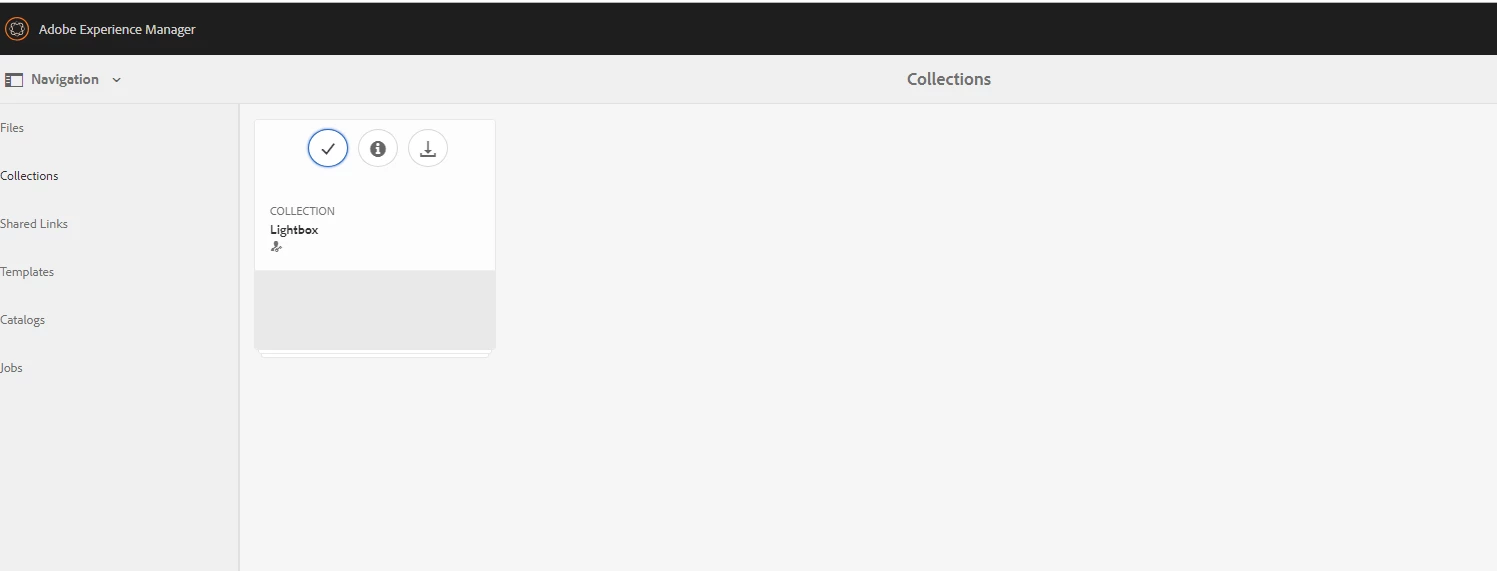
anyway to trigger the render condition when i select the (tick mark) while hovering over the collection

arunpatidar
Community Advisor
arunpatidarCommunity AdvisorAccepted solution
Community Advisor
August 8, 2019

Hi,

Granite Renderer works only when the resource is getting rendered(page load).

In your case, you can write a servlet, which will be triggered when you select the collection then check the selected collection items created and modified by user and return true and false and based on that hide delete button.

// on select event get collection item

$(document).on("click", ".'coral-masonry-item.foundation-collection-item coral-quickactions>button[title="Select"]', listviewSelector, colummnviewSelector", function () {

var item = $(this).closest('.foundation-collection-item').attr('data-foundation-collection-item-id')

console.log(item);
// ajax call to servlet

$.get('/bin/dam/collections/checkUser?item='+item,  // url

      function (data, textStatus, jqXHR) {  // success callback

          alert('status: ' + textStatus + ', data:' + data);

// hide delete button

          if(data.flag=="false"){

          $('.granite-collection-selectionbar coral-actionbar-primary coral-actionbar-item>button.cq-damadmin-admin-actions-delete-activator').addClass('foundation-collection-action-hidden');

          }

    });

});

This is a sample code for card view you need to do same for list and column view as well by adding correct selectors

listviewSelector

colummnviewSelector
Arun Patidar
October 18, 2019

Hi Arun Patidar

It is not invoking servlet on clicking on asset in any view. It is caching value of flag and got invoked only on refresh.

November 15, 2020
I am facing a similar issue? Did you manage to fix it ?
October 23, 2019

Arun Patidar

This JS is not working. Select action is not being handled by this JS.

October 23, 2019

When I use the same script as it is in

(function($, $document) {

'use strict';

   var requestForDeletion1 = ".coral-masonry-item.foundation-collection-item";

   $(document).on("click", ".'coral-masonry-item.foundation-collection-item coral-quickactions>button[title=\"Select\"]', listviewSelector, colummnviewSelector", function () {

var item = $(this).closest('.foundation-collection-item').attr('data-foundation-collection-item-id')

console.log(item);

// ajax call to servlet

$.get('/bin/dam/collections/checkUser?item='+item,  // url

      function (data, textStatus, jqXHR) {  // success callback

          alert('status: ' + textStatus + ', data:' + data);

// hide delete button

          if(data.flag=="false"){

          $('.granite-collection-selectionbar coral-actionbar-primary coral-actionbar-item>button.cq-damadmin-admin-actions-delete-activator').addClass('founda tion-collection-action-hidden');

          }

    });

});

})(jQuery, jQuery(document));

this query is throwing an error on Uncaught SyntaxError: missing ) after argument list

on line

$(document).on("click", ".'coral-masonry-item.foundation-collection-item coral-quickactions>button[title="Select"]', listviewSelector, colummnviewSelector", function () {

I have changed it to button[title=\"Select\"]' to remove compilation error

then it throws an error

jquery.js:1502 Uncaught Error: Syntax error, unrecognized expression: .'coral-masonry-item.foundation-collection-item coral-quickactions>button[title="Select"]', listviewSelector, colummnviewSelector

    at Function.Sizzle.error (jquery.js:1502)

    at Sizzle.tokenize (jquery.js:2159)

    at Sizzle.compile (jquery.js:2547)

    at Sizzle.select (jquery.js:2638)

    at Function.Sizzle [as find] (jquery.js:903)

    at HTMLDocument.handlers (jquery.js:5278)

    at HTMLDocument.dispatch (jquery.js:5207)

    at HTMLDocument.elemData.handle (jquery.js:4878)

    at HTMLElement.Coral.Component.trigger (coralui3.js:7082)

    at HTMLElement._proxyClick (coralui3.js:42733)

Please guide what I am doing wrong in above. I am not expert of JS.Arun PatidardvnSudheer

arunpatidar
Community Advisor
Community Advisor
October 24, 2019

Hi,

This is not the complete code, I shared the example/approach to show hide menu item on onclick event.

To work above code below variables/ can be removed or should be defined as a selector for list and column view like card view to specify click item.

var cardViewSelector = $('coral-masonry-item.foundation-collection-item coral-quickactions>button[title="Select"]');

var listviewSelector = define selector like above

var colummnviewSelector = define selector like above

Arun Patidar
March 14, 2024

Hi @mkumar ,

Please give a guidance on how you achieved this scenario. That would be very helpful for me to complete the requirement.

Thanks & Regards,

Bhavani Bharanidharan