API incompatibility Issue in sass-maven-plugin while building the project
I am setting up my local environment in my new machine. While trying to build the code modules, i get below weird error.
----------------------------------------------------------------------------------------------------------------------------------------
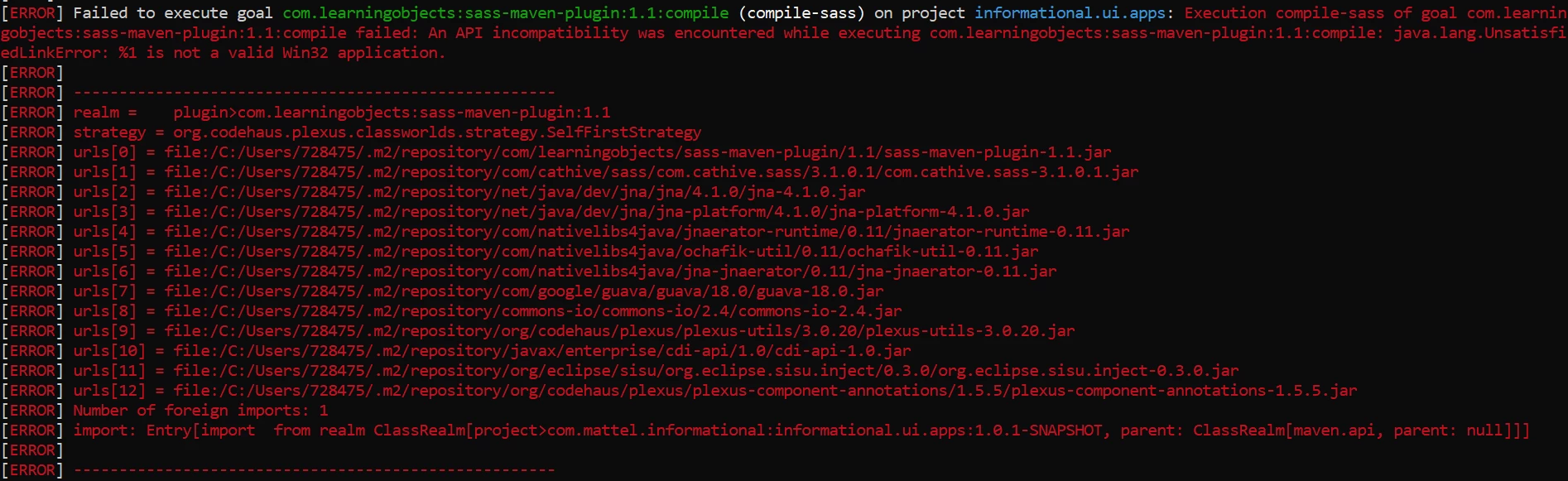
[ERROR] Failed to execute goal com.learningobjects:sass-maven-plugin:1.1:compile (compile-sass) on project informational.ui.apps: Execution compile-sass of goal com.learningobjects:sass-maven-plugin:1.1:compile failed: An API incompatibility was encountered while executing com.learningobjects:sass-maven-plugin:1.1:compile: java.lang.UnsatisfiedLinkError: %1 is not a valid Win32 application.
[ERROR]
[ERROR] -----------------------------------------------------
[ERROR] realm = plugin>com.learningobjects:sass-maven-plugin:1.1
[ERROR] strategy = org.codehaus.plexus.classworlds.strategy.SelfFirstStrategy
[ERROR] urls[0] = file:/C:/Users/728475/.m2/repository/com/learningobjects/sass-maven-plugin/1.1/sass-maven-plugin-1.1.jar
[ERROR] urls[1] = file:/C:/Users/728475/.m2/repository/com/cathive/sass/com.cathive.sass/3.1.0.1/com.cathive.sass-3.1.0.1.jar
[ERROR] urls[2] = file:/C:/Users/728475/.m2/repository/net/java/dev/jna/jna/4.1.0/jna-4.1.0.jar
[ERROR] urls[3] = file:/C:/Users/728475/.m2/repository/net/java/dev/jna/jna-platform/4.1.0/jna-platform-4.1.0.jar
[ERROR] urls[4] = file:/C:/Users/728475/.m2/repository/com/nativelibs4java/jnaerator-runtime/0.11/jnaerator-runtime-0.11.jar
[ERROR] urls[5] = file:/C:/Users/728475/.m2/repository/com/nativelibs4java/ochafik-util/0.11/ochafik-util-0.11.jar
[ERROR] urls[6] = file:/C:/Users/728475/.m2/repository/com/nativelibs4java/jna-jnaerator/0.11/jna-jnaerator-0.11.jar
[ERROR] urls[7] = file:/C:/Users/728475/.m2/repository/com/google/guava/guava/18.0/guava-18.0.jar
[ERROR] urls[8] = file:/C:/Users/728475/.m2/repository/commons-io/commons-io/2.4/commons-io-2.4.jar
[ERROR] urls[9] = file:/C:/Users/728475/.m2/repository/org/codehaus/plexus/plexus-utils/3.0.20/plexus-utils-3.0.20.jar
[ERROR] urls[10] = file:/C:/Users/728475/.m2/repository/javax/enterprise/cdi-api/1.0/cdi-api-1.0.jar
[ERROR] urls[11] = file:/C:/Users/728475/.m2/repository/org/eclipse/sisu/org.eclipse.sisu.inject/0.3.0/org.eclipse.sisu.inject-0.3.0.jar
[ERROR] urls[12] = file:/C:/Users/728475/.m2/repository/org/codehaus/plexus/plexus-component-annotations/1.5.5/plexus-component-annotations-1.5.5.jar
[ERROR] Number of foreign imports: 1
[ERROR] import: Entry[import from realm ClassRealm[project>com.mattel.informational:informational.ui.apps:1.0.1-SNAPSHOT, parent: ClassRealm[maven.api, parent: null]]]
----------------------------------------------------------------------------------------------------------------------------------------
I am using 64-bit Windows 10 machine. Build works fine on my old machine with exact same setup.
Below is the output of the mvn -version and java -version commands. JAVA_HOME , MAVEN_HOME and Path variables are correctly set up.
Apache Maven 3.5.2 (138edd61fd100ec658bfa2d307c43b76940a5d7d; 2017-10-18T13:28:13+05:30)
Maven home: C:\Development_Avecto\Softwares\apache-maven-3.5.2\bin\..
Java version: 1.8.0_191, vendor: Oracle Corporation
Java home: C:\Program Files\Java\jdk1.8.0_191\jre
Default locale: en_IN, platform encoding: Cp1252
OS name: "windows 10", version: "10.0", arch: "amd64", family: "windows"
java version "1.8.0_191"
Java(TM) SE Runtime Environment (build 1.8.0_191-b12)
Java HotSpot(TM) 64-Bit Server VM (build 25.191-b12, mixed mode).
I have tried building the whole maven repository multiple times. Also tried changing the repository location by updating settings.xml. I am not able to figure out what is causing this issue.
Any help to solve the above issue would be great.