Allowed Components no longer showing in layour container | Community
Skip to main content
Level 2
February 2, 2022
Solved

Allowed Components no longer showing in layour container

  • February 2, 2022
  • 1 reply
  • 1701 views

Hello

Yesterday, I received some really helpful advice around components and whether they're shareable across more than one site. Today, I wanted to follow the steps I'd been shown yesterday, but the components within the layout container are no longer visible, and when selecting the layout container I no longer see the 'policies' button. I may have inadvertantly pressed/delted something, but I can't for the life of me work out what.


Any help will be apppreciated. Thanks
This post is no longer active and is closed to new replies. Need help? Start a new post to ask your question.
Best answer by Anish-Sinha

hi @simirving ,
You are trying to check at the wrong place. Please follow the below steps:

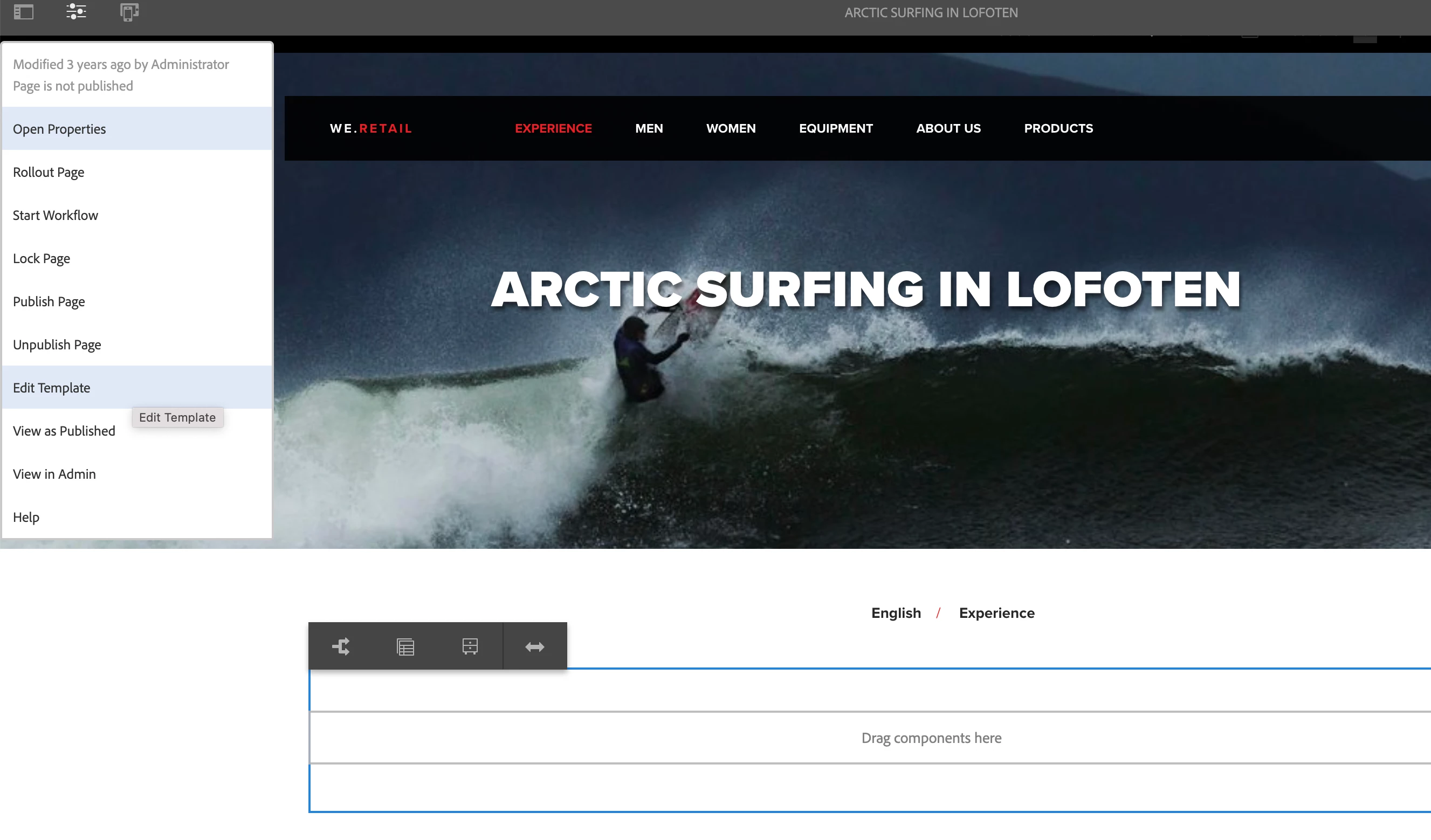
1. On the page, click on the three lines shown in the image and click on edit template from the dropdown.

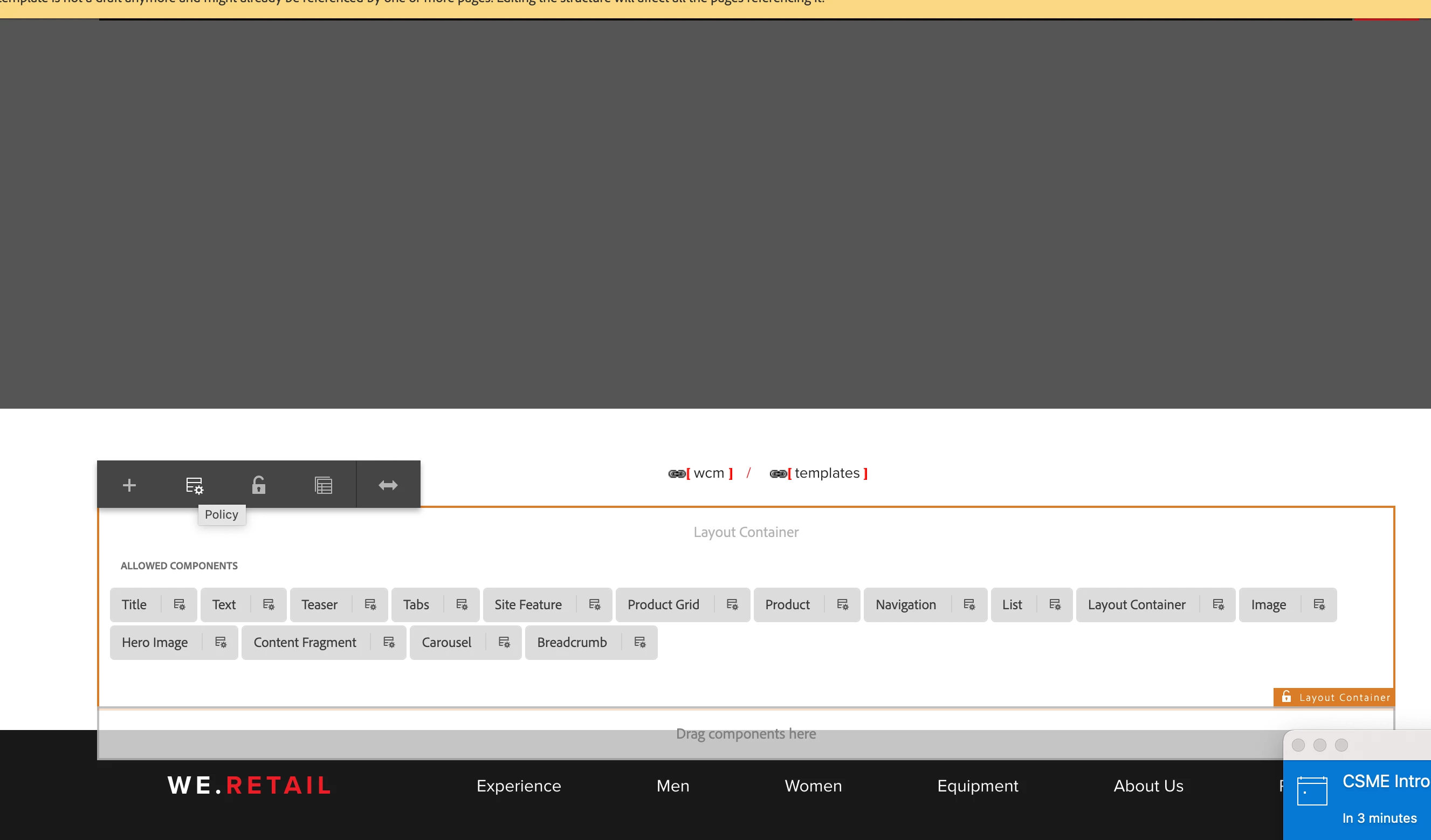
2. New tab will open, there select the parsys and click on the policy icon as shown in the image. 

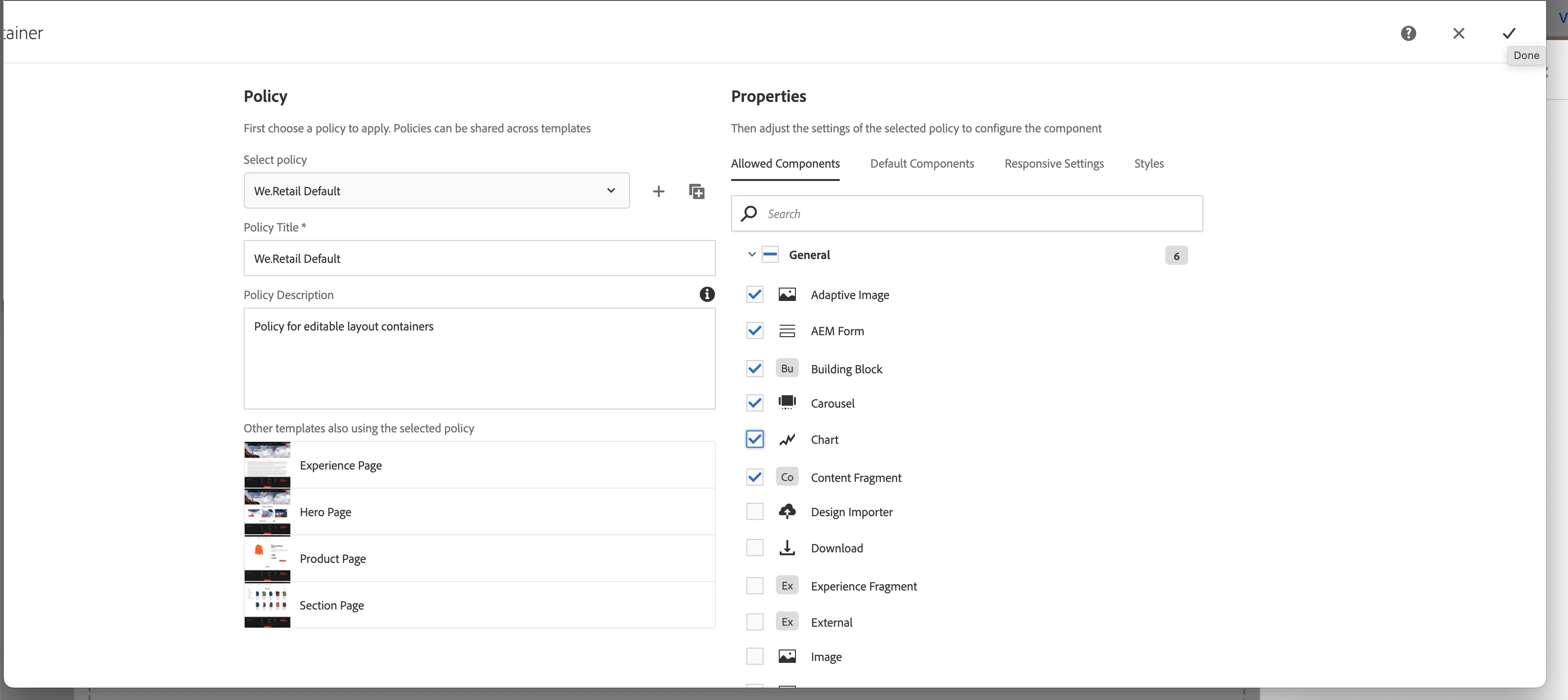
3. When new page loads, select the components you need to allow and click ok.

4. Now go back to your page, refresh it and double click on layout container. You will see the list of allowed components.

1 reply

Anish-Sinha
Adobe Employee
Anish-SinhaAdobe EmployeeAccepted solution
Adobe Employee
February 2, 2022

hi @simirving ,
You are trying to check at the wrong place. Please follow the below steps:

1. On the page, click on the three lines shown in the image and click on edit template from the dropdown.

2. New tab will open, there select the parsys and click on the policy icon as shown in the image. 

3. When new page loads, select the components you need to allow and click ok.

4. Now go back to your page, refresh it and double click on layout container. You will see the list of allowed components.

simirvingAuthor
Level 2
February 3, 2022

Thanks for coming back to me on this @anish-sinha It is appreciated.
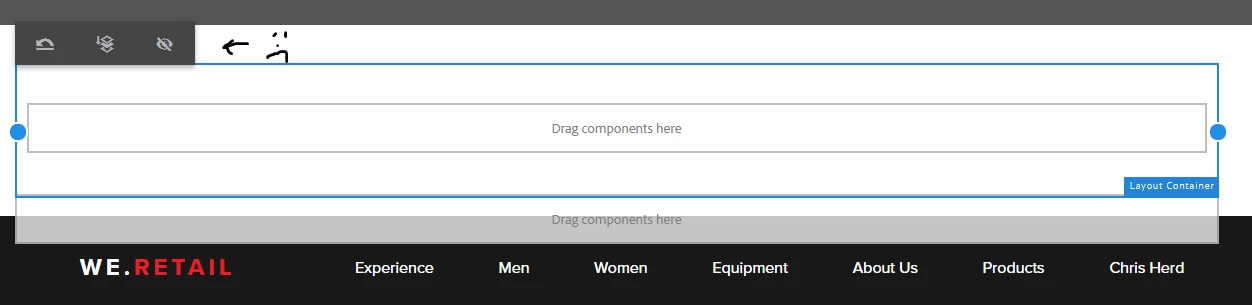
Step 1 in your instructions is straight forward. But at step 2 I come undone, because the 'Policy' icon no longer shows. After selecting 'edit template' from the 3 lines in the screen's top-left corner, then highlighting a layout container, this is what I see:


simirvingAuthor
Level 2
February 8, 2022

Hi @simirving ,

I think you are combining two different things here.

We have two different dropdown options based on whether editing is done to page or template

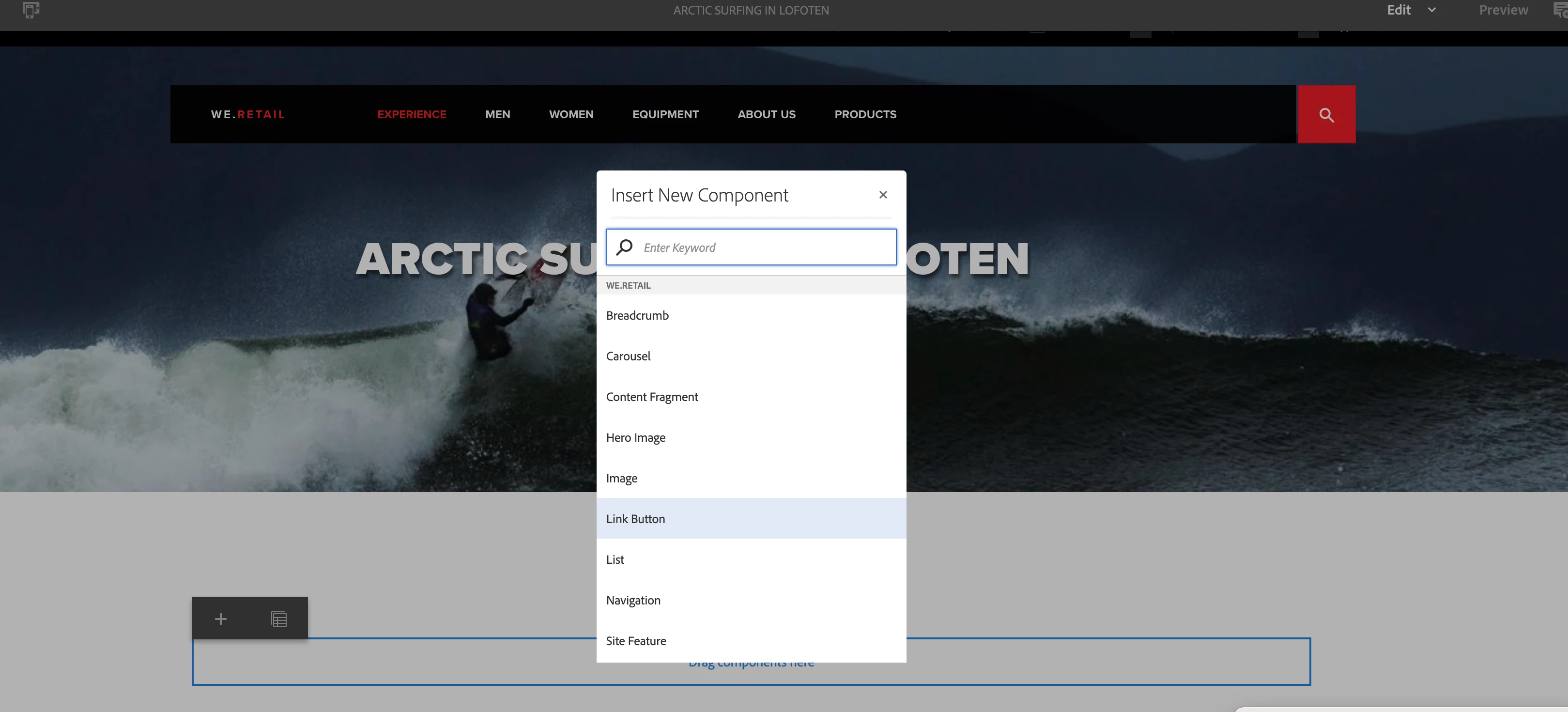
If you are editing the page you can see below options


On this you cannot see the policies but you can see the + icon to add the components on the page.

If you are editing the template by clicking on pageproperties as below


You can different options where all the component related policies and allowed components are seen.


Once you are on the template editing click on the highlighted box and click on the policies icon and window with all the layout container policy with allowed components will be shown as below


Hello @mani_kumar_, thanks for your reply.


I've followed steps to edit a template you kindly shared last week; after selecting 'edit template' from:


I'm still unable to view available components within layout container. 


In this video; https://youtu.be/CJrBr0a-jpI I noticed this url: 

/editor.html/conf/we-retail/settings/wcm/templates/hero-page/structure.html


When I enter the url above and hit enter, 'structure' changes to 'initial', see below url:

/editor.html/conf/we-retail/settings/wcm/templates/hero-page/initial.html


Could this be influencing what I'm able to edit? Thanks again.