Hi @rsl_lucky,
This is correct behavior. Local AEM as a Cloud Service SDK is not supporting Auto-start feature, and other features that relays on Asset Compute service, which in general is available for remote/real instances.
Of course technically it is possible to switch this option on, and make it visible on SDK but it does not mean it will work correctly. To be more precise access to Auto-start feature is restricted via granite:rendercondition
/libs/dam/gui/content/assets/v2/foldersharewizard/jcr:content/content/items/form/items/wizard/items/settingStep/items/fixedColumns/items/fixedColumn2/items/tabs/items/tab2/items/col3/granite:rendercondition
Condition is using feature flag to determine if given option is available for user in the GUI or not. Auto-start depends on com.adobe.dam.asset.nui.feature.flag flag which in the end depends on Adobe Granite Access Token provider configuration.
So to enable Auto-start on GUI you have to follow below steps:
- Go to OSGi console (/system/console/configMgr), and find Adobe Granite Access Token provider and click on plus button on the right side to add new configuration.

- Create new configuration, please note that even if you do not now what data should be set, the main thing is to set proper Name, which in this specific scenario needs to start with Asset Compute phrase. You can try below configuration. In general I left all values as default except Name.
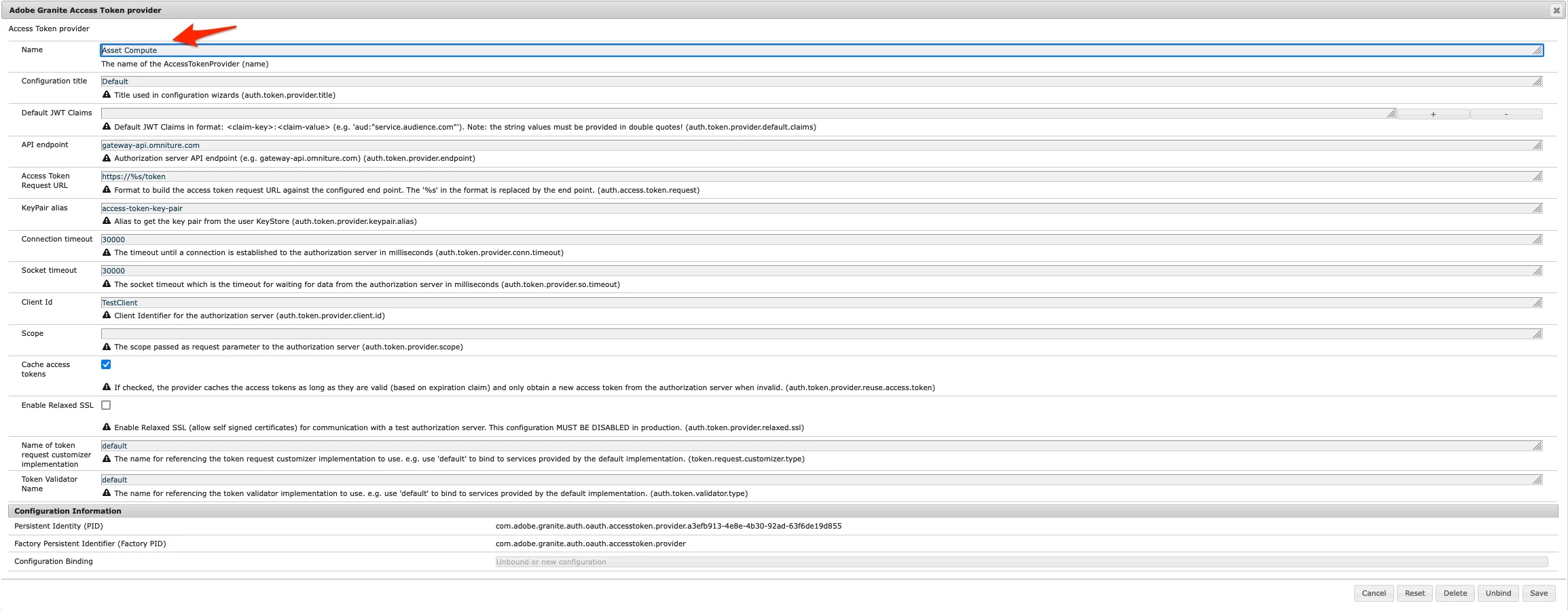
- Click Save and restart your instance.
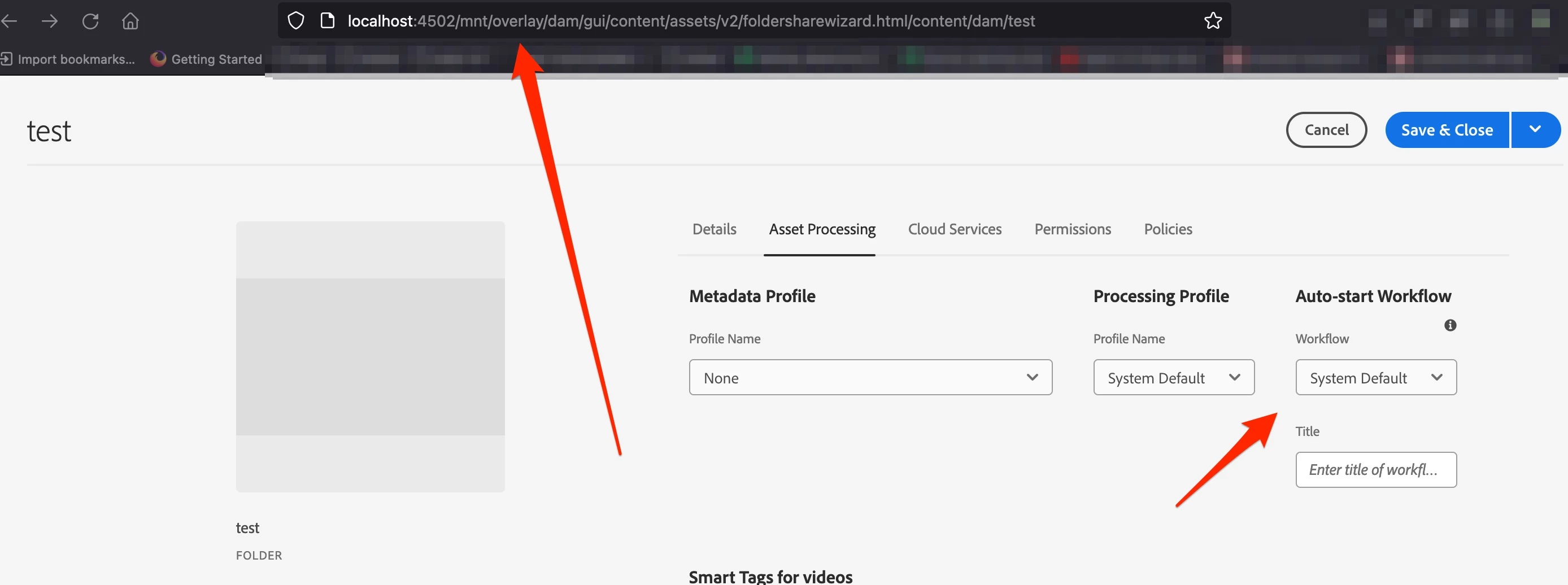
As a result you will see locally Auto-start Workflow option visible.
Above elaborate and steps have been prepared for educational purpose only, to bring more context how certain features works, and get better understanding of it. The proper one will be to test you Auto-start setup on fully setup of AEM as a Cloud Service, e.g. using Rapid Development Option, or any other existing AEM as a Cloud Service environment e.g. dev