AEM6.5 JavaScript error "cannot read property" on browser console | Community
Skip to main content
srinivas_chann1
Level 7
December 16, 2020
Solved

AEM6.5 JavaScript error "cannot read property" on browser console

  • December 16, 2020
  • 3 replies
  • 2105 views

Hi,


I am getting the below  console error for MIME type ('text/html') is not a supported. Could you please provide input as how could I resolve it.
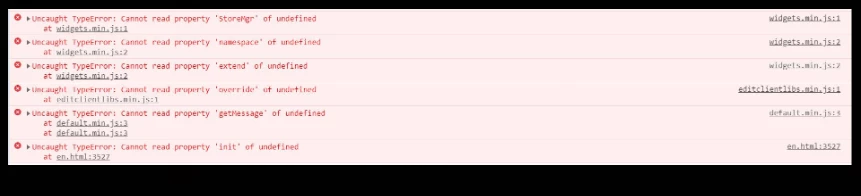
 

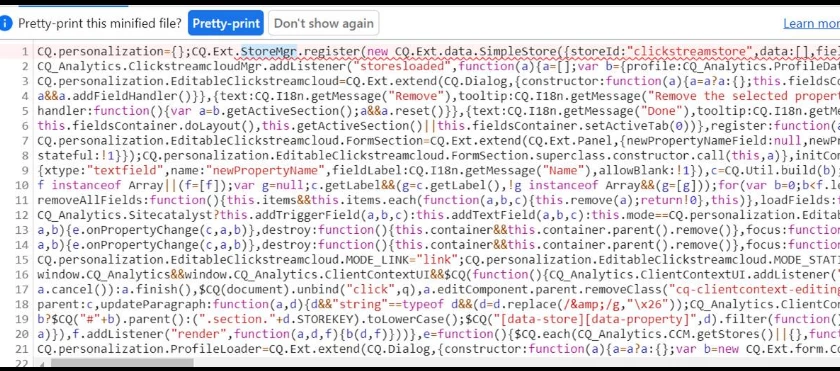
1>StoreMgr undefined:- script from location :- /libs/cq/personalization/widgets.min.js
 

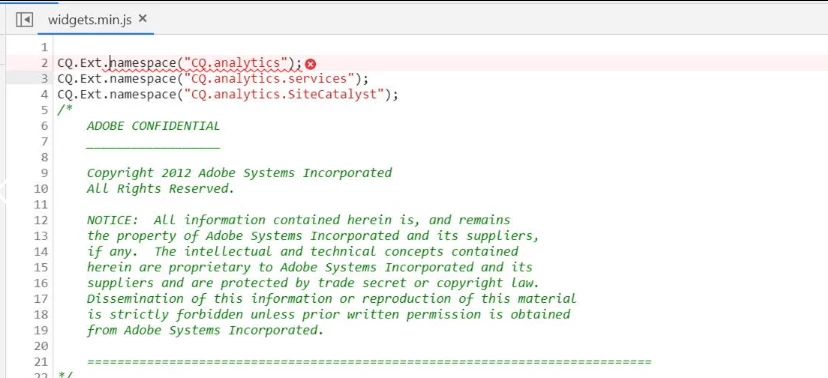
2>Namespace undefined:- script from location /libs/cq/analytics/widgets.min.js
Thanks

This post is no longer active and is closed to new replies. Need help? Start a new post to ask your question.
Best answer by srinivas_chann1
When I added the rule in dispatcher the errors got resolved /0002 { /type "allow" /url "/etc.clientlibs/*" }

3 replies

Kunal_Gaba_
December 16, 2020

I think you might not have permissions to read these javascripts and hence the server might be responding with 404/403 error HTML. And that is why the browser is complaining about the mimetype as error pages have text/html mimetype. Try to access these URLs directly from the browser and see if you are getting 404 or 403 error pages. If yes then check whether the current user has permissions to these libraries or not.  

Singaiah_Chintalapudi
Level 7
December 16, 2020

Its really hard to know whats going on just from the above information. I would try below:

1. Try in incognito or different browser and see if it occurs. Sometimes, browser plugins may cause this issue

2. tail the error log and see if you can get more info.


Thanks,

Singaiah

srinivas_chann1
srinivas_chann1AuthorAccepted solution
Level 7
December 17, 2020
When I added the rule in dispatcher the errors got resolved /0002 { /type "allow" /url "/etc.clientlibs/*" }