AEM6.3 coral touch ui pathbrowser | Community
Skip to main content
srinivas_chann1
Level 7
October 19, 2019
Solved

AEM6.3 coral touch ui pathbrowser

  • October 19, 2019
  • 1 reply
  • 1424 views

Hi ,

i have path browser marked as mandatory field but since i am doing some java-script manipulation, hence  I need to bypass this and still submit the dialog even if the path field is empty.

Please let me know how this can be achieved.

                                    <videoPath

                                        jcr:primaryType="nt:unstructured"

sling:resourceType="granite/ui/components/coral/foundation/form/pathbrowser"

granite:id"videopath"

                                        fieldLabel="Video Path"

                                        name="./videoPath"

                                        rootPath="/content/dam"

required="{Boolean}false"

                                        rootTitle="DAM"/>

Thanks
This post is no longer active and is closed to new replies. Need help? Start a new post to ask your question.
Best answer by Theo_Pendle

Hi,

I'm sorry but I'm a bit confused by your question. You say the path browser is mandatory but in the XML I can see required="{Boolean}false", so it should not be mandatory, therefore no problem..

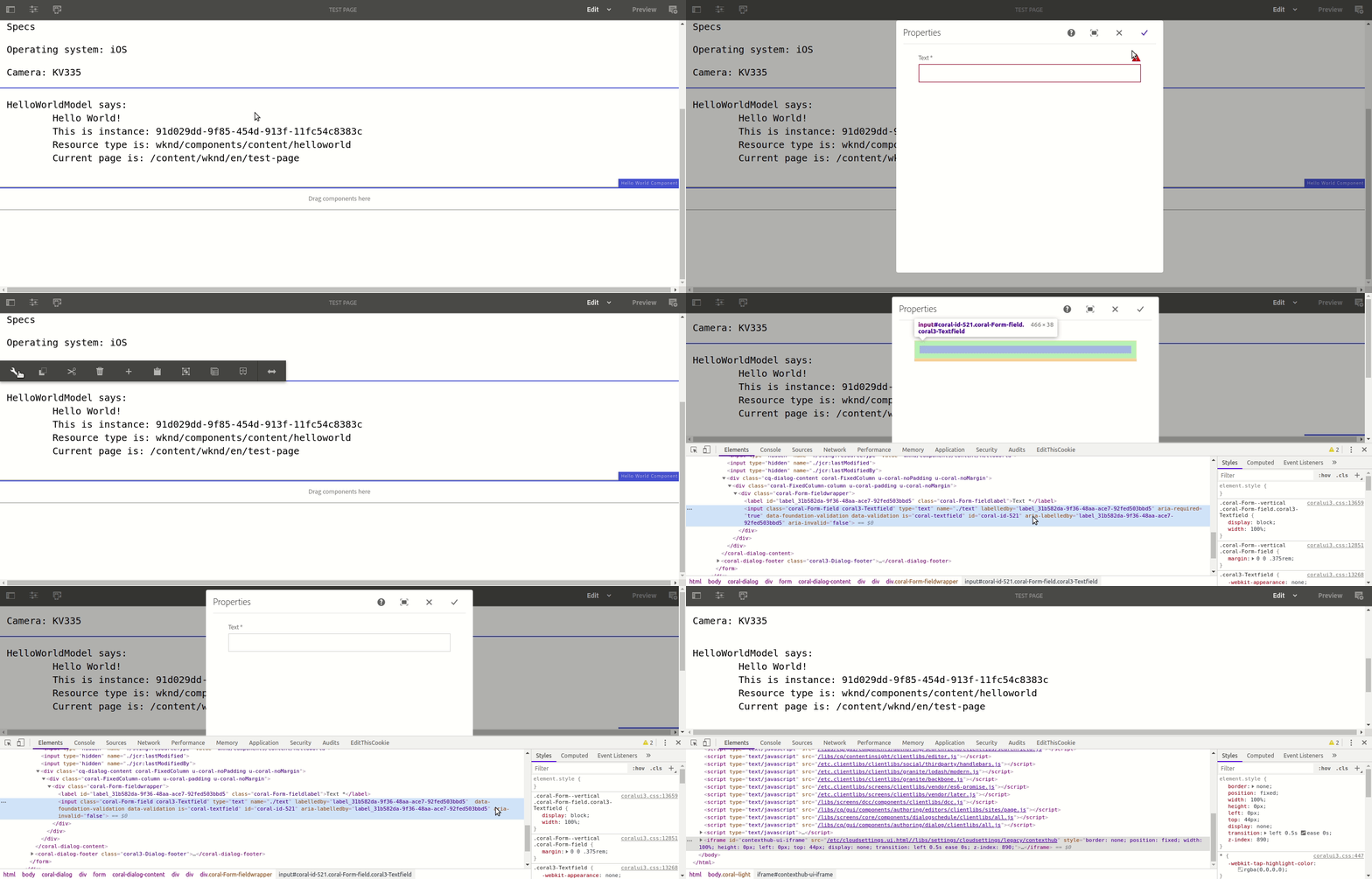
However, if you wanted to bypass a mandatory field using JS, you can do so by removing the aria-required="true" attribute from the field in question. This will de-activate the validation and allow you to submit the dialog.

Here is a GIF showing the process to reproduce in JS:

1 reply

Theo_Pendle
Theo_PendleAccepted solution
Level 8
October 20, 2019

Hi,

I'm sorry but I'm a bit confused by your question. You say the path browser is mandatory but in the XML I can see required="{Boolean}false", so it should not be mandatory, therefore no problem..

However, if you wanted to bypass a mandatory field using JS, you can do so by removing the aria-required="true" attribute from the field in question. This will de-activate the validation and allow you to submit the dialog.

Here is a GIF showing the process to reproduce in JS: