AEM Workflows: Publisher name not gets reflected in page 'published' column in siteadmin | Community
Skip to main content
June 21, 2019
Solved

AEM Workflows: Publisher name not gets reflected in page 'published' column in siteadmin

  • June 21, 2019
  • 4 replies
  • 3474 views

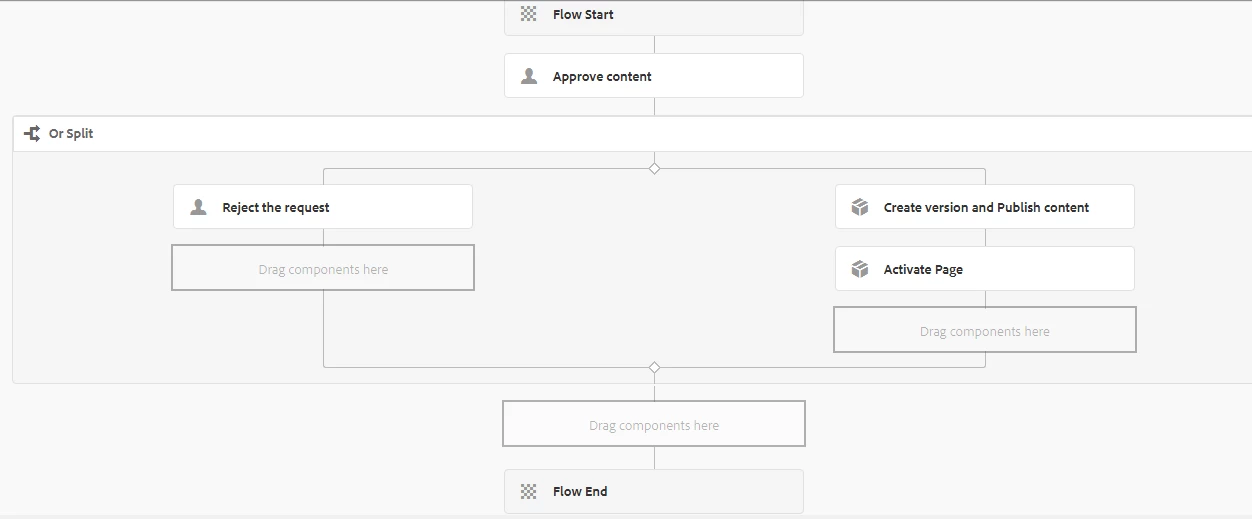
Created a content workflow model by referring default workflow model 'Request for activation' and its working fine when tested. But only issue i have observed is that publisher name is not gets reflecting in 'published' column of a page in siteadmin. Its showing publisher name as 'workflow-process-service' instead of actual user name(e.g. workflow-user-approver) who published the page through workflow.

Refer the workflow model screen shot below.
This post is no longer active and is closed to new replies. Need help? Start a new post to ask your question.
Best answer by Bharath_valse

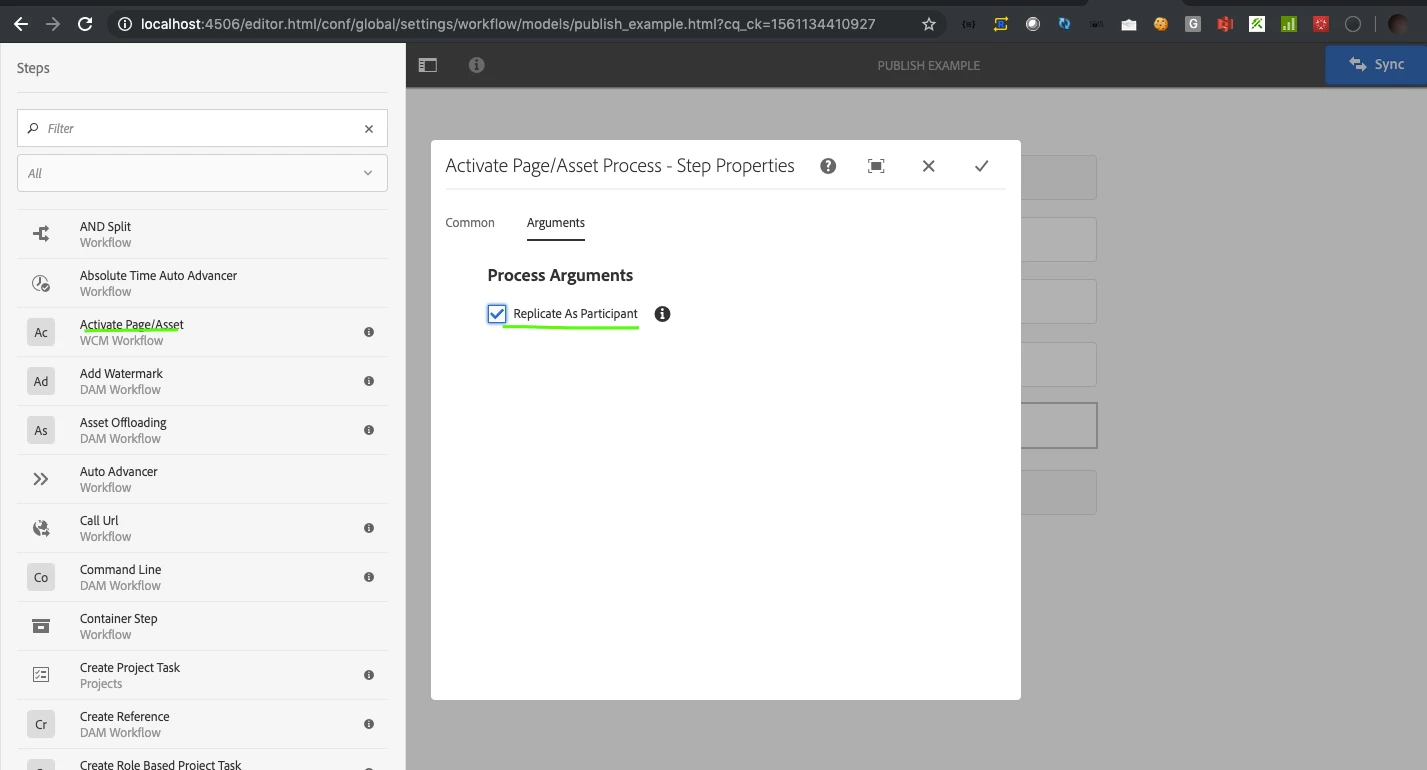
I believe you are using a process step and choose the activation script. Instead replace the process step with Activate Page/Asset step as shown in the screenshot which has an option to replicate as participant.

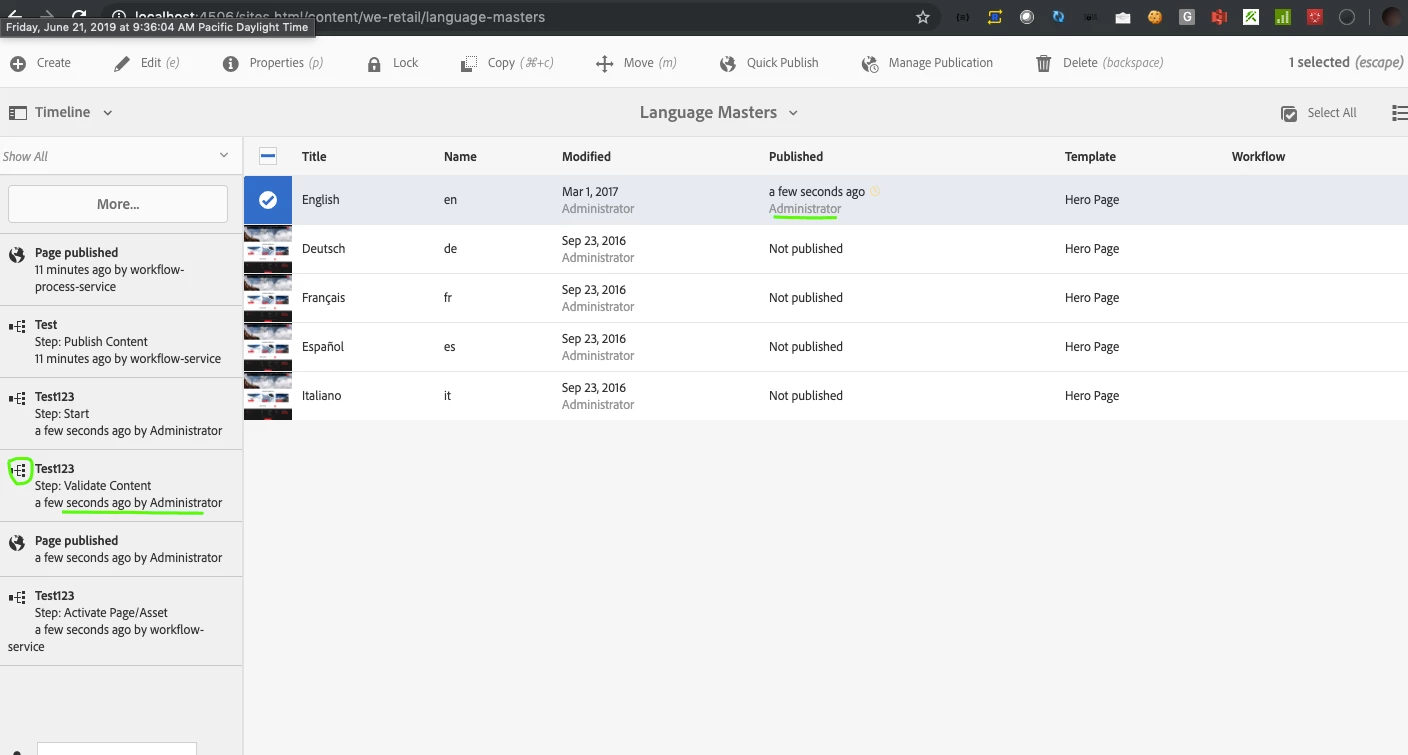
Additionally if you would like to know who triggered the workflow, timeline for the page can be reviewed. Refer screenshot 2

Screenshot 1

Screenshot 2

4 replies

Bharath_valse
Bharath_valseAccepted solution
Level 4
June 21, 2019

I believe you are using a process step and choose the activation script. Instead replace the process step with Activate Page/Asset step as shown in the screenshot which has an option to replicate as participant.

Additionally if you would like to know who triggered the workflow, timeline for the page can be reviewed. Refer screenshot 2

Screenshot 1

Screenshot 2

Akash_Kapoor
Adobe Employee
Adobe Employee
June 21, 2019

Adding to what @bharath said above, Make sure you are not using scheduled activation for replication as it internally uses the workflow-process-service user to replicate.

June 22, 2019

Thanks Bharath. Its working.

Have an another query i.e. which configuration/permissions need to setup to hide all workflows(default) from start workflow dropdown. Once this step is done, i will enable custom workflows for specific user group.

Bharath_valse
Level 4
June 24, 2019

Hope this thread helps with restricting workflows

How To Restrict Access To Workflow Models For A User Or Group