AEM WKND SPA BUILD org.apache.jackrabbit | Community
Skip to main content
Level 2
October 12, 2021
Solved

AEM WKND SPA BUILD org.apache.jackrabbit

  • October 12, 2021
  • 3 replies
  • 3703 views

Hi Community,


i am going through chapter 5 of wknd spa tutorial where to add custom component to the SPA and deploy the changes to a local AEM instance, here is the link


https://experienceleague.adobe.com/docs/experience-manager-learn/getting-started-with-aem-headless/spa-editor/react/custom-component.html?lang=en


and when tried to build the ui.apps module throws error as below


[ERROR] Failed to execute goal org.apache.jackrabbit:filevault-package-maven-plugin:1.1.6:validate-package (default-validate-package) on project
aem-guides-wknd-spa.react.ui.apps: Found 1 violation(s) (with severity=ERROR). Check above errors for details -> [Help 1]


Full screen shot here
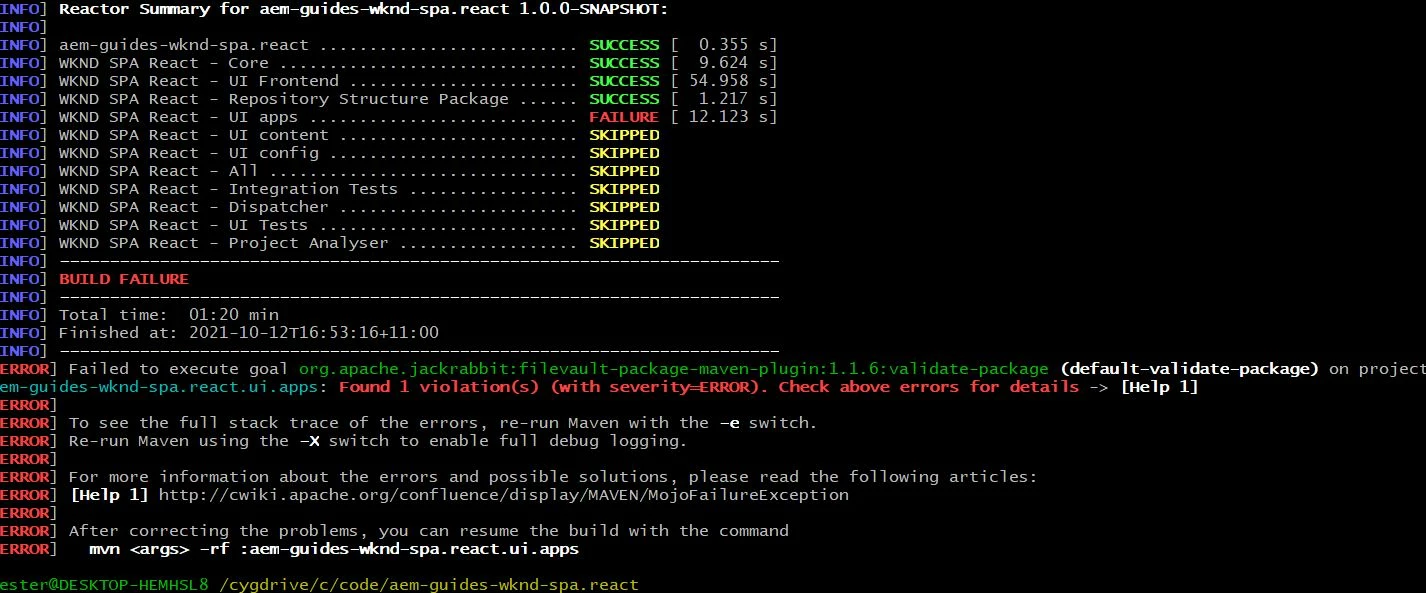


Could someone please provide the lead on this, appreciate your assistance.


Cheers

This post is no longer active and is closed to new replies. Need help? Start a new post to ask your question.
Best answer by Sanjay_Bangar

Hi @imalakaamir ,

                             Can you please use latest  Maven version or used below command to deploy the project.

mvn -PautoInstallPackage -Padobe-public clean install

Regards,

Sanjay

3 replies

Kishore_Kumar_
Level 9
October 12, 2021

Hi @imalakaamir ,


Please paste the actual error details. You have to scroll up a bit of your build logs to get it.

Sanjay_Bangar
Community Advisor
Sanjay_BangarCommunity AdvisorAccepted solution
Community Advisor
October 12, 2021

Hi @imalakaamir ,

                             Can you please use latest  Maven version or used below command to deploy the project.

mvn -PautoInstallPackage -Padobe-public clean install

Regards,

Sanjay

Vazhi_Balaji
February 5, 2024

i am also facing that same issue but it's with org.apache.jackrabbit:filevault-package-maven-plugin:1.1.4:validate-package and unable to resolve with your command please help out.

Anny0505
Community Advisor
Community Advisor
October 16, 2021

If you're using old version of spa react code which was created by spa archetype 4 then you will get such error. 

may I know which version of archetype project you're using.


thanks,

aruna

Vazhi_Balaji
February 6, 2024

Hi, @anny0505 the version for archetype is 3.2.1 


thanks,
Vazhi_Balaji_