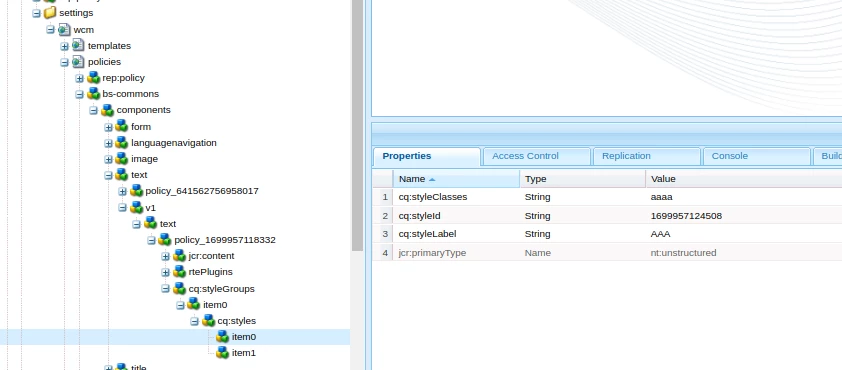
Aem version of component issue | Community
Skip to main content
Keerthi0555
November 14, 2023
Solved

Aem version of component issue

  • November 14, 2023
  • 4 replies
  • 1600 views

Hi Team,

I created a v2 of my component inside v2 folder but when I drop the component on page it's picking the v1 version of component.
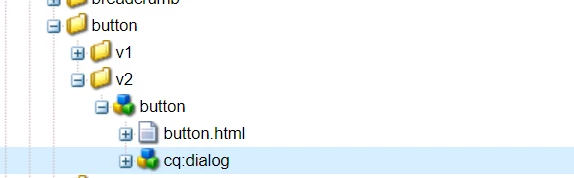
Is something I'm missing I compared with core components versioning th eonly difference I found is 
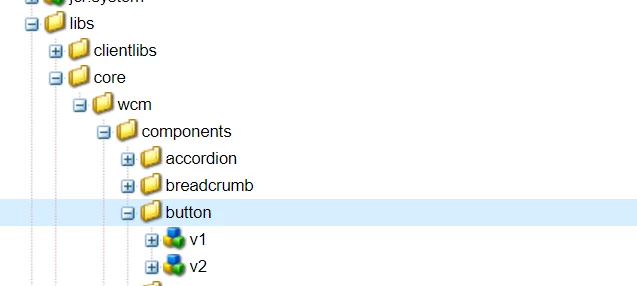
 

Is that we should follow nodes inside button for versions or we can folders as well?

 

This post is no longer active and is closed to new replies. Need help? Start a new post to ask your question.
Best answer by Sady_Rifat

Hello @keerthi0555 ,

This should be an issue of parsys policy. Maybe your policy is allowed for only the v1 component. To make sure in your component jcr:title="Button (v1)" and jcr:title="Button (v2)" rename it for now and check the difference.

If so, allow the component v2 from by policy update.

4 replies

Sady_Rifat
Community Advisor
Sady_RifatCommunity AdvisorAccepted solution
Community Advisor
November 14, 2023

Hello @keerthi0555 ,

This should be an issue of parsys policy. Maybe your policy is allowed for only the v1 component. To make sure in your component jcr:title="Button (v1)" and jcr:title="Button (v2)" rename it for now and check the difference.

If so, allow the component v2 from by policy update.

Keerthi0555
November 14, 2023

Thank you, it's working now, is there a way we can inherit style policies as well from v1 version of component?

Sady_Rifat
Community Advisor
Community Advisor
November 14, 2023

In a sense NO. Policies can be reused on another template.

In AEM we basically inherited the /apps part.

When you configure the v2 component policy it will create another node based on your project structure.


Keerthi0555
November 14, 2023

it's not working

arunpatidar
Community Advisor
Community Advisor
November 14, 2023

Hi @keerthi0555 
Can you please check sling resourceSupertype for your proxy component, it should be pointing to v2 version of your component.

https://github.com/arunpatidar02/aemaacs-aemlab/blob/f96ce5316dfa4798c72d2e87d3a0b41fc49791a4/ui.apps/src/main/content/jcr_root/apps/aemlab/oneweb/components/button/.content.xml#L5 

Arun Patidar
Keerthi0555
November 14, 2023

it's pointing to v2 version of component.

kautuk_sahni
Community Manager
Community Manager
November 14, 2023

@keerthi0555 Did you find the suggestions from users helpful? Please let us know if more information is required. Otherwise, please mark the answer as correct for posterity. If you have found out solution yourself, please share it with the community.

Kautuk Sahni