
AEM Tools Rollout option in Touch enabled UI | Community
Skip to main content
Ravi_Pampana
Community Advisor
Community Advisor
May 17, 2019

AEM Tools Rollout option in Touch enabled UI

  • May 17, 2019
  • 5 replies
  • 8070 views

In AEM 6.4 to roll-out blue print pages there is no option in Touch enabled UI of siteadmin, authors needs to open the page and click on page properties to rollout the pages or need to use classic UI siteadmin and roll-out the page.

Follow below changes to enabled the roll-out option in touch-enabled siteadmin and give flexibility for authors to roll-out the page/s instead of going to siteadmin or using page properties in page.

1) Overlay below path from /libs to /apps

    /apps/wcm/core/content/sites/jcr:content/actions/selection

2) Add rollout node (nt:unstructured) under selection with values as shown below (Mostly I used open properties /libs/wcm/core/content/sites/jcr:content/actions/selection/open)
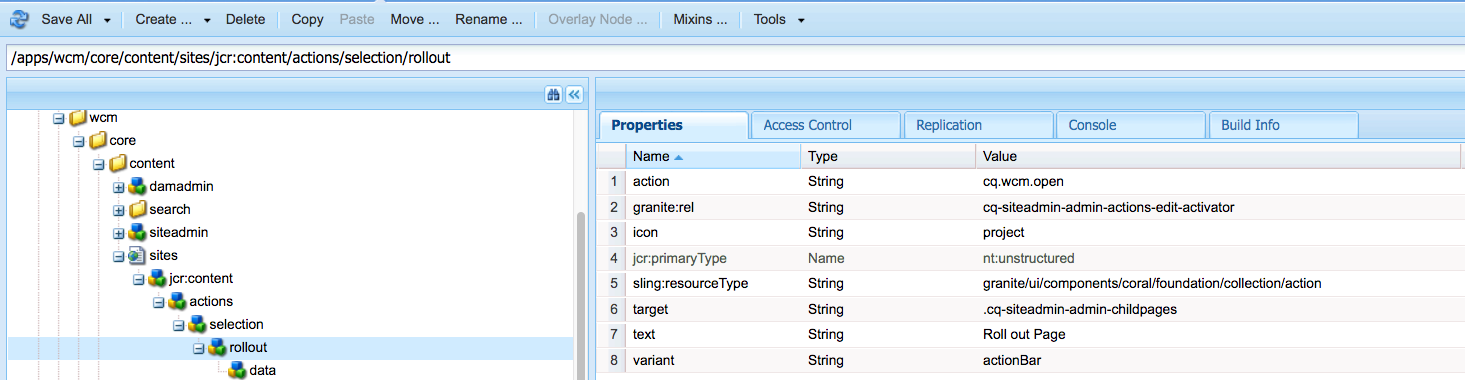
3) Add data node (nt:unstructured) under rollout node with values as shown below
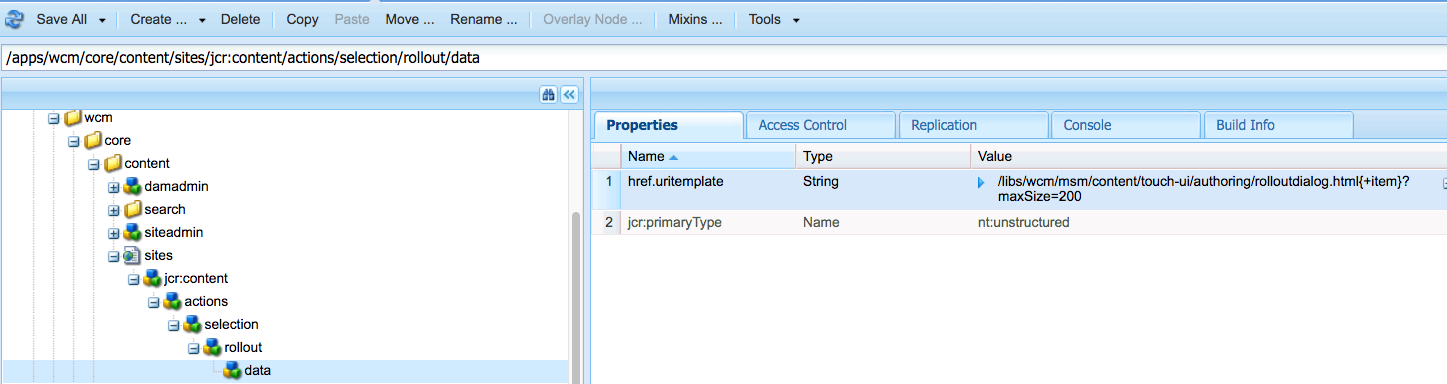
4) Once above changes are done, we can see the rollout option in Touch UI siteadmin
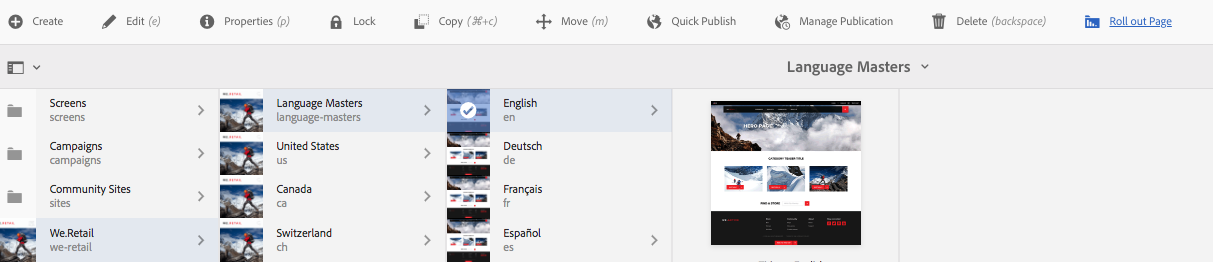
5) I am opening the rollout page in new window so that authors can come back to previous window to make changes to other pages.


This post is no longer active and is closed to new replies. Need help? Start a new post to ask your question.

5 replies

Bharath_valse
Level 4
May 17, 2019

Nice workaround

nazeerp73821767
May 17, 2019

Good one Ravi... way to go

arunpatidar
Community Advisor
Community Advisor
May 19, 2019

Thanks for sharing this.

Arun Patidar
Level 2
August 12, 2019

Nice. Is there a plan to include this option OOTB in AEM?

Ravi_Pampana
Community Advisor
Community Advisor
August 12, 2019

Looping kautuk sahni​ to check whether this option can be added in AEM OOB.

I am not sure may be Adobe might already planned to include this in one of the upcoming SP's of AEM 6.5

July 22, 2021

@ravi_pampana  Will this solution works in AEM 6.5 ?

March 6, 2024

Hi @ravi_pampana 

when using this same configuration, we are getting a blank page when clicked on the 'Rollout' button.

Is there maybe some specific config that is not specified in this article? 

Thank you in advance
