AEM Timewarp feature in AEM 6.5 | Community
Skip to main content
June 30, 2022
Solved

AEM Timewarp feature in AEM 6.5

  • June 30, 2022
  • 3 replies
  • 1080 views

Hi,

I am using AEM 6.5 ,service pack 8.

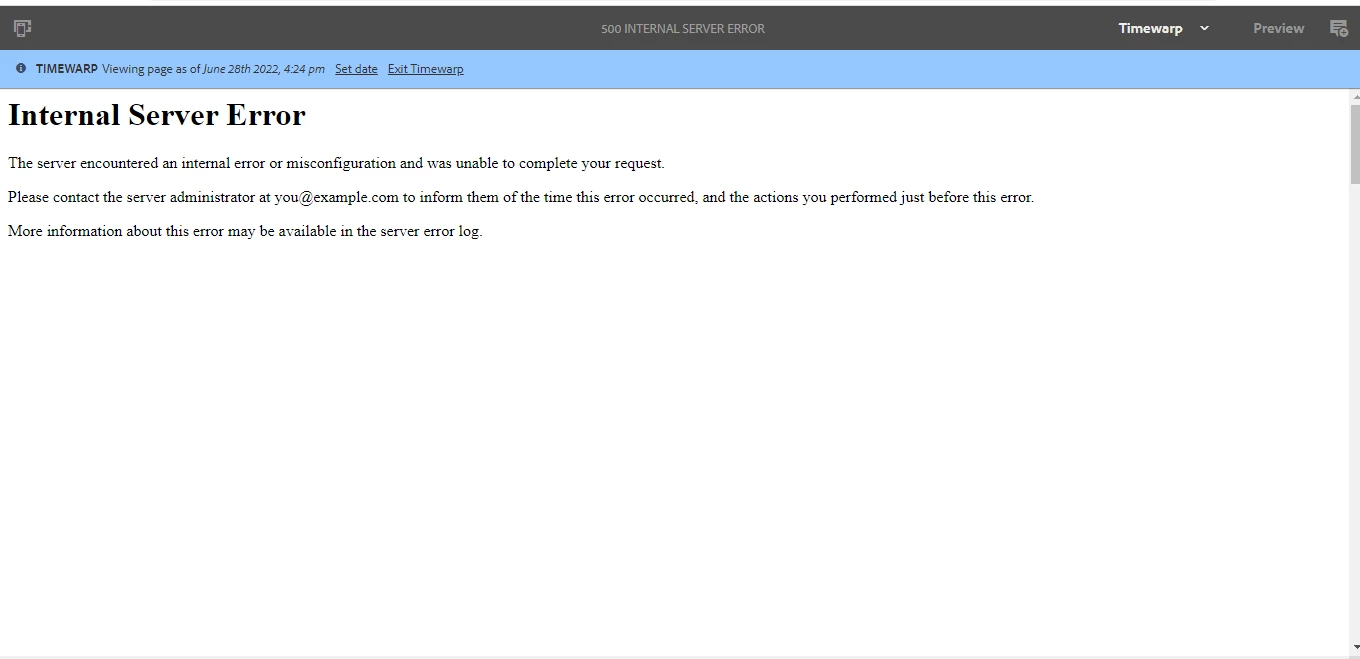
A page was published on Feb 23rd 2022 and I am trying to get that page of  June 28th 2022 using timewarp feature but instead of getting the page "Internal Server Error" occurred .For all the dates before and after the published date ,same error is occurring .

If anyone have faced this issue and resolved it or if anyone have possible solution for it , please help .


Thanks ,

Rahul Kumar

This post is no longer active and is closed to new replies. Need help? Start a new post to ask your question.
Best answer by SantoshSai

Hi @rahul-aig1 ,

Might be one of below reason 

  • Navigate to that page version node through CRX/DE and check jcr:frozenNode properties - chances are one of the properties is invalid.

  • cq:template might pointing to a non-existing path.

You can new logger for com.day.cq.wcm.core.impl.warp.TimeWarpResourceResolver and set log level to trace.
Check your logs after trying to use timewarp feature by switching versions. 
This way you ca able to see clear log error and can be able to find the solution.

Hope that helps!
Regards,

Santosh

3 replies

vanegi
Adobe Employee
Adobe Employee
June 30, 2022

Hi @rahul-aig1,

Can you share the error.log from the timeframe when you attempt to reproduce the issue?

Thanks!!

SantoshSai
Community Advisor
SantoshSaiCommunity AdvisorAccepted solution
Community Advisor
June 30, 2022

Hi @rahul-aig1 ,

Might be one of below reason 

  • Navigate to that page version node through CRX/DE and check jcr:frozenNode properties - chances are one of the properties is invalid.

  • cq:template might pointing to a non-existing path.

You can new logger for com.day.cq.wcm.core.impl.warp.TimeWarpResourceResolver and set log level to trace.
Check your logs after trying to use timewarp feature by switching versions. 
This way you ca able to see clear log error and can be able to find the solution.

Hope that helps!
Regards,

Santosh

Santosh Sai
ShaileshBassi
Community Advisor
Community Advisor
June 30, 2022

@rahul-aig1 This is working as designed in the vanilla instance. Can you add the logs as suggested by @santoshsai 


Thanks