AEM template not available under page creation version 6.5 | Community
Skip to main content
February 13, 2025
Solved

AEM template not available under page creation version 6.5

  • February 13, 2025
  • 2 replies
  • 856 views


Level 1
2/13/25 1:13:09 AM


Hello,


I have many templates  in local


http://localhost:xxxx/libs/wcm/core/content/sites/templates.html/conf/app-folder


Say template1 , template2, template3, template4


When I try to create  a page , it show  up only template1 and does not show template2 ,template3 and teamplate4 

http://localhost:xxxx/sites.html/content/app-folder
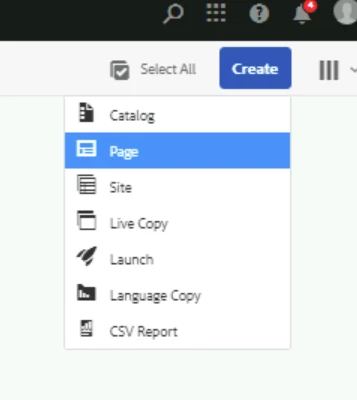


Could some one please provide inputs as how to resolve this issue. I need to show even other templates like template2,template3 and template4 when trying to create page.


Regards,

Srinivas

Best answer by Vinay-Lakshman

Hi @srinivasc1,


Further adding to the documentation shared by @arunpatidar, if you're not able to see your templates in the page creation wizard, please ensure the below steps are complete:

  1. Enable the Template

    Before a template can be used, it must be enabled by either:

    • Enabling the template from the Templates console.

    • Setting the status property on the jcr:content node.

      • For example, on:
        /conf/<your-folder>/settings/wcm/templates/<your-template>/jcr:content

      • Define the property:

        • Name: status
        • Type: String
        • Value: enabled
  2. Allowed Templates

    For example, with a value of:

    /conf/<your-folder>/settings/wcm/templates/.*

You can find more details about this here: https://experienceleague.adobe.com/en/docs/experience-manager-65/content/implementing/developing/platform/templates/page-templates-editable#enabling-and-allowing-a-template-for-use


Hope this helps,

Vinay

2 replies

arunpatidar
Community Advisor
Community Advisor
February 13, 2025
Vinay-LakshmanAccepted solution
Level 2
February 13, 2025

Hi @srinivasc1,


Further adding to the documentation shared by @arunpatidar, if you're not able to see your templates in the page creation wizard, please ensure the below steps are complete:

  1. Enable the Template

    Before a template can be used, it must be enabled by either:

    • Enabling the template from the Templates console.

    • Setting the status property on the jcr:content node.

      • For example, on:
        /conf/<your-folder>/settings/wcm/templates/<your-template>/jcr:content

      • Define the property:

        • Name: status
        • Type: String
        • Value: enabled
  2. Allowed Templates

    For example, with a value of:

    /conf/<your-folder>/settings/wcm/templates/.*

You can find more details about this here: https://experienceleague.adobe.com/en/docs/experience-manager-65/content/implementing/developing/platform/templates/page-templates-editable#enabling-and-allowing-a-template-for-use


Hope this helps,

Vinay