AEM Siteadmin - Search Results Page Customization | Community
Skip to main content
Level 3
January 25, 2023
Solved

AEM Siteadmin - Search Results Page Customization

  • January 25, 2023
  • 2 replies
  • 999 views

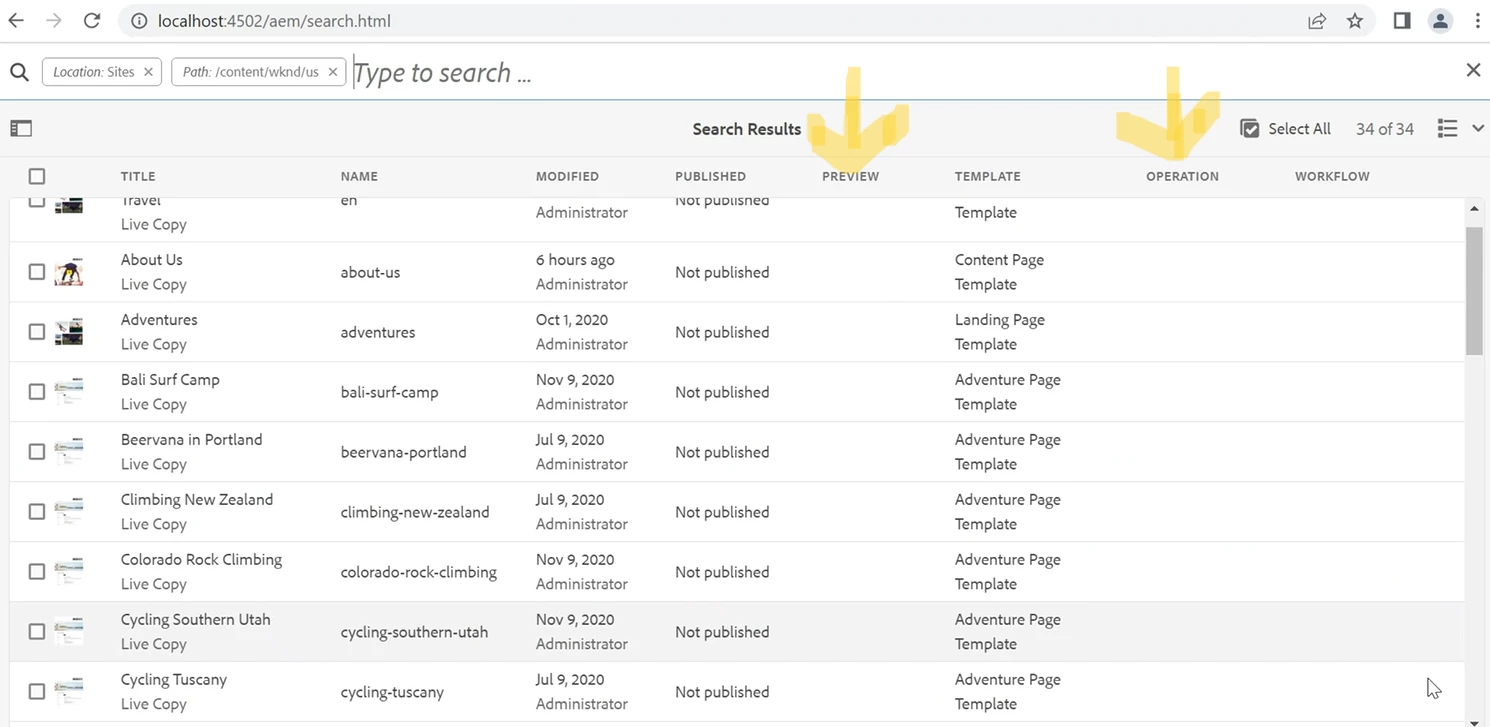
We have requirement to customize the OOTB Sites Search Results Page, where we want to hide/remove some unwanted columns.


For example, in the below screenshot, we want to hide/remove columns "preview" & "operation".

Also, we want to add a custom column named "country".


@arunpatidar @lukasz-m


This post is no longer active and is closed to new replies. Need help? Start a new post to ask your question.
Best answer by Himanshu_Jain

Hi ,

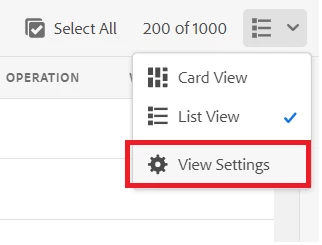
You can select the column you need to display from settings .


2 replies

Himanshu_Jain
Community Advisor
Himanshu_JainCommunity AdvisorAccepted solution
Community Advisor
January 25, 2023

Hi ,

You can select the column you need to display from settings .


Himanshu Jain
Avinash_Gupta_
Community Advisor and Adobe Champion
January 25, 2023

Hi @s__k__agarwal 


To hide and remove the unwanted columns, you can use the approach suggested by @himanshu_jain .


To add a custom column "Country", you would need to overlay the following path /libs/wcm/core/content/common/availablecolumns and add the node for the Country. Along with that you would also need to overlay the following script to write the custom logic to populate the country value.


/libs/cq/gui/components/siteadmin/admin/listview/columns/datasources/availablecolumnsdatasource/availablecolumnsdatasource.jsp


Hope this helps.