AEM screens Jquery | Community
Skip to main content
Karl515
Level 5
April 3, 2019
Solved

AEM screens Jquery

  • April 3, 2019
  • 8 replies
  • 4484 views

I'm trying to create a component for screens with anime.js v3.0.1 library animation.

But I'm getting error.
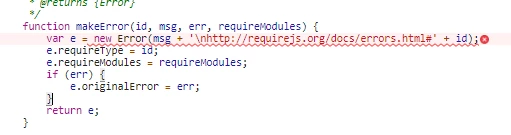
it runs ok with jQuery v3.3.1 outside aem.

But I'm having trouble integrating it to AEM. seems to me like it's jquery conflict

How can I resolve this?

I've tried

Adobe Experience Manager Help | Integrating the JQuery Framework into Adobe Experience Manager

How to resolve jQuery library conflicts in AEM 6?  (seems outdated to me/ foundation directory missing in my instance)

didn't help.

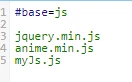
js.txt
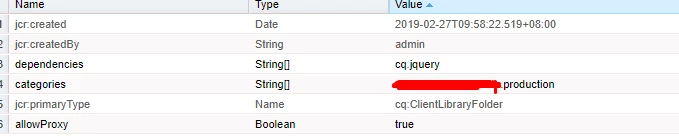
my production library
Thanks

This post is no longer active and is closed to new replies. Need help? Start a new post to ask your question.
Best answer by aemmarc2

Clear the ClientLibrary outputcache directory on the filesystem and reload the page.

  • Search in the AEM instance home folder with command below:

        find launchpad/felix -path "*/bundle*/data/outputcache" -type d   

  • Delete contents of the outputcache folder

Let me know. All the 1.x versions of JQuery should be 3.2.1 now. If it isn't please raise a Daycare ticket.

8 replies

Adobe Employee
April 3, 2019

What's the version of AEM?

In AEM 6.4.4 (available tomorrow) jQuery was updated to 3.2.1 across the board to address some parts of AEM that were still running jQuery 1.11. So indeed it could be a jQuery mismatch.

Karl515
Karl515Author
Level 5
April 4, 2019

AEM 6.4.3. Thanks for the insight. Any work around for now?

Gaurav-Behl
Level 10
April 4, 2019

Introduce your own custom jquery version if you don't want to upgrade to 6.4.4

Karl515
Karl515Author
Level 5
April 5, 2019

Thanks. may I know how can I achieve that?

adding jquery.min.js to js.txt doesn't sufice.

Karl515
Karl515Author
Level 5
April 10, 2019

Hi.

I've already upgraded to 6.4.4

How do I know that it's already running jQuery 3.2?

I can still see jQuery v1.12.4

in

http://localhost:4502/etc.clientlibs/screens/clientlibs/sequencechannel-embed.js

Thanks.

aemmarc2Adobe EmployeeAccepted solution
Adobe Employee
April 10, 2019

Clear the ClientLibrary outputcache directory on the filesystem and reload the page.

  • Search in the AEM instance home folder with command below:

        find launchpad/felix -path "*/bundle*/data/outputcache" -type d   

  • Delete contents of the outputcache folder

Let me know. All the 1.x versions of JQuery should be 3.2.1 now. If it isn't please raise a Daycare ticket.

Karl515
Karl515Author
Level 5
April 11, 2019

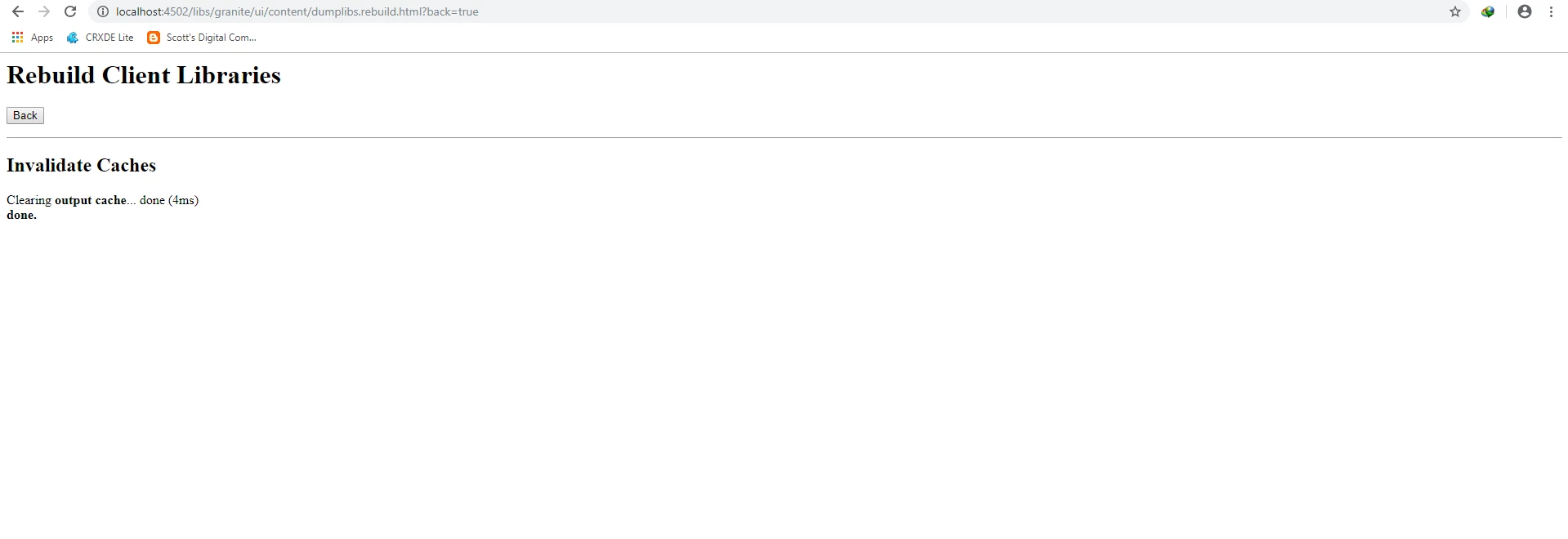
That process can be done by invalidating cache here

already invalidated cache yet it's still v1.12

Thanks.

November 26, 2019

In OOTB cq-quickstart-6.5.0.jar I'm still seeing 1.12.4-aem.  I've deleted the launchpad/felix/bundle288/data/outputcache directory but that did not change the jQuery version.  What version is shipped with 6.5?  How do we verify the version if it is showing 1.12.4-aem.