AEM remote spa with nextjs navigation issue | Community
Skip to main content
Level 3
June 7, 2024

AEM remote spa with nextjs navigation issue

  • June 7, 2024
  • 1 reply
  • 1259 views

Hi,


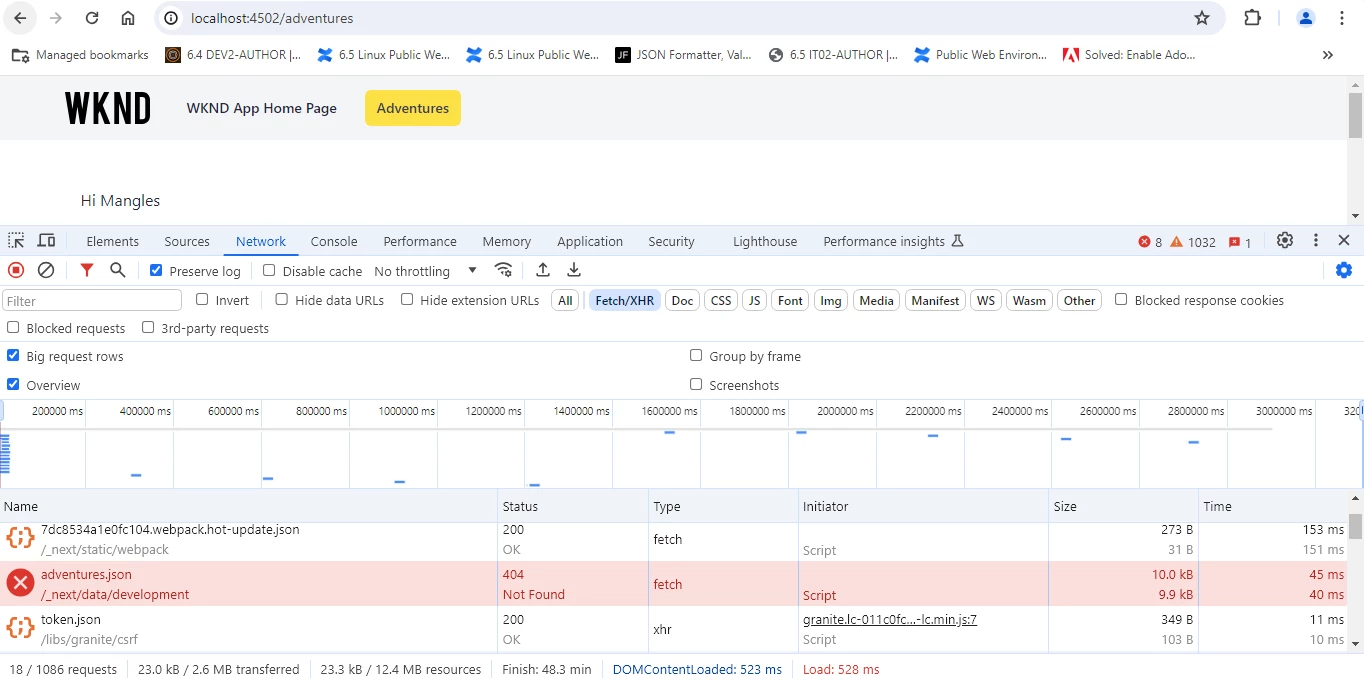
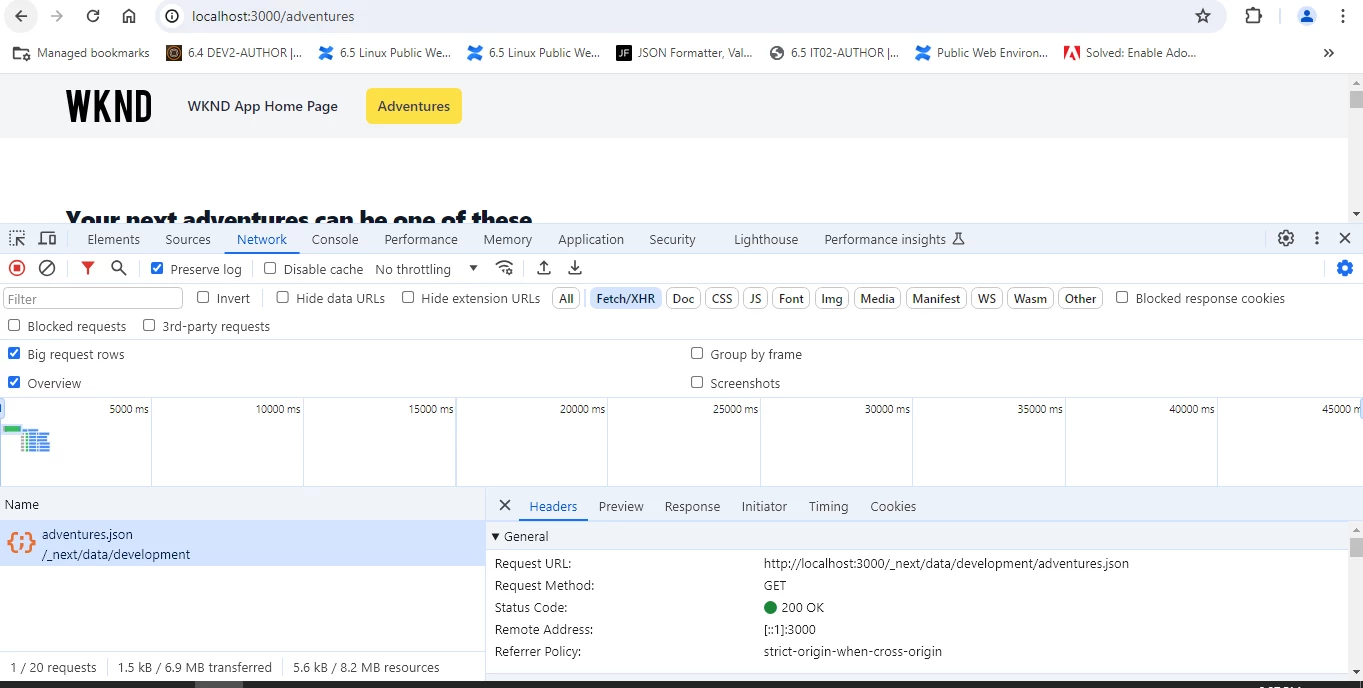
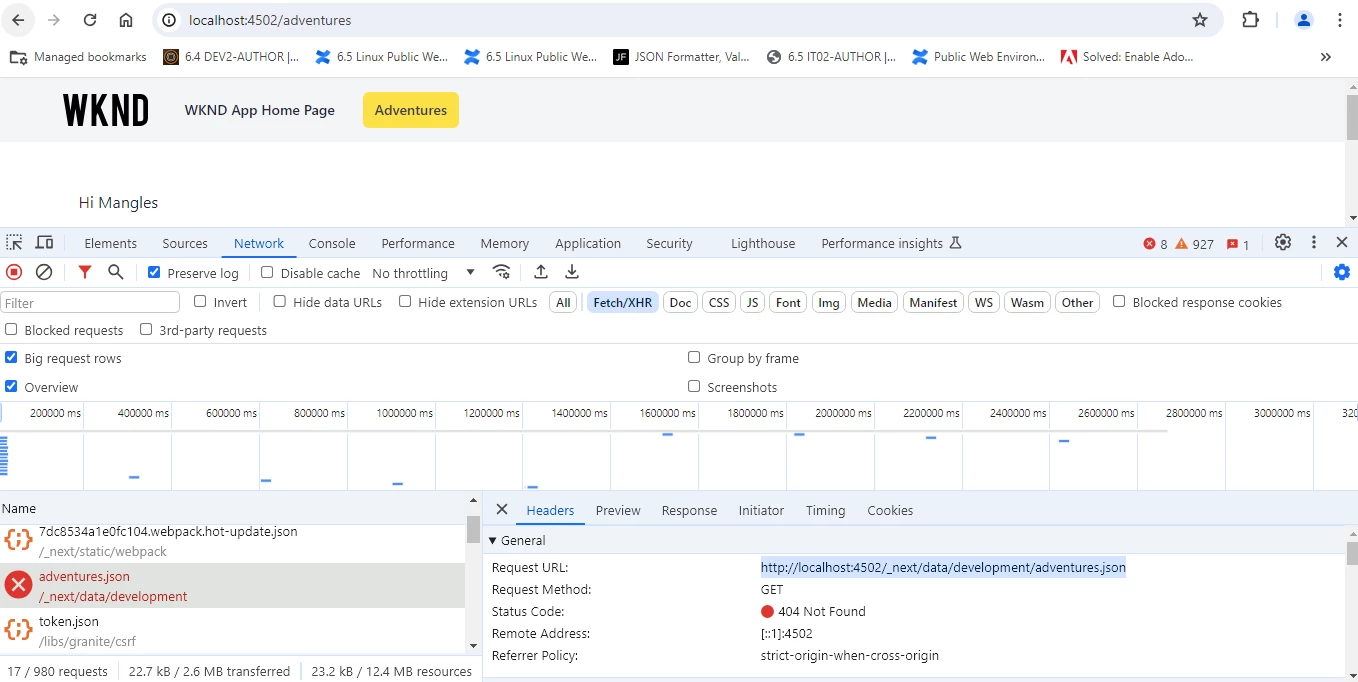
When iam navigating from home page to adventures using in remote spa with next js, adventures.json in AEM is not loading but in NextJS server it is loading. It should load from localhost:3000 instead of localhost:4502. Please find the below screenshot for your reference.


http://localhost:4502/_next/data/development/adventures.json


In AEM it is loading like this:


In NextJS server it is loading like this
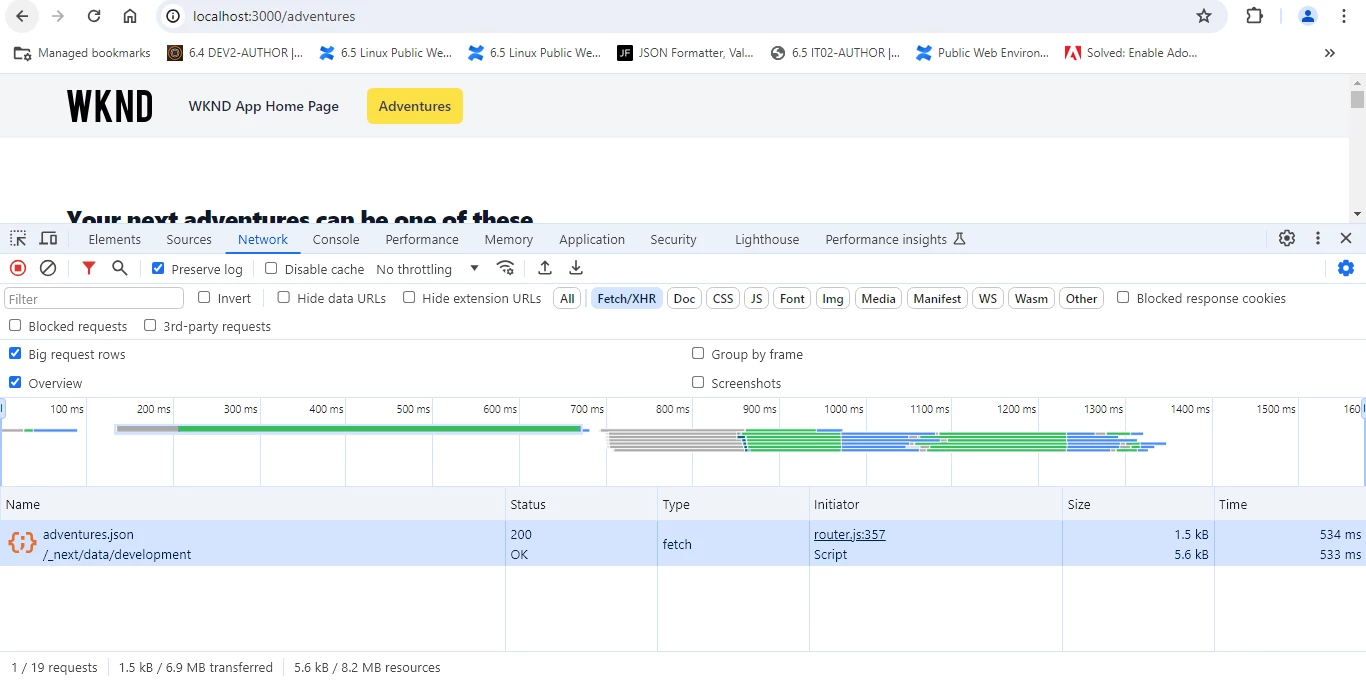


The UI call is initiating from router.js but in AEM it is not happening. Can anyone help me with the steps to proceed on the same.


Thanks & Regards,

Kalyan

This post is no longer active and is closed to new replies. Need help? Start a new post to ask your question.

1 reply

HrishikeshKagne
Community Advisor
Community Advisor
June 8, 2024

Hi @kalyanchakravarthych ,

Based on the screenshots you provided, it seems like there is an issue with the URL used to fetch the `adventures.json` file when navigating from the home page to adventures in your remote SPA with Next.js.

In the AEM screenshot, the URL used to fetch the `adventures.json` file is `http://localhost:4502/_next/data/development/adventures.json`, which is the AEM instance URL.

In the Next.js server screenshot, the URL used to fetch the `adventures.json` file is `http://localhost:3000/_next/data/development/adventures.json`, which is the Next.js server URL.

To resolve this issue, you need to ensure that the URL used to fetch the `adventures.json` file is the correct URL of your Next.js server instead of the AEM instance URL.

Here are the steps to proceed:

1. In your Next.js project, locate the code where the `adventures.json` file is fetched. It could be in a component or a data fetching function.
2. Look for the code that specifies the URL for fetching the `adventures.json` file.
3. Update the URL to use the correct URL of your Next.js server (`http://localhost:3000`).
4. Save the changes and restart your Next.js server.
5. Test the navigation from the home page to adventures again and verify that the `adventures.json` file is now being fetched from the correct URL.

By updating the URL to use the correct Next.js server URL, the `adventures.json` file should be loaded correctly in your remote SPA with Next.js.

Hrishikesh Kagane
Level 3
June 8, 2024

Hi,


I tried by debugging the code and I could not able to get where it is forming the json. In the code it is expecting assetPrefix which is reading from JSON and if it is not found then it is picking the url host. Due to this failing and getting error. Can you help where we are forming the json and also help me how we can resolve this issue. 


Thanks & Regards,

kalyan

Level 3
June 18, 2024

Hi,


There are 2 approaches to solve this as below.

  1. Add the http://localhost:3000/<page_name> on each we create.
  2. In the next js config file add one more header under source: '/_next/:path*' as below.

       {
key: 'x-nextjs-data',
value: 'http://localhost:3000'
}


Thanks & Regards,

Kalyan