AEM Querybuilder sort doesn't work if folder names have numbers | Community
Skip to main content
ksuren
Level 3
June 6, 2018
Solved

AEM Querybuilder sort doesn't work if folder names have numbers

  • June 6, 2018
  • 3 replies
  • 2821 views

I have a folder that have some sub-folders named as 8134, 9094 along with only text. The query builder predicate `orderby=@jcr:content/jcr:title` sorts the folder names if there are no numbers in the folder names. But if they do, the sort oder is not correct. What am i missing or doing wrong?

My query:

path=/content/dam/sxm-apps/channel-assets

property=jcr:primaryType

property.1_value=sling:OrderedFolder

property.2_value=sling:Folder

p.limit=-1

p.guesstotal=true

path.flat=true

orderby=@jcr:content/jcr:title

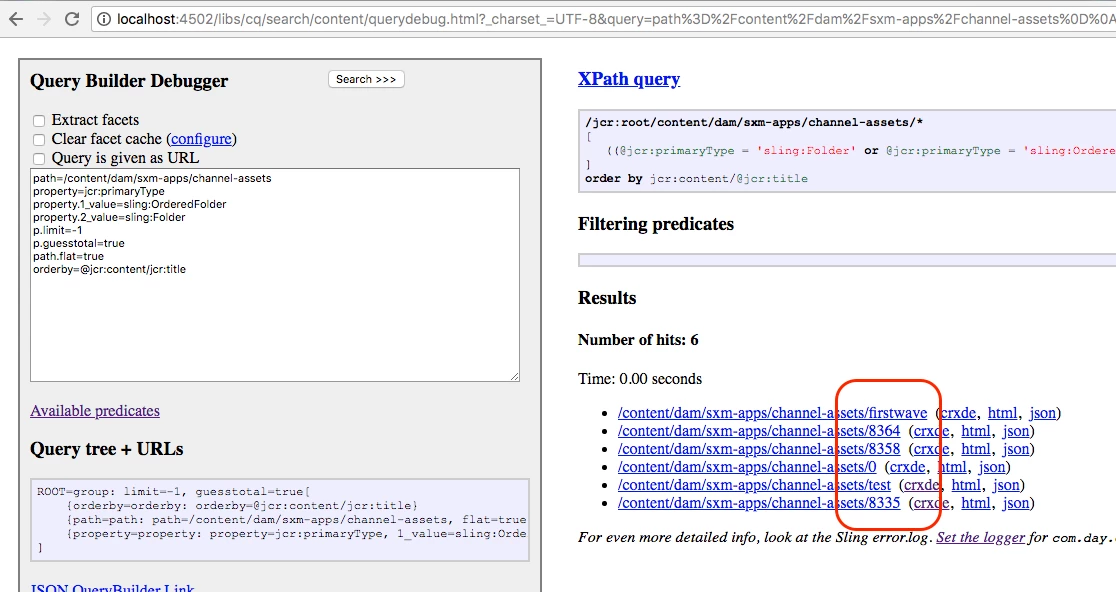
Not sorted if the folder names have numbers in them:
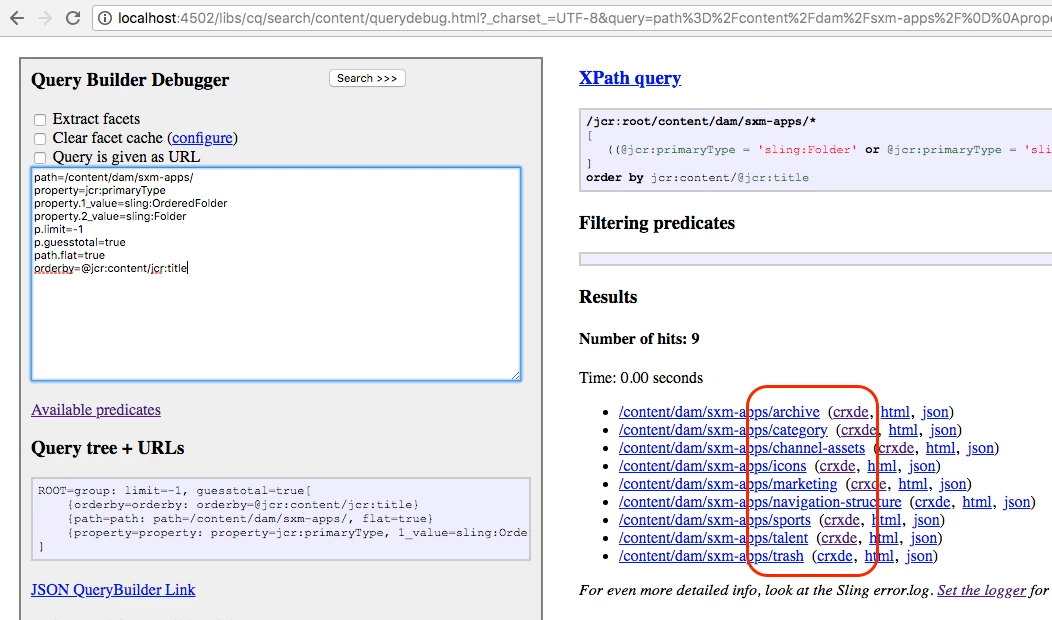
Sorted, if the folder names do not have numbers in them:
This post is no longer active and is closed to new replies. Need help? Start a new post to ask your question.
Best answer by aneetarora

Hello ksuren

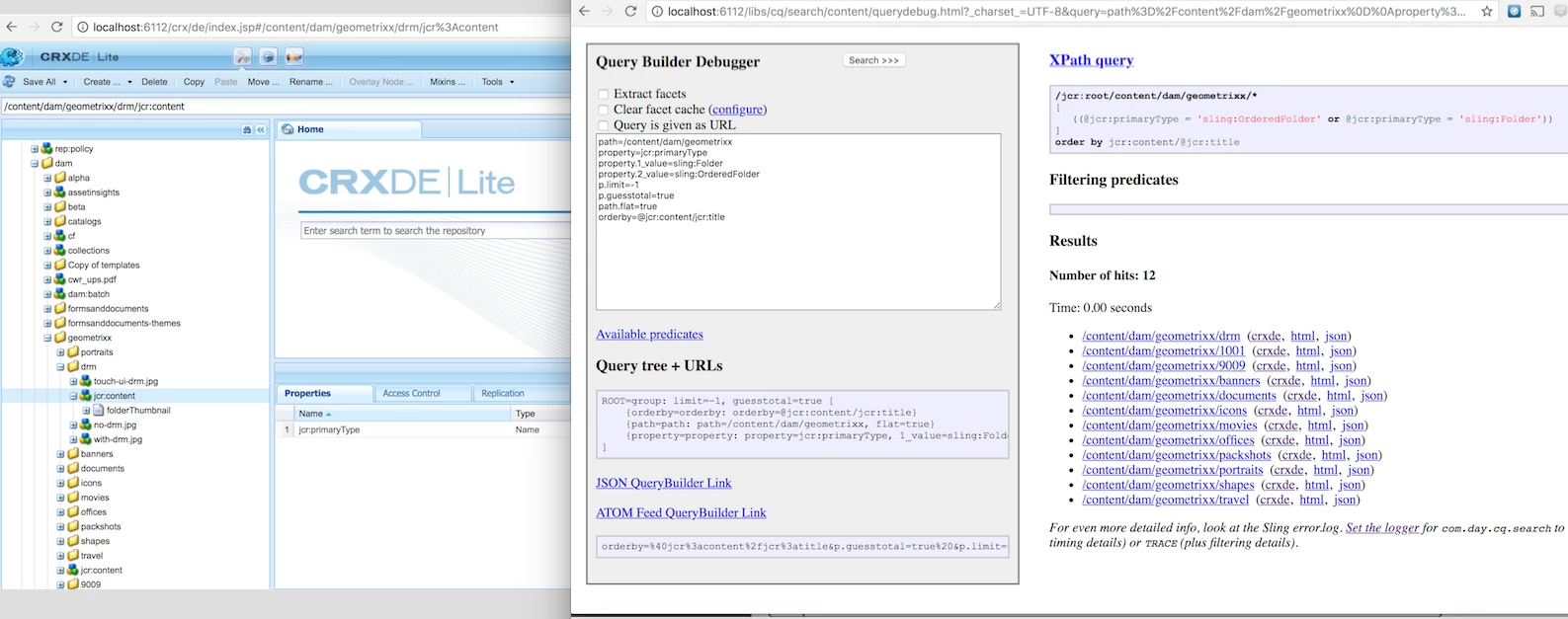
I've checked this query on my end and the only time sorting really breaks for me is if I am actually missing the jcr:title on one of the nodes. For example

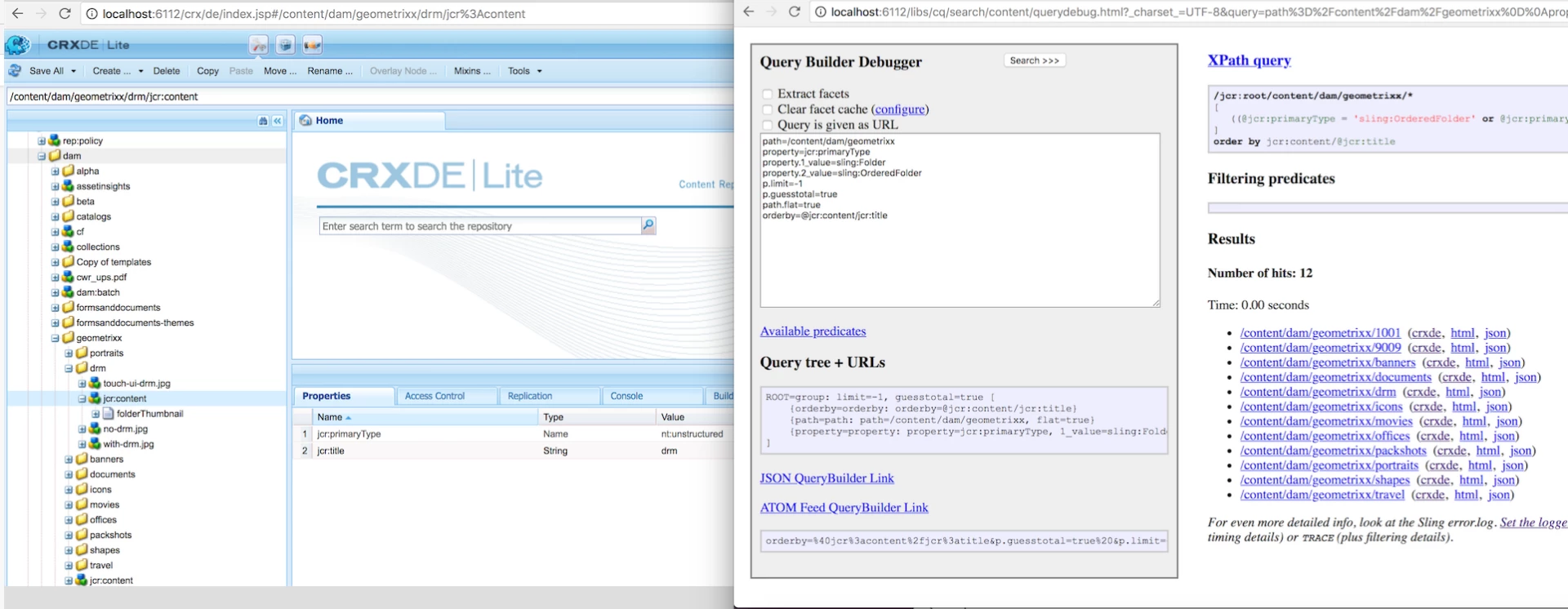
The query ran when the jcr:title is missing

The query ran when the jcr:title is available

Can you please confirm that these folders have jcr:title available on them?

Regards,

Aneet

3 replies

aneetaroraAdobe EmployeeAccepted solution
Adobe Employee
June 6, 2018

Hello ksuren

I've checked this query on my end and the only time sorting really breaks for me is if I am actually missing the jcr:title on one of the nodes. For example

The query ran when the jcr:title is missing

The query ran when the jcr:title is available

Can you please confirm that these folders have jcr:title available on them?

Regards,

Aneet

ksuren
ksurenAuthor
Level 3
June 6, 2018

You are right aneeta45259594​ but i found the reason for my issue.

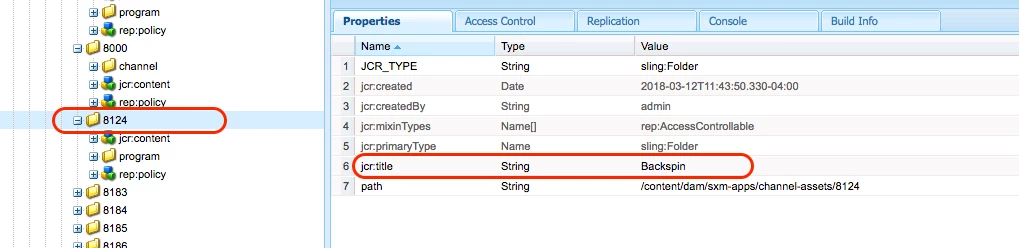
The way folders are setup by customer is that they are using a "friendly name" (jcr:title) for display, while node name is kind of ID so they can identify it (according to their internal legacy database). As below

So i had to change my query sort based on "node name" (orderby=nodename) instead of "jcr:title".

Final query:

path=/content/dam/sxm-apps/channel-assets

property=jcr:primaryType

property.1_value=sling:OrderedFolder

property.2_value=sling:Folder

p.limit=-1

p.guesstotal=true

path.flat=true

orderby=nodename

Adobe Employee
June 6, 2018

That is also correct and since your use-case doesn't actually depend on the particular property and you simply wanted to see the correct order of the folder, you could even use orderby=path to get same results.

Please mark this thread as solved once you evaluate all the possibilities.

Best Regards,

Aneet