AEM Publish Instance | Community
Skip to main content
Level 3
September 13, 2018
Solved

AEM Publish Instance

  • September 13, 2018
  • 4 replies
  • 5700 views

Hi Team,

The name of AEM Jar file I have is “aem6-author-4502”

I moved Jar file along with license.properties and crx-quickstart folder into a new folder as “AEM Publish” and renamed the Jar file to “aem6-publish-4503” . I have also deleted the earlier author file

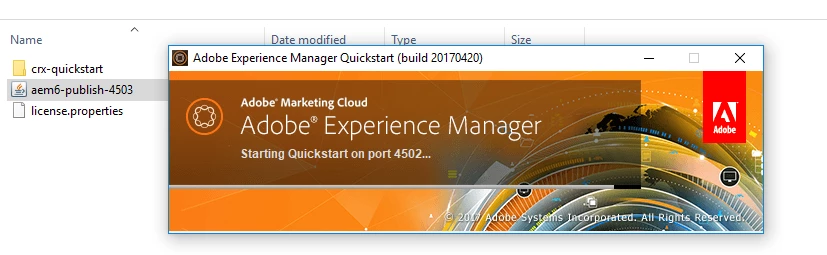
When I clicked on “aem6-publish-4503”. It is getting started on port 4502. PFB screenshot

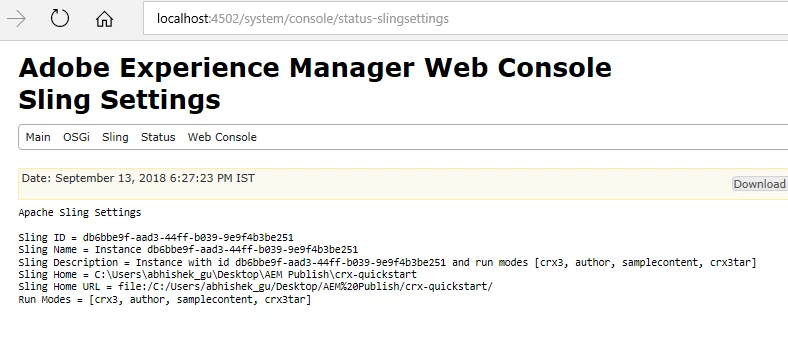
In the sling settings, it is picking Sling home and Sling URL from new folder i.e. “AEM Publish”. However in the run mode it is showing author,

Kindly suggest what can be reason for this? Where I am doing it wrong? I want to run AEM in publish mode
This post is no longer active and is closed to new replies. Need help? Start a new post to ask your question.
Best answer by edubey

It does not follow the name pattern, you can change file name to cq-publish-p4503.jar and delete crx-quickstart folder

then start again

4 replies

arunpatidar
Community Advisor
Community Advisor
September 13, 2018

Hi,

Please check this Run Modes and https://helpx.adobe.com/experience-manager/kb/RunModeSetUp.html

to see how file should be named to detect run mode and do not copy crx-quickstart folder along with jar , it will be created once installation get started.

The naming convention to use for CQ 5.6 and earlier is:

cq-<optional-version-or-identifier>-<standard-run-mode>-<port-number>

The naming convention to for AEM 5.6.1 and later is:

aem-<optional-version-or-indentifier>-<standard-run-mode>-<port-number>

As an example, the quickstart jar for an AEM 6.0 instance running as an author instance with the port of 4502 could be named:

aem-6.0.0.20140515-author-4502.jar

Arun Patidar
edubey
edubeyAccepted solution
Level 10
September 13, 2018

It does not follow the name pattern, you can change file name to cq-publish-p4503.jar and delete crx-quickstart folder

then start again

Adobe Employee
September 13, 2018

You are missing the letter 'p' before the port number. You should rename it as "aem6-publish-p4503.jar"

jezwn
Level 5
October 29, 2019

Adding the extension .jar on renaming makes it open at default/available port and run mode. No extensions need to be added.

November 9, 2021

worked for me, ty