AEM publish instance could not connect with dispatcher module - 404 response | Community
Skip to main content
Mario248
Level 7
June 27, 2022

AEM publish instance could not connect with dispatcher module - 404 response

  • June 27, 2022
  • 3 replies
  • 1868 views

I am trying to setup dispatahcer setup in mac. I followed all the steps as per the documentation. When I try to access http://localhost/content/we-retail/us/en.html it is giving 404 response. When I try to check replication status I get "Not Found"
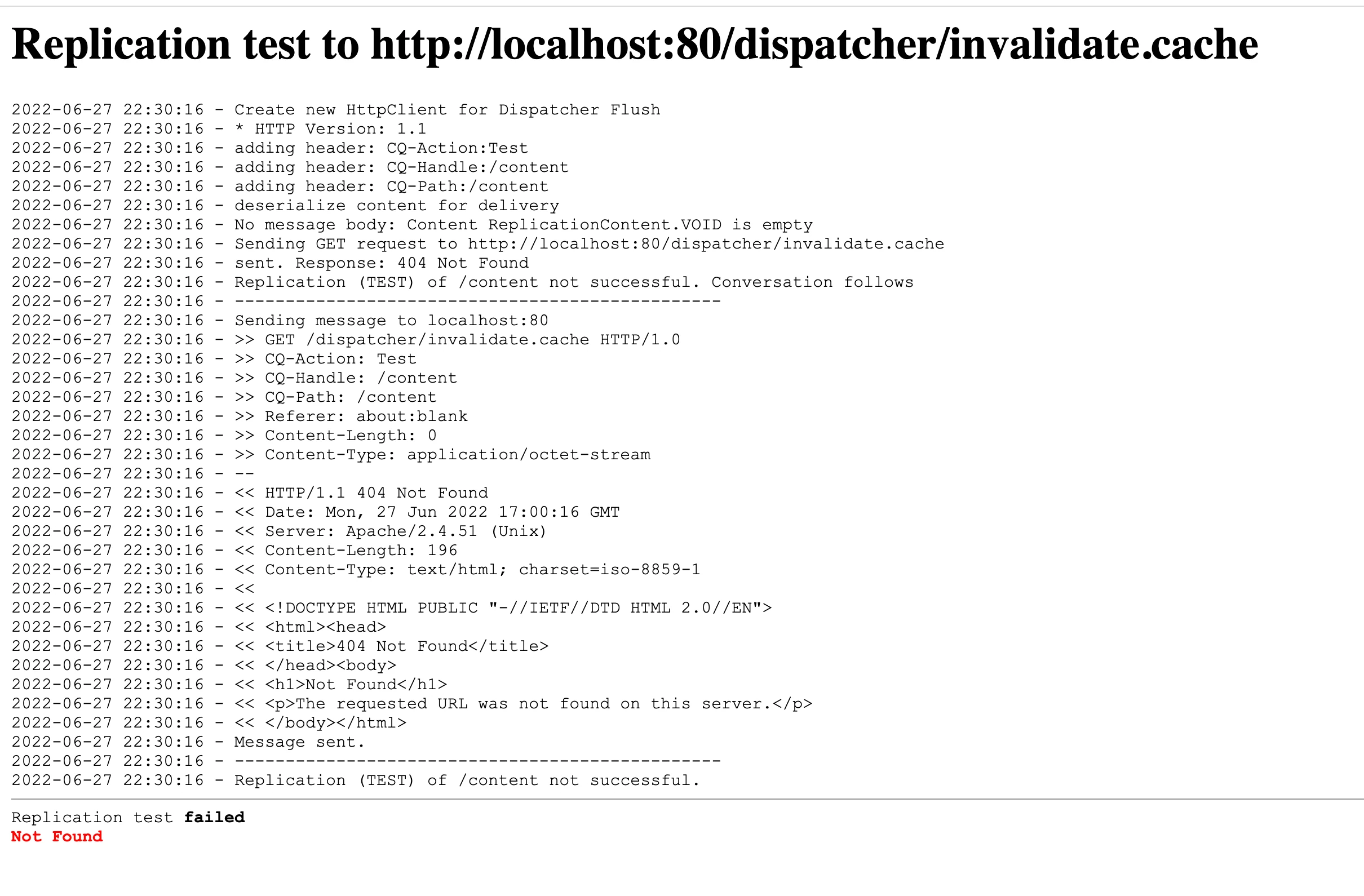


Apache log:-

==> access_log <==
::1 - - [27/Jun/2022:22:38:40 +0530] "GET /content/we-retail/us/en.html HTTP/1.1" 404 196
127.0.0.1 - - [27/Jun/2022:22:40:18 +0530] "GET /dispatcher/invalidate.cache HTTP/1.1" 404 196


Can anyone tell what could be the reason ?


Dispatcher version - 4.3.5

Apache version - 2.4

AEM version - 6.5



This post is no longer active and is closed to new replies. Need help? Start a new post to ask your question.

3 replies

SantoshSai
Community Advisor
Community Advisor
June 27, 2022

Hi @mario248 ,

Use Dispatcher SDK, with docker it's very easy to follow just few simple steps.

Adobe Docs: https://experienceleague.adobe.com/docs/experience-manager-learn/cloud-service/local-development-environment-set-up/dispatcher-tools.html

Hope that helps!

Regards,

Santosh

Santosh Sai
Mario248
Mario248Author
Level 7
June 28, 2022

Is this support AEM 6.5? or is it specific to AEM SDK?

sunil_kumar_
Level 5
June 27, 2022

Hi @mario248 If you are not able access http://localhost/content/we-retail/us/en.html ie you dispatcher configurations are still missing something. Please check access and error logs.  
For dispatcher flush agent, check /allowedClients, you local IP should be allowed. Check dispatcher logs for this. Once you test connection, you must see an entry in dispatcher logs(if your apache/dispatcher working properly). You can see in dispatcher logs which Farm is being used. 
Check this, If this can help - https://youtu.be/S7p1cPVWME0

Mario248
Mario248Author
Level 7
June 28, 2022

Thanks. I followed the video. it helped but I see "Connection Refused Error" .


When I check apache with "apachectl configtest", I get below error


so:error] [pid 8913] AH06665: No code signing authority for module at /private/libexec/apache2/mod_dispatcher.so specified in LoadModule directive.
httpd: Syntax error on line 191 of /private/etc/apache2/httpd.conf: Code signing absent - not loading module at: /private/libexec/apache2/mod_dispatcher.so


Can you help me on below things, 


1. Checked the permission for /private/libexec/apache2 and ensured it is allowed in "Secuirty and Privacy". What else to check to resolve this issue?

2. Why am I not seeing dispatcher.log in /private/var/log/apache2. But I see error.log and access.log. Any reason? Verified the permission for my username.

vanegi
Adobe Employee
Adobe Employee
June 28, 2022

Hi @mario248,

Can you share the httpd.conf and dispatcher.any file? And also check on the dispatcher.any and see if the /allowedClients property is updated correctly, it should have the ip of publish server and do check the docroot configuration as well.

Thanks!!