AEM multifield works incorrect | Community
Skip to main content
January 31, 2023
Solved

AEM multifield works incorrect

  • January 31, 2023
  • 3 replies
  • 1352 views

I am working on a AEM dialog multifield granite/ui/components/coral/foundation/form/multifield component. After adding 73 items to list and save. Dialog saves correctly but after reopening there is no add button and delete button works incorrect. Delete button removes one item but after saving and reopening dialog there is still 73 items. What could be the problem? Thanks
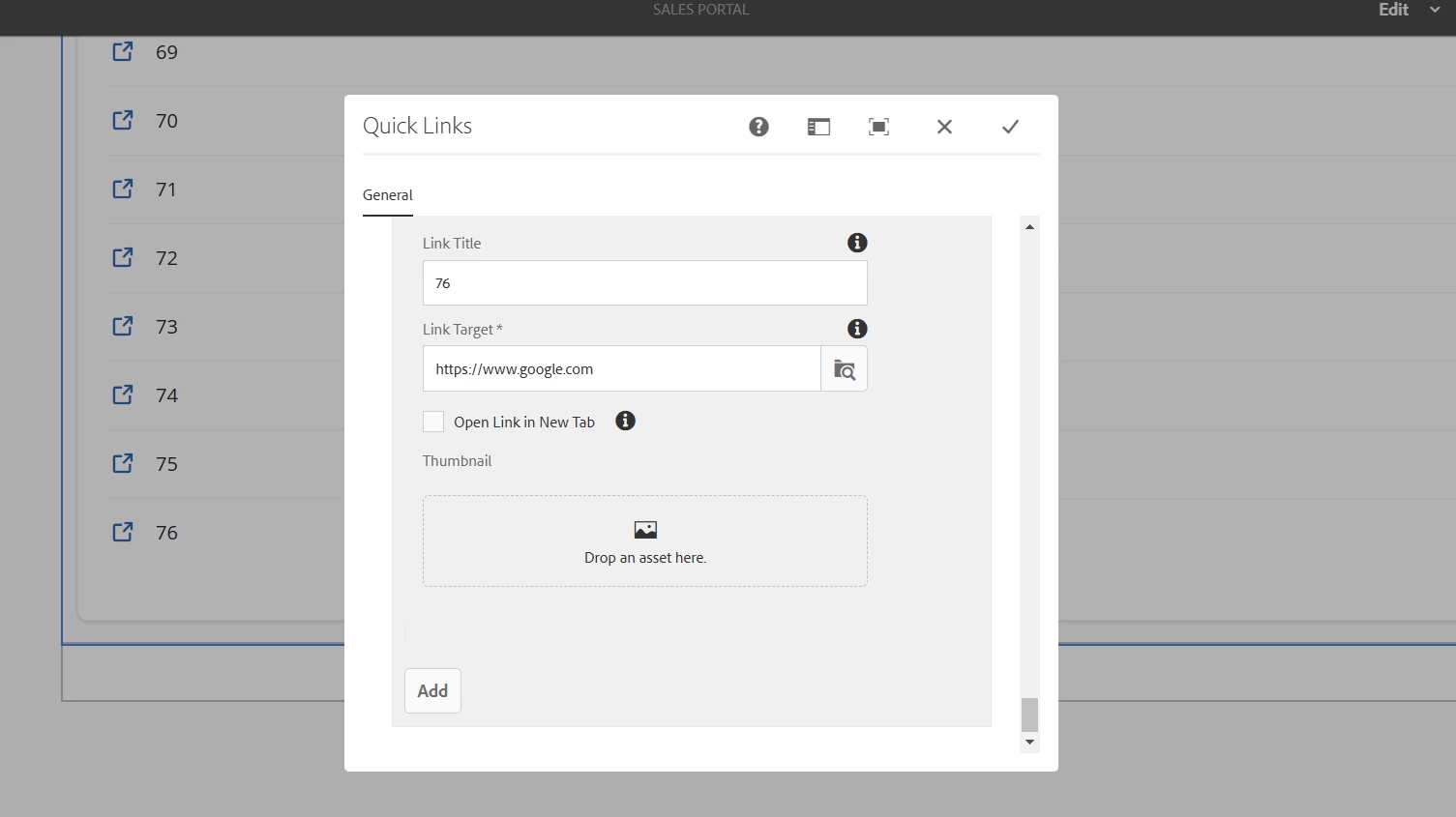
This post is no longer active and is closed to new replies. Need help? Start a new post to ask your question.
Best answer by krishna_sai

Hi @polinavinni I verified this, seems like there is no such issue or limit that it allows only 73 items. I was able to add more than 73 and was able to delete items and view the items properly.


3 replies

krishna_sai
Community Advisor
krishna_saiCommunity AdvisorAccepted solution
Community Advisor
January 31, 2023

Hi @polinavinni I verified this, seems like there is no such issue or limit that it allows only 73 items. I was able to add more than 73 and was able to delete items and view the items properly.


DEBAL_DAS
January 31, 2023

Could you please share the .content.xml of your multifield component and also let me know AEM version with service pack.

ArpitVarshney
Community Advisor
Community Advisor
January 31, 2023

Hi @polinavinni 

This doesn't seem to be the OOTB behavior of AEM multifield. It seems either your multifield structure in the dialog is not proper or there is some customization happening in your custom code via JS related to multifield. Please check.

However, you can validate it on vanilla AEM(without custom code).

Regards,

Arpit Varshney