AEM link to PDF asset via dialog | Community
Skip to main content
nathann83130865
January 23, 2019
Solved

AEM link to PDF asset via dialog

  • January 23, 2019
  • 3 replies
  • 1606 views

Is there anyway to link to a PDF document loaded within the DAM via dialog for a component? There are different examples of referencing images and pages via a dialog but none for assets such as pdf. The only place I've seen where you can browse and link to pdf's is via the rich text editor...which isn't very intuitive for specific custom components.
This post is no longer active and is closed to new replies. Need help? Start a new post to ask your question.
Best answer by smacdonald2008

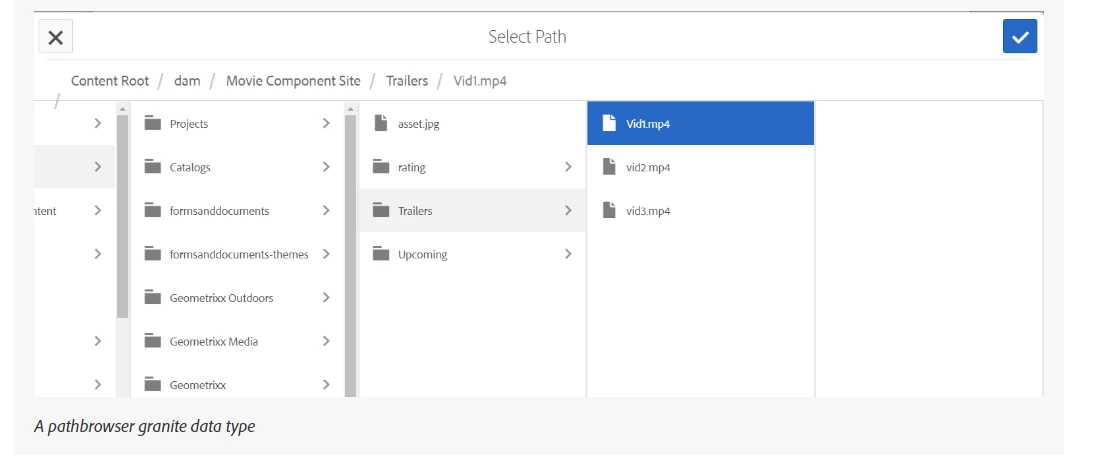
The granite library contains a lot of data types that perform various tasks. To select a PDF that is located in the DAM is to use a granite type such as granite/ui/components/coral/foundation/form/pathbrowser.

This data type lets an author select various assets from the DAM using the above GUI that can be used in a component dialog.

ANother type is PathField — Granite UI 1.0 documentation

3 replies

smacdonald2008
smacdonald2008Accepted solution
Level 10
January 23, 2019

The granite library contains a lot of data types that perform various tasks. To select a PDF that is located in the DAM is to use a granite type such as granite/ui/components/coral/foundation/form/pathbrowser.

This data type lets an author select various assets from the DAM using the above GUI that can be used in a component dialog.

ANother type is PathField — Granite UI 1.0 documentation

nathann83130865
January 23, 2019

Thanks for that....exactly what I was looking for! I should've asked here ages ago...

Thanks again!

smacdonald2008
Level 10
January 23, 2019

If you want to see an article where we show this - we use it to select videos (An asset in the AEM DAM) - see: Adobe Experience Manager Help | Creating an AEM 6.4 HTML Template Language movie component