AEM - Issue while executing java class from Bracket IDE editor | Community
Skip to main content
Level 4
October 30, 2019
Solved

AEM - Issue while executing java class from Bracket IDE editor

  • October 30, 2019
  • 7 replies
  • 4660 views

Can anyone please help.

i have created a training project package and imported in Brackets IDE , synchronization is sucessfull to AEM and i am able to export back to AEM.

all statement is executing except java class , i am not seeing any error also.

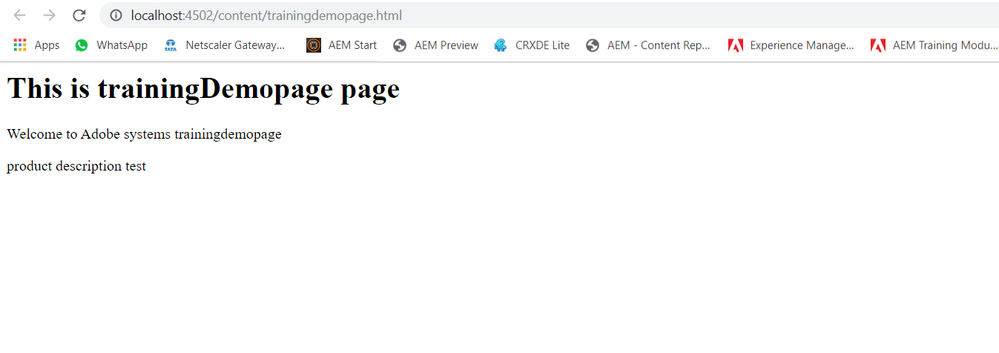
AEMhtmlpreview.PNGHTML AEM UI Page

JAVA Class file

javaclass.PNGJAVA CLass file

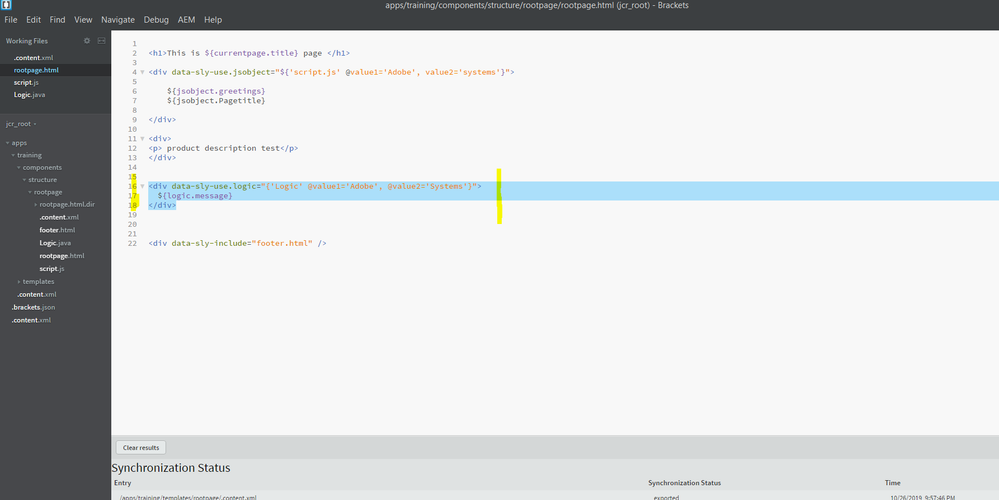
HTML File

htmlpage.PNG

This post is no longer active and is closed to new replies. Need help? Start a new post to ask your question.
Best answer by aemmarc2

... Did you compile the code?

It doesn't look like it.

From the screenshot -- on the left side in the structure pane -- you can't just put .java files inside the content repository and expect it to run. That's not how this works.  Java source needs to be compiled into its CLASS file and those are all magically assembled into a JAR file (an executable program) that adheres to the OSGI specification so it can run inside AEM.

Your Java code needs to be in an AEM maven project and compiled into a deployable artefact.

Start here : GitHub - adobe/aem-project-archetype: Maven template to create new Adobe Experience Manager (AEM) projects that follow b…

The WKND Tutorial is also a good resource to understand how to develop in AEM.

WKND Tutorial Overview

7 replies

aemmarc2Adobe EmployeeAccepted solution
Adobe Employee
October 30, 2019

... Did you compile the code?

It doesn't look like it.

From the screenshot -- on the left side in the structure pane -- you can't just put .java files inside the content repository and expect it to run. That's not how this works.  Java source needs to be compiled into its CLASS file and those are all magically assembled into a JAR file (an executable program) that adheres to the OSGI specification so it can run inside AEM.

Your Java code needs to be in an AEM maven project and compiled into a deployable artefact.

Start here : GitHub - adobe/aem-project-archetype: Maven template to create new Adobe Experience Manager (AEM) projects that follow b…

The WKND Tutorial is also a good resource to understand how to develop in AEM.

WKND Tutorial Overview

Adobe Employee
October 30, 2019

Actually I'm going to correct myself as I believe you can have Java classes that extend WCMUsePojo within the content repository.

ArpitVarshney
Community Advisor
Community Advisor
October 30, 2019

Hi arunk85184451

I have checked this using aem bracket plugin. I can properly see Java classes in Sync status of bracket.PFB the screenshot

Could you please check it again making sure to use the latest version of Bracket and AEM plugin?

Regards,

Arpit Varshney

Level 4
October 31, 2019

thanks , it helps

Level 4
October 31, 2019

thanks arpit

yes i can see the same its getting exported correctly from Bracket to AEM

the moment i give the java class reference in html component of the page i.e it displays the output before the java class reference and stops

any help on this to debug will be helpful

thanks

arunpatidar
Community Advisor
Community Advisor
November 4, 2019

There is an issue with your HTL code.

Please refer below for correct code -

<div data-sly-use.logic="${'Logic' @value1='Adobe', value2='Systems'}">${logic.message}</div>

Arun Patidar
Level 4
November 6, 2019

thanks , its fixed