AEM Cloud, impersonate user | Community
Skip to main content
October 18, 2024
Solved

AEM Cloud, impersonate user

  • October 18, 2024
  • 2 replies
  • 1925 views

How can I impersonate a user in AEM Cloud?


the dropdown list is empty.


I am admin.

This post is no longer active and is closed to new replies. Need help? Start a new post to ask your question.
Best answer by EstebanBustamante

Hi, 

I was able to impersonate users in the cloud without any issues. Here are the steps I followed:

- Go to Tools -> Security -> Users

- Select the user you want to impersonate

- Go to the Impersonate section and add your user as an impersonator
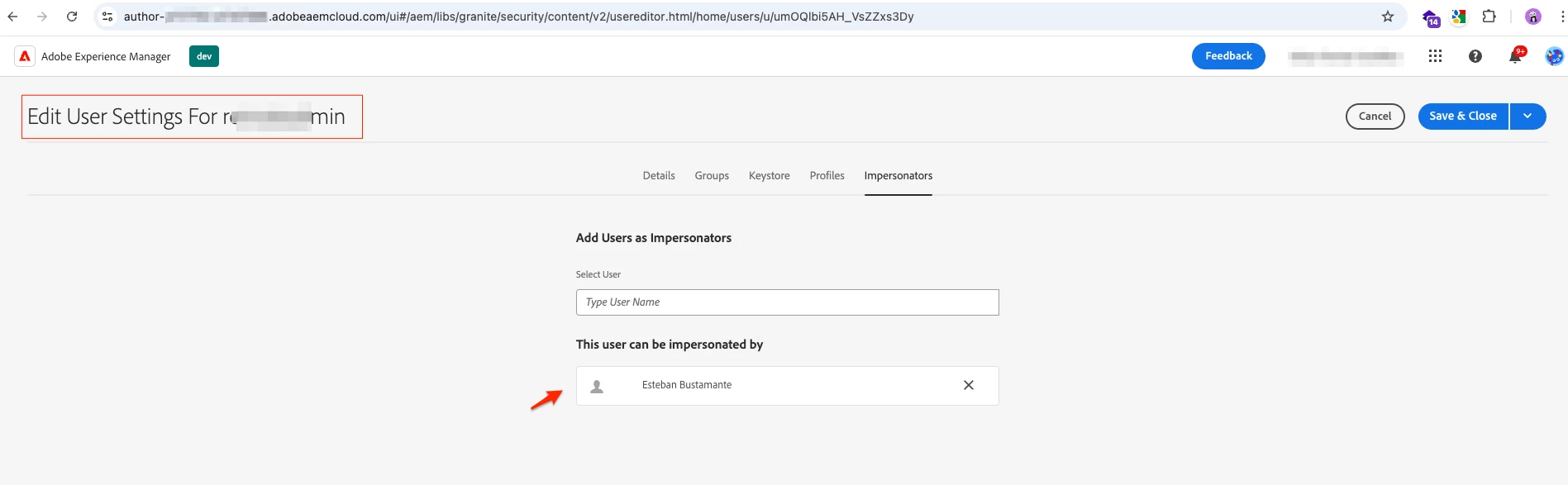
- Once you save this, you should be presented with the option to impersonate this user:
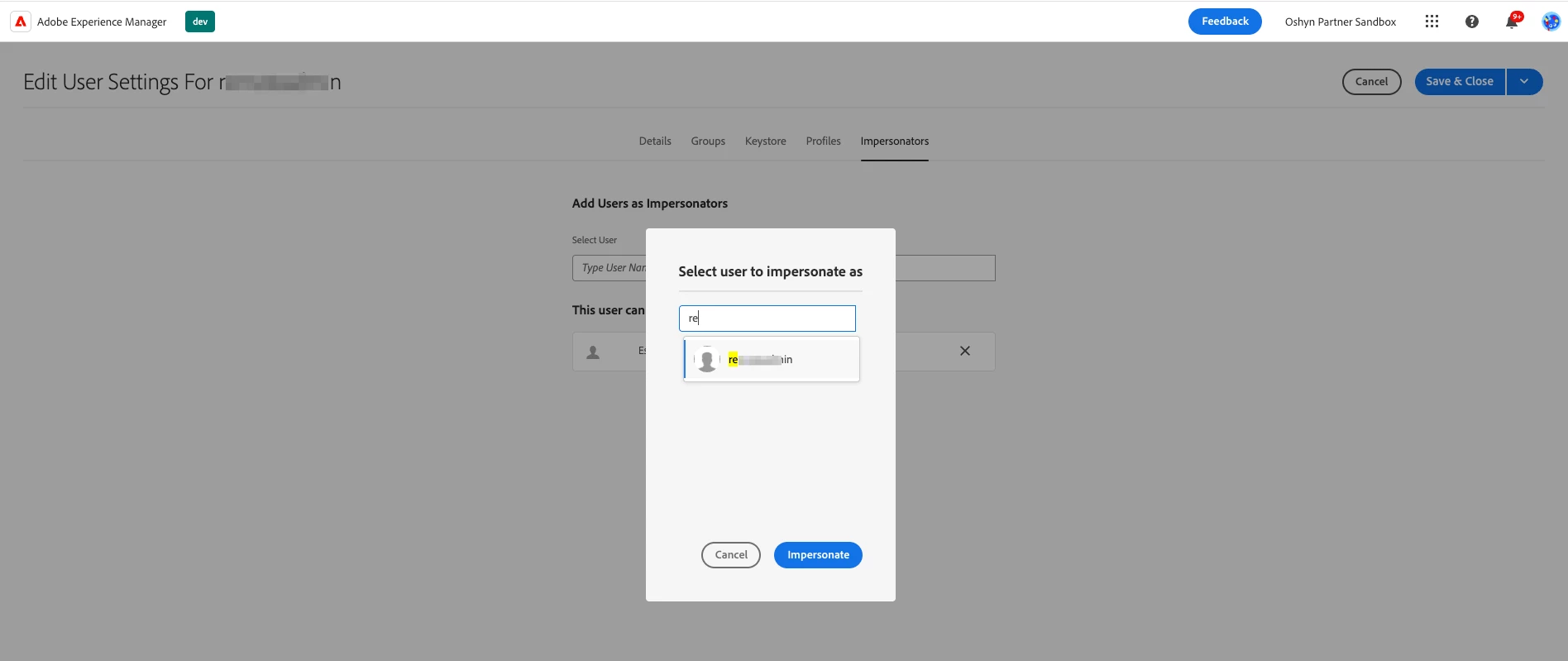
 

Follow-up questions: What type of permissions does the user you want to impersonate have? If this user belongs to any custom group, can you try to impersonate another user who is using only out-of-the-box (OOTB) groups? The issue may be related to custom groups if that’s the case.


Hope this helps


2 replies

TimDo3Author
October 18, 2024

No, that link tells me how to click on profile then on Impersonate user.  I already know how to do that. But it is not working.


I am an admin and I cannot see anyone to impersonate. There are a dozen people in our dev environment.


I am using AEM Cloud. 

joerghoh
Adobe Employee
Adobe Employee
October 20, 2024


@timdo3 wrote:


I am an admin and 


Well, you might have an admin role in your organisation, but your are NOT the "admin" of the AEM instance (meaning that role you get when you use "admin/admin" on your local SDK instance). For that reason you cannot impersonate into other users unless these users have configured their account to allow that.

EstebanBustamante
Community Advisor and Adobe Champion
EstebanBustamanteCommunity Advisor and Adobe ChampionAccepted solution
Community Advisor and Adobe Champion
October 18, 2024

Hi, 

I was able to impersonate users in the cloud without any issues. Here are the steps I followed:

- Go to Tools -> Security -> Users

- Select the user you want to impersonate

- Go to the Impersonate section and add your user as an impersonator

- Once you save this, you should be presented with the option to impersonate this user:


Follow-up questions: What type of permissions does the user you want to impersonate have? If this user belongs to any custom group, can you try to impersonate another user who is using only out-of-the-box (OOTB) groups? The issue may be related to custom groups if that’s the case.


Hope this helps


Esteban Bustamante
TimDo3Author
October 18, 2024

Best answer ever.  Cheers!

