AEM Cloud - How to export a site to XML for Translation project?
We need to create a Translation site for a US/English website. Service to be used will be TransPerfect/Translations.com
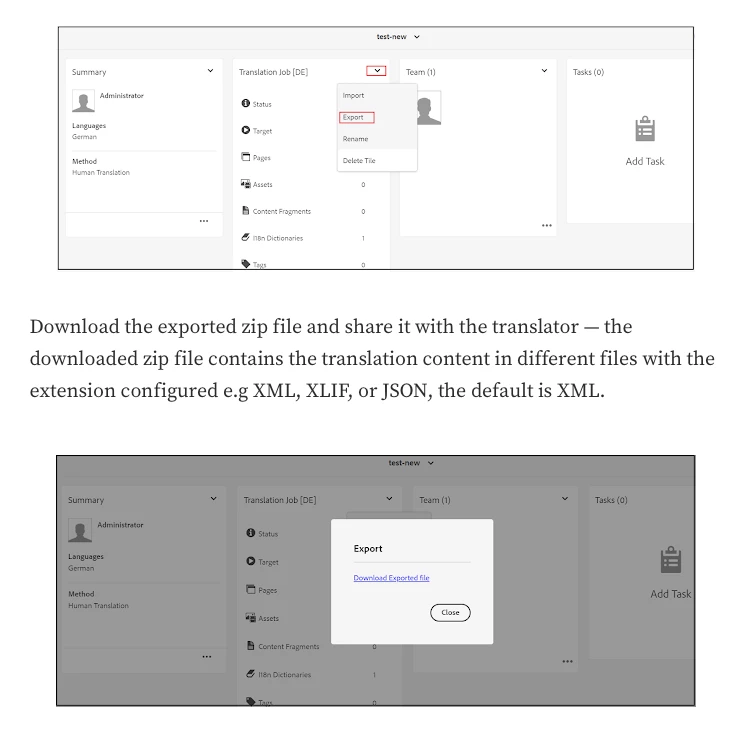
TransPerfect wanted us to give them an XML export of the entire "en" site. Which will then be used by them to provide us a pseudo translated version for testing purposes.
Can we do this export without ((since this a paid service) using the connector (GlobalLink Connect Plus for AEM) ?
Is there a way to create an XML export of the entire site without code development? There is a solution here but was on AEM 6.3. We are using AEM cloud version (2022.7.8144.20220729T033827Z).
Human translation: Content is sent to your translation provider and translated by professional translators. When complete, the translated content is returned and imported into AEM. When your translation provider is integrated with AEM, content is automatically sent between AEM and the translation provider.