AEM Azure AD SSO Integration | Community
Skip to main content
prashantonkar
Level 4
February 15, 2022

AEM Azure AD SSO Integration

  • February 15, 2022
  • 1 reply
  • 4188 views

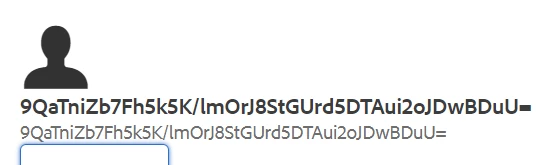
We followed https://docs.microsoft.com/en-us/azure/active-directory/saas-apps/adobeexperiencemanager-tutorial for integration Azure AD with AEM for SSO. I am facing one issue after integration. When the user logs in thru AD, the user is created in AEM. But the user is unrecognizable as the user is given a random ID. How do I get the users email/ First Name, Last Name? I need to be able to recognize this user in order to assign him to groups. When I log in thru AD and click my profile in AEM author, this is what I see. Please help.


This post is no longer active and is closed to new replies. Need help? Start a new post to ask your question.

1 reply

Raja-Karuppsamy
Community Advisor
Community Advisor
February 17, 2022

Hi @prashantonkar,


Please refer this article to implement the Azure AD SSO integration with AEM- https://www.albinsblog.com/2021/11/aem-website-authentication-with-azure-ad-b2c-saml.html


Regards,

Raja


AndreaB69
Level 3
September 14, 2022

Hi,
I have the same issue
we were also following
https://blog.developer.adobe.com/saml-authentication-in-aem-using-microsoft-azure-active-directory-30d668338a8f

I see saml claims with attributes  emailaddress, surname, givenname from azure.
tried multiple values in saml config User ID attribute 
but no luck
did you ever solve?

prashantonkar
Level 4
September 14, 2022

Hi,
authentication works but I  get a random userprincipal,
I put details here

https://experienceleaguecommunities.adobe.com/t5/adobe-experience-manager/aem-6-5-sp13-saml-with-azure-ad-user-is-created-with-random/m-p/546168#M135747


Yes, I faced the same issue too. I couldn't resolve hence went with IMS integration which solved the issue.