AEM As Cloud | WebP Image Optimization | Asset Delivery API | How to pass the size options ? | Community
Skip to main content
VeenaVikraman
Community Advisor
Community Advisor
February 12, 2024

AEM As Cloud | WebP Image Optimization | Asset Delivery API | How to pass the size options ?

  • February 12, 2024
  • 6 replies
  • 3528 views

Hi Team,


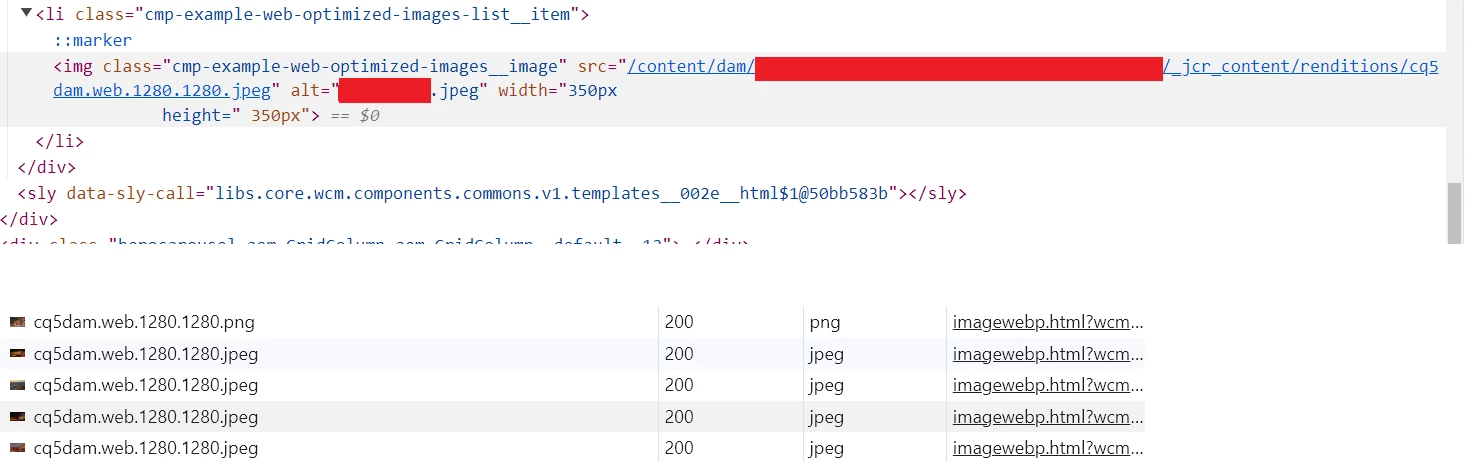
I've implemented web optimization for custom components using the code from https://experienceleague.adobe.com/docs/experience-manager-learn/cloud-service/developing/advanced/web-optimized-image-delivery-java-apis.html?lang=en. I'm making the options configurable, allowing users to set width, quality, and size.


Since there's limited documentation specific to AEM as a Cloud, I referred to https://docs.mktossl.com/docs/experience-manager-learn/getting-started-with-aem-headless/how-to/images.html#query-variables to understand the format for "size".


According to that documentation, size should be "Size of the output image (both height and width) in pixels". However, neither of these attempts worked:


options.put("size", "45 45");
options.put("size", "45");

I'm sure there's an issue with the format I'm using, but I couldn't find relevant documentation. Could anyone offer guidance on how to resolve this?


Please note: I'm working on AEM as Cloud.


Thanks

Veena ✌

This post is no longer active and is closed to new replies. Need help? Start a new post to ask your question.

6 replies

Imran__Khan
Community Advisor
Community Advisor
February 12, 2024

@veenavikraman We can create component specific configuration to provide height and width as shown below:

https://<cd_domain>/is/image/test/abc?$Responsive$&fit=stretch&fmt=webp&wid=200&hie=100

VeenaVikraman
Community Advisor
Community Advisor
February 12, 2024

@imran__khan In this documentation https://docs.mktossl.com/docs/experience-manager-learn/getting-started-with-aem-headless/how-to/images.html#query-variables I read , we can pass an argument like  size, which is a combination of height and width. 

Imran__Khan
Community Advisor
Community Advisor
February 12, 2024


After updating resource type and dam path, API is giving webp image which is an optimized one. On page we can load of specific height and width image size as shown above and as part of documentation. 

somen-sarkar
Community Advisor
Community Advisor
February 12, 2024

HI @veenavikraman ,

Just a guess. Have you tried size format like "200 x 200" or "200x200" ?


Thanks,

Somen

VeenaVikraman
Community Advisor
Community Advisor
February 16, 2024
iamnjain
Community Advisor
Community Advisor
February 12, 2024

@veenavikraman 

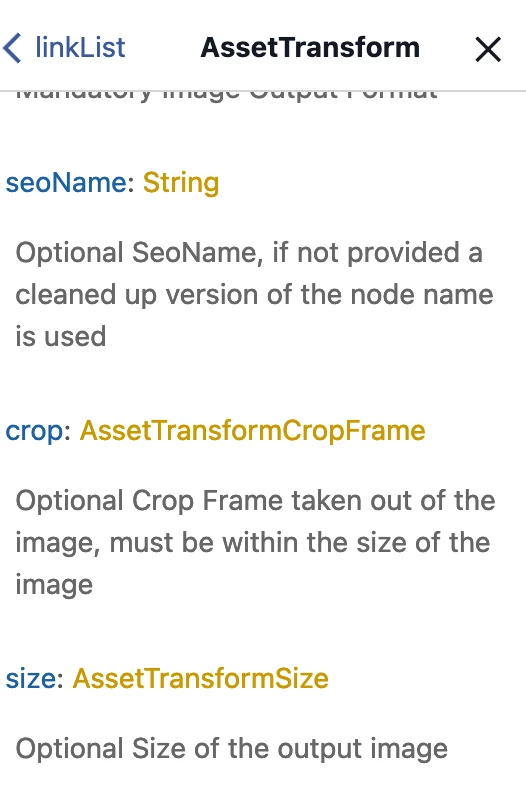
I also tried and found no concrete info on internet available. We have official Docs saying size will be type "Positive integers" but not mention any example in which format we should provide. and Then I went into documentation explorer section of Graphql query editor and found that size will accept value of type "AssetTransformerSize" and we don't have again any idea what is this type. fewwww 🙂


@somen-sarkar  I tried the same and it gave syntax error and I tried with colon and multiple different ways but no luck 🙂


@kautuk_sahni@arunpatidarany help 🙂

arunpatidar
Community Advisor
Community Advisor
February 12, 2024

Hi @iamnjain 
here are some info I found about AssetTransformerSize


In Adobe Dynamic Media, AssetTransformerSize is a parameter used to specify the size of an image or asset transformation. It is typically used in conjunction with the Asset Compute service, which enables you to dynamically transform images and assets in the cloud.

Here's a brief overview of how AssetTransformerSize is used:

  1. Asset Compute Service:

    • The Asset Compute service is a serverless image processing service provided by Adobe Experience Manager (AEM) as part of Adobe Dynamic Media.
    • It allows you to define custom image transformations using Adobe I/O Runtime actions.
  2. AssetTransformerSize Parameter:

    • When defining an Asset Compute action, you can use the AssetTransformerSize parameter to specify the desired size of the output image.
    • The size can be specified using various units, such as pixels (e.g., "300x200") or percentages (e.g., "50%").
  3. Example Usage:

    • If you want to resize an image to a specific width and height, you might use the AssetTransformerSize parameter like this:
      "size": "300x200"
    • This example would resize the image to have a width of 300 pixels and a height of 200 pixels.
  4. Implementation in Asset Compute Action Configuration:

    • When defining your Asset Compute action in AEM, you would typically include the AssetTransformerSize parameter within the action's configuration.

Here is a simplified example configuration for an Asset Compute action:


{ "rendition": { "cq5dam.thumbnail.140.100.png": { "format": "png", "size": "140x100", "autoHeight": true } } }

In this example, the AssetTransformerSize parameter is used to specify a size of "140x100" pixels for a thumbnail rendition.

Keep in mind that the specific implementation details and usage might vary based on your AEM version, Dynamic Media configuration, and the requirements of your application. Always refer to the official Adobe documentation and your AEM version's documentation for the most accurate and up-to-date information.

Arun Patidar
VeenaVikraman
Community Advisor
Community Advisor
February 16, 2024

I even tried , but no luck

options.put("size", "200x200");

 and 

options.put("size", "200*200");


VeenaVikraman
Community Advisor
Community Advisor
February 16, 2024

@arunpatidar Thanks a lot for the above documentation. I tried the above. But I think , atleast in AssetDelivery API, it is not working. I tried the few options.


1. I applied only size in the below format. This didn't reflect at all in the URL.

options.put("size", "800,800");

2. I gave width and size. As per the documentation, if the width and size are given , then size will only be applied and width will be ignored. But in this case, width got applied and size didn't have any effect at all.  

options.put("width", "90");
options.put("size", "800,800");


arunpatidar
Community Advisor
Community Advisor
February 16, 2024

Hi @veenavikraman 
Sizing is an integer for a layer

https://experienceleague.adobe.com/docs/dynamic-media-developer-resources/image-serving-api/image-serving-api/http-protocol-reference/templates/r-example-a.html?lang=en 

width and height should work but not working then you can open a case with Adobe.

Arun Patidar
kautuk_sahni
Community Manager
Community Manager
February 16, 2024

@veenavikraman Did you find the suggestions from users helpful? Please let us know if more information is required. Otherwise, please mark the answer as correct for posterity. If you have found out solution yourself, please share it with the community.

Kautuk Sahni
VeenaVikraman
Community Advisor
Community Advisor
June 9, 2024

No @kautuk_sahni . For some reason we couldn't figure out the right format for passing size. None of the below answers worked

Adobe Employee
September 24, 2024

Hello @veenavikraman 

Were you able to find your answer or still looking for it. If you still didn't find the solution for this and using new Dynamic Media Stack i.e., Dynamic Media with Open API, Refer to the public facing documentation [0] for Delivery API.

Ref-
[0] API Reference | ReDoc


Regards,
Rahul Dingari