
AEM As Cloud | Mandatory fields not working when there are multiple tabs ? | Community
Skip to main content
VeenaVikraman
Community Advisor
Community Advisor
January 31, 2022
Solved

AEM As Cloud | Mandatory fields not working when there are multiple tabs ?

  • January 31, 2022
  • 2 replies
  • 1409 views

Hi Team


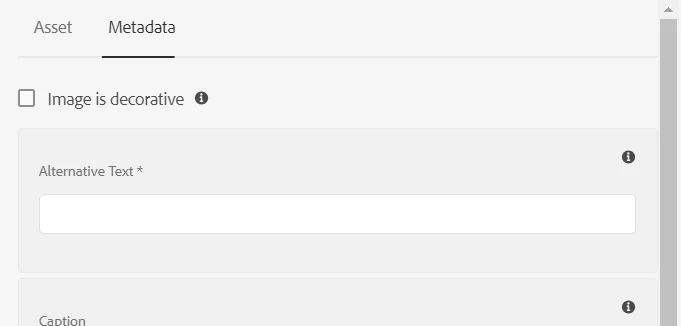
    I am facing an issue. I wanted to check if this is a product bug (which I think it is) with you all before going ahead with my conclusion. The issue is , when a component has multiple tabs and there are mandatory fields in the non-active (the one which is not open) ; if the author submits the dialog without authoring anything , he will be able to submit it. 


For e.g I setup a vanilla instance with WKND project.


If you use the image component ( which is a proxy to the core image component) , it has mandatory fields in the Metadata tabs like below


Steps to reproduce the issues


1. Add the Image component 

2. Open the dialog and submit without authoring. Make sure you are on the first tab while submitting 
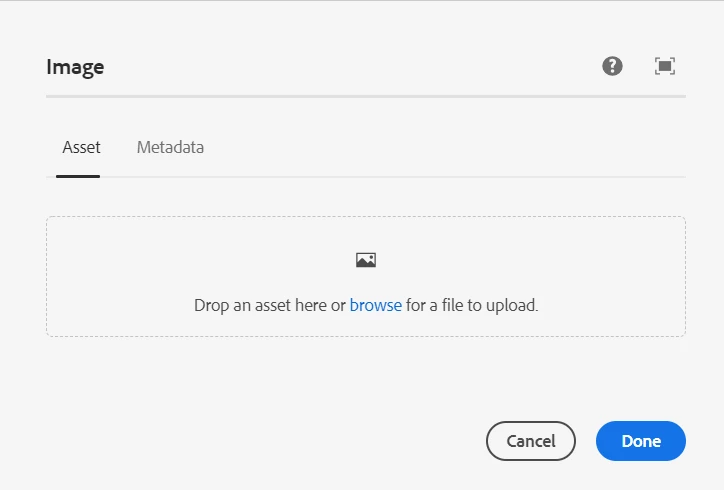
 

3. The dialog gets submitted .


Actual :- The dialog gets submitted ,  in spite of mandatory fields marked on the other tabs


Expected :- The dialog should not get submitted unless the mandatory fields are entered.


With my initial investigation , this looks like a product bug. But I didn't see anyone facing or reporting similar issue . 


TIA
Veena

This post is no longer active and is closed to new replies. Need help? Start a new post to ask your question.
Best answer by Anish-Sinha

Hi @veenavikraman ,
I believe you are correct. The same component, referring to core v2 - /apps/core/wcm/components/image/v2/image behaves differently in AEM as a cloud and AEM 6.5.

This might be a bug with the component. Please raise a ticket.

2 replies

Anish-Sinha
Adobe Employee
Anish-SinhaAdobe EmployeeAccepted solution
Adobe Employee
January 31, 2022

Hi @veenavikraman ,
I believe you are correct. The same component, referring to core v2 - /apps/core/wcm/components/image/v2/image behaves differently in AEM as a cloud and AEM 6.5.

This might be a bug with the component. Please raise a ticket.

VeenaVikraman
Community Advisor
Community Advisor
February 14, 2022

Just an update on this one. On the same line we found out few issues with core components for cloud and has raised bug with the Engineering team. 


Another issue we found out is missing Tab titles, when there is only one Tab.