AEM 65 on-premise - Styles not showing up when added via sly include data-sly-resource | Adobe Higher Education
Skip to main content
March 14, 2024

AEM 65 on-premise - Styles not showing up when added via sly include data-sly-resource

  • March 14, 2024
  • 5 respuestas
  • 1591 visualizaciones

 AEM 65 on-premise - I see the Styles are being broken when i add the component via "sly data-sly-resource" tag.

example:

at this component " /apps/weretail/components/content/list/list.html " am adding " /apps/weretail/components/content/teaser " with below tag. I obsereve that Style system of Teaser works fine when its being added outside with in Parsys but not when added via "data-sly-resource".

Is there any extra steps/configs that needs to be done to make the styles to work.?


Included component :
<div> <sly data-sly-resource="${'testvar' @resourceType='/apps/weretail/components/content/teaser', decoration='true'}"></sly></div>

 

Styles broken :
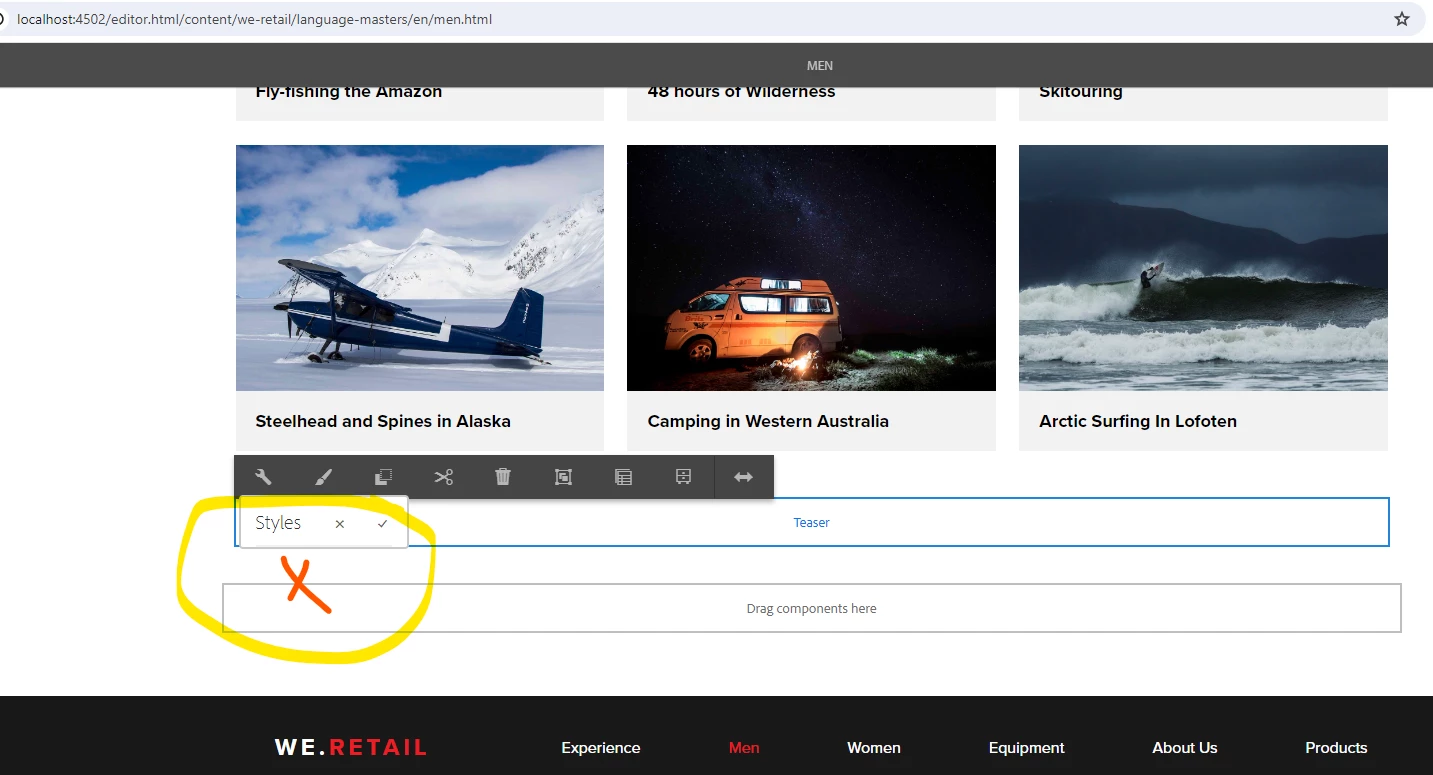
 

Styles works in parsys :
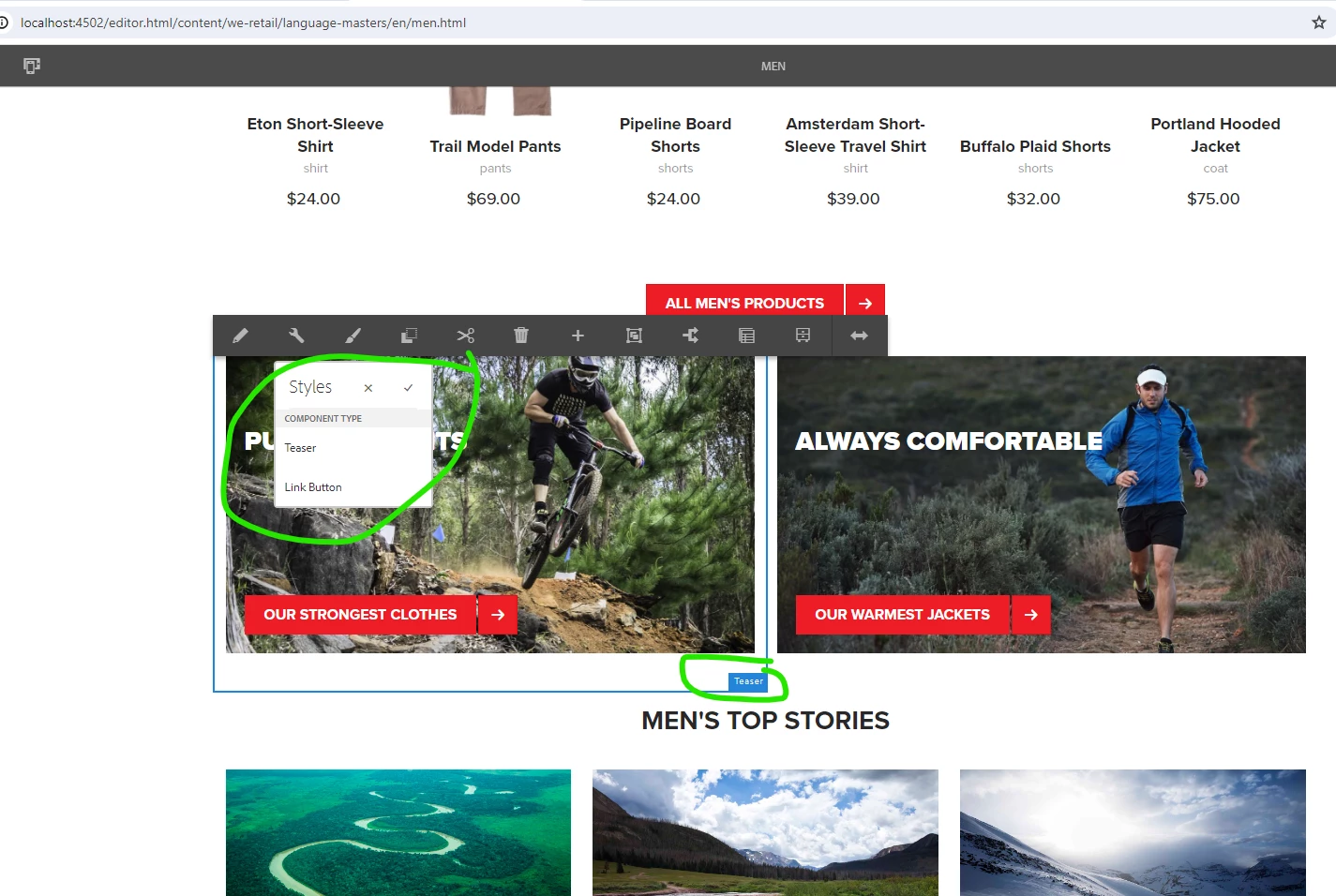


Este tema ha sido cerrado para respuestas.

5 respuestas

BrianKasingli
Community Advisor and Adobe Champion
March 14, 2024

I just tested this on the latest AEM SDK, and it looks like its working as expected.

And so, on the template I added polices on the container > component level, for /apps/weretail/components/content/teaser to apply styles


I created a new component that calls 

<div> <sly data-sly-resource="${'testvar' @resourceType='/apps/weretail/components/content/teaser', decoration='true'}"></sly></div>


and I can see the styles both inside of my individual component of /apps/weretail/components/content/teaser, and inside of my custom component with the <sly data-sly-resource="${'testvar' @resourceType='/apps/weretail/components/content/teaser', decoration='true'}"></sly>.


if you really want to solve this issue on a legacy version of AEM, you might need to write a servlet with some custom clientlibs code, or just upgrade to the latest versions of AEM.

Imran Khan
Community Advisor
Community Advisor
March 15, 2024

@vardhanp Two things we can check here:

  • Try with adding property cq:IsContainer as true as part of parent component.
  • Check template Policy


aanchal-sikka
Community Advisor
Community Advisor
March 15, 2024

@vardhanp 


Please assure that the container thats hosting the "component with teaser (via <sly>)" also has a default policy set-up for teaser.

Aanchal Sikka
arunpatidar
Community Advisor
Community Advisor
March 15, 2024

Hi @vardhanp 
This happend because the policies are missing for teaser component inside parent, you might have policy inside container but refer same policy for the parent component as well. 

Arun Patidar
New Member
March 15, 2024

Hello all,

I did try the parent and template level of adding below Styles which are same as Teaser component. Still issue persists


Level 2
April 15, 2024

@vpanapaku

Click on 'Configure' option and close then check if 'styles' are showing options.

kautuk_sahni
Community Manager
Community Manager
March 20, 2024

@vardhanp Did you find the suggestions from users helpful? Please let us know if more information is required. Otherwise, please mark the answer as correct for posterity. If you have found out solution yourself, please share it with the community.

Kautuk Sahni