AEM 6.5 - Setting Default Tags | Community
Skip to main content
Level 2
January 30, 2021
Solved

AEM 6.5 - Setting Default Tags

  • January 30, 2021
  • 2 replies
  • 2313 views

Note: I'm a front-end developer and not a java developer. If this needs to be handled in the backend, please let me know.

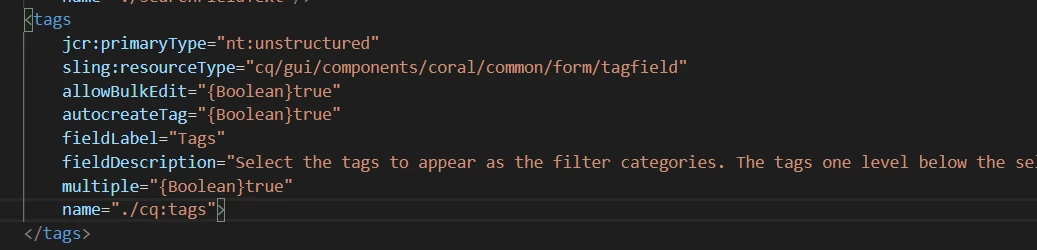
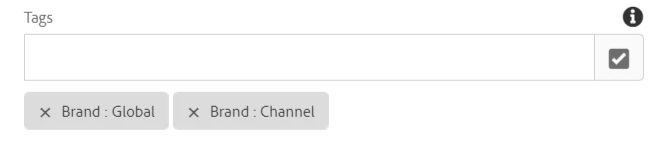
I'm working on a project that allows filterable tags. There are some tags I'd like to have populated by default, without the content creator having to find and select them. Is there a way to do that in the .context.xml dialog? Attached is my current code and what it looks like in the dialog box.


Use case: I have 2 tags selected. Is there a way to have them populated by default without having to click the checkbox and find them?
 

This post is no longer active and is closed to new replies. Need help? Start a new post to ask your question.
Best answer by Sanket_Kumbharkhane

Yes, you can use cq:template node in the below component to populate default values.


cq:template has the type nt:unstructured, it allows you to define a complex node with a set of properties and children.

It's a node you create as a child of your component definition. This content will be used as default values whenever you drop a new instance of the component from the sidekick.


2 replies

Sanket_Kumbharkhane
Sanket_KumbharkhaneAccepted solution
Level 4
February 1, 2021

Yes, you can use cq:template node in the below component to populate default values.


cq:template has the type nt:unstructured, it allows you to define a complex node with a set of properties and children.

It's a node you create as a child of your component definition. This content will be used as default values whenever you drop a new instance of the component from the sidekick.


Level 2
February 2, 2021
Thanks for the answer. I tried this and I added to the cq:template the name of the tags filter I'm using which you can see above I have as cq:tags (but for fun, i also tried just 'tags') and added the path of a tag as a string and I'm not seeing it populate as a default chosen tag. I made a new tag just called "test" under a global folder. The path should be "/content/cq:tags/global/" - could you by chance provide an example of the code?
Sanket_Kumbharkhane
Level 4
February 2, 2021

Hi @jsolano918 ,


Yes, I have tested it with we-retail tags and default title component by adding one more field of "tag".

I could not attach the package here but find the below screenshot.