AEM 6.5 Page Properties Cancel not working only the first time you open it? | Community
Skip to main content
Level 6
June 23, 2023
Solved

AEM 6.5 Page Properties Cancel not working only the first time you open it?

  • June 23, 2023
  • 2 replies
  • 1728 views


Hi,

The Page Properties Cancel is not working. Clicking on it the Editor should return to the previous View but it doesn't do anything and just stays on the same page (which is Page Properties).


This is the button I am refering to:
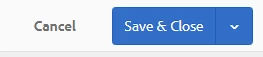
 

And this is the element in question:

<coral-actionbar-item class="coral3-ActionBar-item">
<a id="shell-propertiespage-closeactivator" class="betty-ActionBar-item foundation-fixedanchor foundation-backanchor coral3-Button coral3-Button--quiet" href="https://author-instance/mnt/overlay/wcm/core/content/sites/properties.html?item=%2Fcontent%2Fsomething%2Flang%2Fblog" is="coral-anchorbutton" variant="quiet" data-foundation-backanchor-form="cq-sites-properties-form" size="M" role="button" aria-disabled="false"><coral-anchorbutton-label>Cancel</coral-anchorbutton-label></a>
</coral-actionbar-item>


Update:

Thanks to @tanika02 I was able to reasearch the issue further.

The issue appears only the first time you open Page Properties for any Page (using any Templates) when Session Storage and Cookies are cleared. The Cancel button will produce the error below and the href for the Cancel button will point to itself.


After you go back with Browser back and open any subsequent Page Properties the Cancel button works correctly and points to the previous View. 

This post is no longer active and is closed to new replies. Need help? Start a new post to ask your question.
Best answer by Tanika02

Thank you @tanika02 
The problem is not solved and I am not sure if this is an AEM issue? 

The issue appears only the first time you open Page Properties for any Page (using any Templates) when Session Storage and Cookies are cleared. The Cancel button will produce the error below and the href for the Cancel button will point to itself.

After you go back with Browser back and open any subsequent Page Properties the Cancel button works correctly and points to the previous View. 


Hello @anasustic - 


Please have the we.retail/WKND site checkout out on your local AEM instance and troubleshoot if this issue can be replicated over there.

https://github.com/adobe/aem-guides-wknd 


If you are using the AEM on prem then you can actually also validate the we.retail site and validate if this the same case.


2 replies

aanchal-sikka
Community Advisor
Community Advisor
June 23, 2023

Hello @anasustic 


  • Which AEM version are you facing issue on?
  • Does the issue appear, when you open properties to edit from /aem/assets.html/?
  • Are there specific use cases where the issue appears?
  • Does this issue appear OOTB as well? (With no custom code, only plain AEM with required SP3 /Cloud instance)
    • If yes, is it specific to a browser/user?
      • If yes, please raise an Adobe ticket
    • If no, please share the console logs and check for any customizations in the project
Aanchal Sikka
anasusticAuthor
Level 6
June 23, 2023

Dear @aanchal-sikka 
Thanks for your reply.

AEM v is 6.5

The issue appear when I open properties for any page in AEM Editor.

I cannot check the OOTB since I do not have it. I shared the console logs in the answer below.


aanchal-sikka
Community Advisor
Community Advisor
June 23, 2023

Hello @anasustic 


I guess you should be having AEM 6.5 jar locally, which you use to create an AEM instance.

Also access to Service Pack


Please spawn a new instance (AEM 6.5 +SP) and try (Without your code). If its happening here, then it can save you a lot of effort on debugging it


Aanchal Sikka
Tanika02
Level 7
June 23, 2023

Hi @anasustic  - 


  • Could you please share console error messages ? (if any)
  • Additionally, check if there are any JavaScript event handlers attached to the "Cancel" button that might be preventing its default behavior. (You can easily check this via the listeners associated with the cancel button in F12)
  • Ensure that the href attribute of the "Cancel" button is correctly set to the previous view's URL. In your provided code snippet, the href attribute seems to be pointing to the Page Properties overlay itself. (I checked this on the we.retail page in the editor mode)
anasusticAuthor
Level 6
June 23, 2023

Hi @tanika02 

Thanks a lot for your reply.

Console log error message is: 

The location of the error in the editor.min.js is:

There are events associated with the anchor :


Even if I remove them the anchor still refers to itself in href.
You are correct in saying that the href for the Cancel button points to itselfbut then again I am not sure where is this href set and how to fix it to point to the previous view?

Tanika02
Level 7
June 23, 2023

@anasustic  - 


You can find the listeners here towards the very right of the developers console : 


Look for any custom Listeners intervening with the cancel button action.


Also, can you validate following as well ? 

  • Check if this is the same issue across different pages (created via different page templates) ?
  • Have the we.retail/WKND site checkout out on your local AEM instance and troubleshoot if this issue can be replicated over there.
  • Also, check if you checkout your code on a fresh vanilla instance is this issue reproducible?