AEM 6.5 GraphQL Query Editor option not showing | Community
Skip to main content
Level 3
December 19, 2022
Solved

AEM 6.5 GraphQL Query Editor option not showing

  • December 19, 2022
  • 1 reply
  • 2058 views

Hi All,


I have installed AEM 6.5 and installed the package for graphiql graphiql-0.0.6.zip. Graphql editor is working fine at URL http://localhost:4502/content/graphiql.html as well as I'm able to execute any query and see the result. With my setup, I'm unable to see an option available at Tools > General > GraphQL Query Editor. Also I'm not seeing any option to persist query using Graphiql interface. Can anyone suggest what could be the issue?


Thanks.

Mukesh

This post is no longer active and is closed to new replies. Need help? Start a new post to ask your question.
Best answer by lukasz-m

Hi @mukeshaem,

Tools > General > GraphQL Query Editor is available only in AEM as a Cloud Service, this is a bit different editor comparing to the one that is provided as part of graphiql-0.0.6.zip. Also if you will look into urls they are different as well:

  • AEM 6.5 editor is part of add-on additional package and is available under /content/graphiql.html
  • AEM as a Cloud Service editor is part of AEM (it is build in) and is exposed under /aem/graphiql.html

If for any reason you still would like to have an editor link available from Tools section you can simply overlay /libs/cq/core/content/nav/tools/general and add below node under general node:

<graphiql jcr:primaryType="nt:unstructured" href="/content/graphiql.html" icon="branch2" id="cq-sites-graphiql" jcr:description="Create, simulate and manage GraphQL queries, including persisted queries in AEM" jcr:title="GraphQL Query Editor"/>
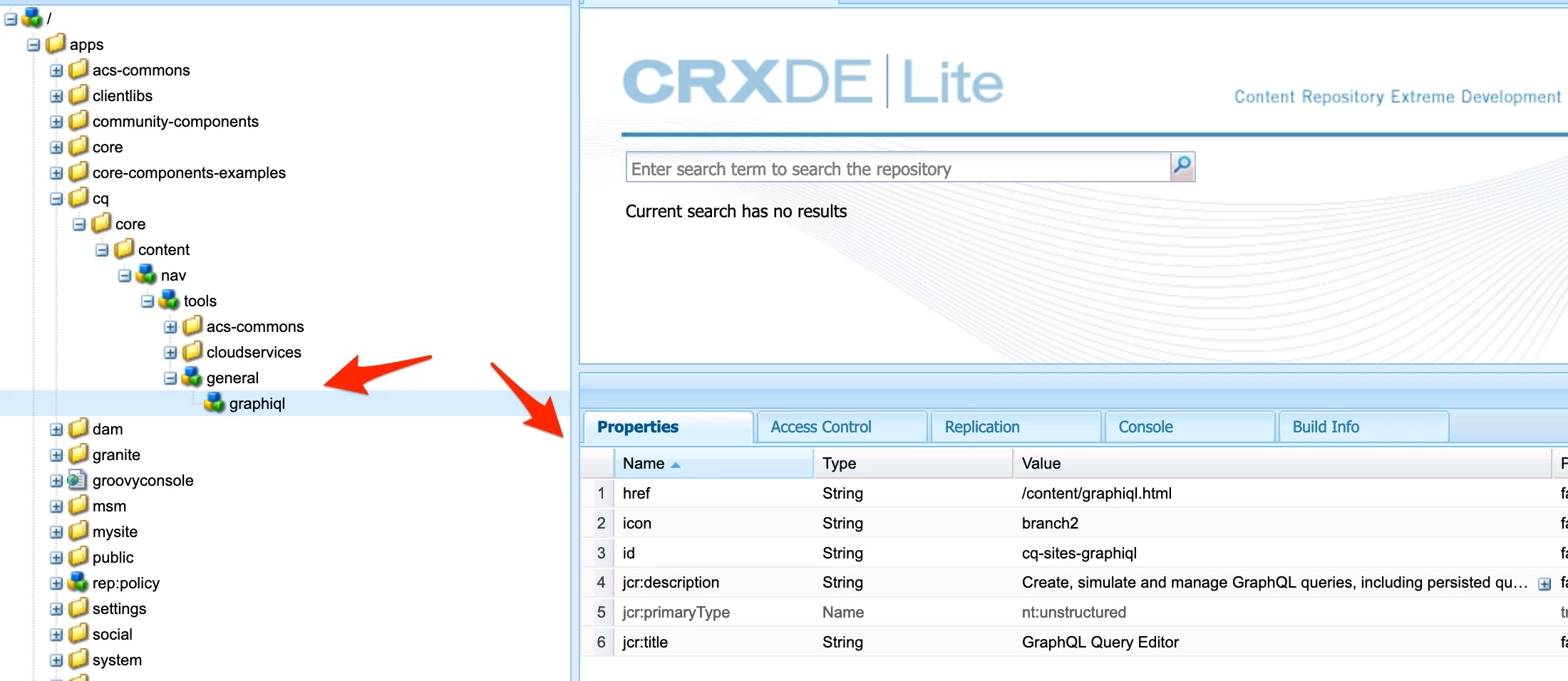
and the result on AEM 6.5
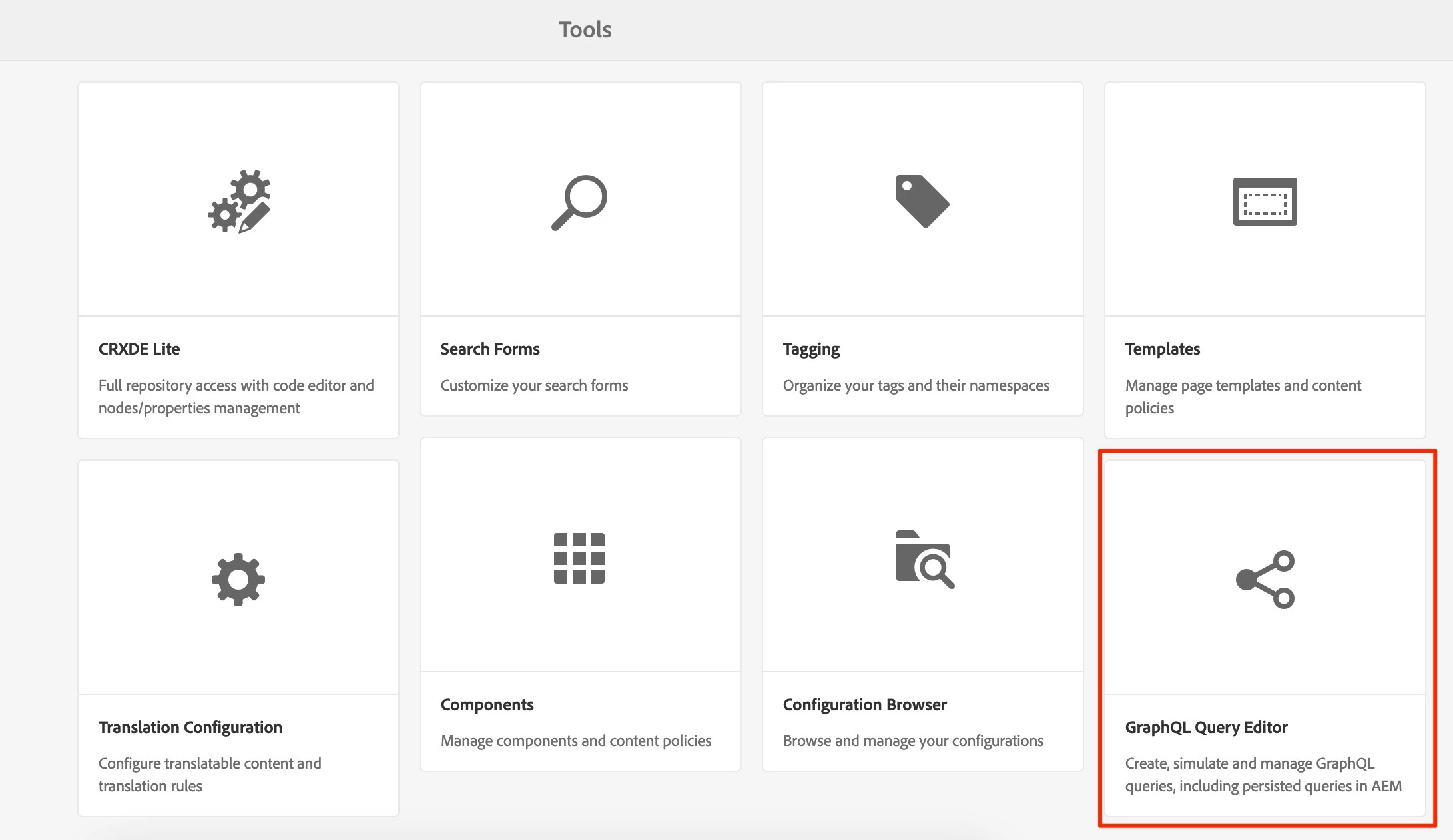
Here is also a link to the documentation that describes console customization:

Regarding your second question, there is no Persisted Query option available from GUI. However you can always use Postman or similar tool to create Persisted Query. You have to make sure that you have enabled Persisted Queries on your endpoint level. Please find step by step instruction under below 2 links:

1 reply

lukasz-m
Community Advisor
lukasz-mCommunity AdvisorAccepted solution
Community Advisor
December 19, 2022

Hi @mukeshaem,

Tools > General > GraphQL Query Editor is available only in AEM as a Cloud Service, this is a bit different editor comparing to the one that is provided as part of graphiql-0.0.6.zip. Also if you will look into urls they are different as well:

  • AEM 6.5 editor is part of add-on additional package and is available under /content/graphiql.html
  • AEM as a Cloud Service editor is part of AEM (it is build in) and is exposed under /aem/graphiql.html

If for any reason you still would like to have an editor link available from Tools section you can simply overlay /libs/cq/core/content/nav/tools/general and add below node under general node:

<graphiql jcr:primaryType="nt:unstructured" href="/content/graphiql.html" icon="branch2" id="cq-sites-graphiql" jcr:description="Create, simulate and manage GraphQL queries, including persisted queries in AEM" jcr:title="GraphQL Query Editor"/>

and the result on AEM 6.5

Here is also a link to the documentation that describes console customization:

Regarding your second question, there is no Persisted Query option available from GUI. However you can always use Postman or similar tool to create Persisted Query. You have to make sure that you have enabled Persisted Queries on your endpoint level. Please find step by step instruction under below 2 links: