
AEM 6.4 : RTE not working as expected in the multifield. | Community
Skip to main content
lif66417554
Level 2
August 20, 2018
Solved

AEM 6.4 : RTE not working as expected in the multifield.

  • August 20, 2018
  • 7 replies
  • 5927 views

Hi all,

I am facing a issue that existing RTE value is not displayed in the multifield.  Who knows how to fix it?

Steps:

1. Set the value "1111" to the description and save it.

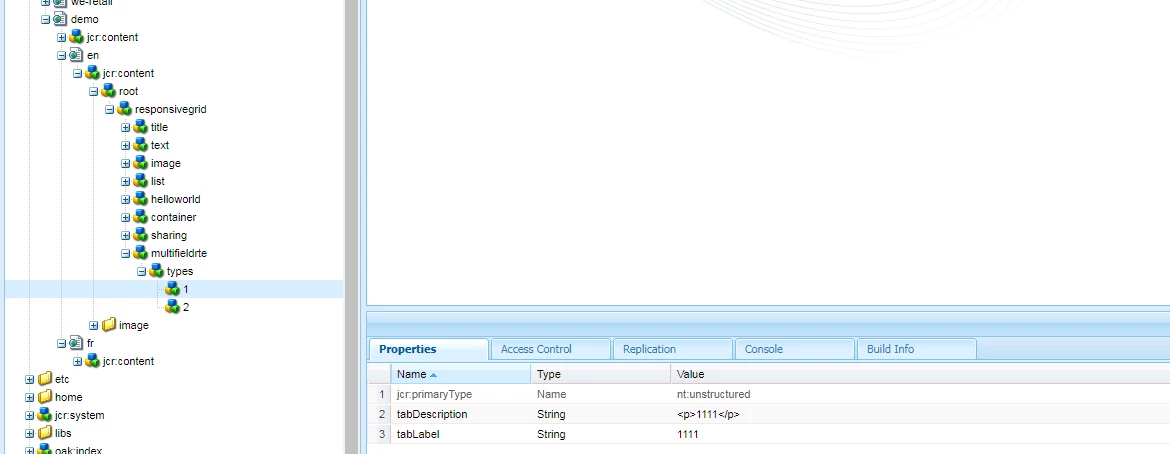
2. I can see that value is saved successfully in the crx/de.

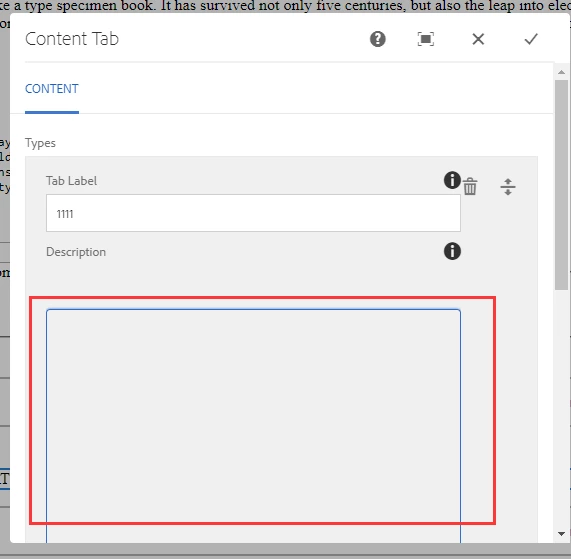
3. Reopen dialog and description is displayed as blank. Excepted value is "1111".

Note: Only AEM 6.4 has this problem. That dialog is working well in the AEM 6.3.

Description is blank in the author page
In the crx/de, we can see description accurately is "<p>1111</p>" 
Dialog XML

AEM : 6.4

ACS : acs-aem-commons-content-3.17.4.zip

Thanks

forrest

This post is no longer active and is closed to new replies. Need help? Start a new post to ask your question.
Best answer by arunpatidar

Hi,

You are using coral2 components. can you please change all coral2 reference with Granite/Coral3 components and then try.

Granite UI Foundation Server-side — Granite UI 1.0 documentation

Thans

Arun

7 replies

arunpatidar
Community Advisor
arunpatidarCommunity AdvisorAccepted solution
Community Advisor
August 20, 2018

Hi,

You are using coral2 components. can you please change all coral2 reference with Granite/Coral3 components and then try.

Granite UI Foundation Server-side — Granite UI 1.0 documentation

Thans

Arun

Arun Patidar
lif66417554
Level 2
August 21, 2018

Thanks  Arun Patidar for your replay.  But I can't find richtext field in the below link. 

Granite UI Foundation Server-side — Granite UI 1.0 documentation

Thanks

Forrest

Vijayalakshmi_S
Level 10
August 21, 2018

HI,

For RichText component, difference with Coral UI 2 and Coral UI 3 is with respect to the clientlibs category (JS and CSS used - as evident from /libs/cq/gui/components/authoring/dialog/richtext/clientlibs)

In this case, to have RTE working within Multifield, we need to change all other Granite form components to Coral UI 3 (granite/ui/components/coral/foundation/form/*)

lif66417554
Level 2
August 21, 2018

Thanks,

RTE is working after I replace all other Granite form components to Coral UI 3.

lif66417554
Level 2
August 21, 2018

This is correct dialog XML.

aseemapandit
October 1, 2018

Hi @lif66417554,

Can you please provide us the component package. I'm facing the same issue from many days & it'd be easier to check the hierarchy against my component

lif66417554
Level 2
October 10, 2018

Hi aseemapandit​,

Sorry, I don't know how to add a package to this reply. You can copy my dialog which can be found in above comment to your component to check if it can work.

Thanks,

Forrest