AEM 6.3 touch UI Reference enabling on touch UI pages | Community
Skip to main content
srinivas_chann1
Level 7
March 31, 2020
Question

AEM 6.3 touch UI Reference enabling on touch UI pages

  • March 31, 2020
  • 1 reply
  • 2568 views

Hi,


We are using AEM6.3 with SP2

1> Enable it the reference option in touch UI:-

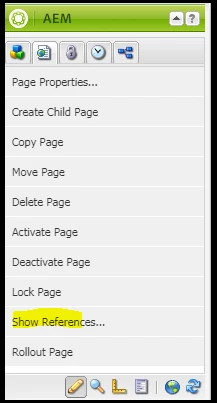
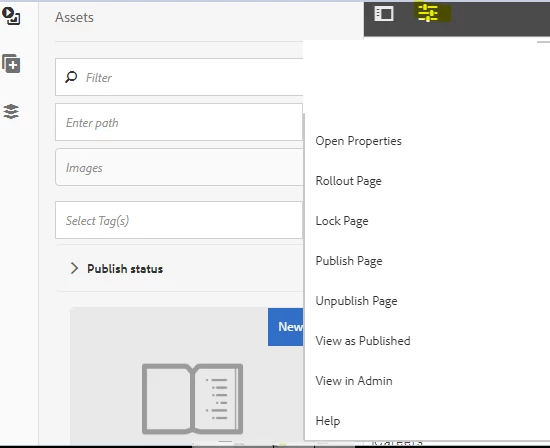
In classic pages we can see the references of a page by clicking on sidekick .But in touch UI the option is not able on page level .It can see only on site.html


So How to enable it the reference option in touch UI at page level may be under "page information"

classic:-
Touch ui:-
 

2> References don't show up on touch UI under sites.html:-

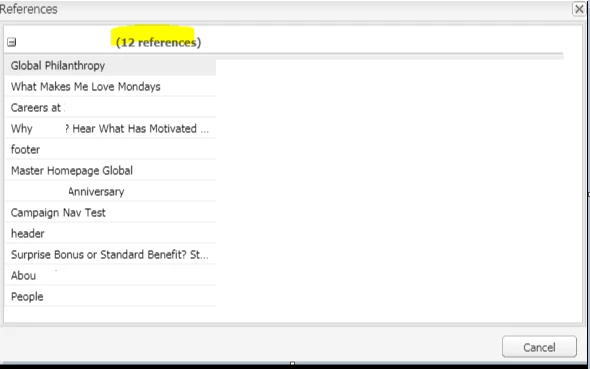
Classic:-

When clicked on "show References"  from side kick it shows the pages it has been referenced.


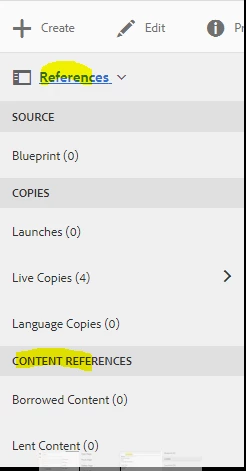
Touch UI:-

But the same page when tried for references using sites.html does not up any results.

Could some provide inputs as what could be the reason.


Thanks


This post is no longer active and is closed to new replies. Need help? Start a new post to ask your question.

1 reply

Adobe Employee
March 31, 2020

Without going too deep here, there were some issues in 6.3 where some ACL's got overridden (NPR-23208) and the reference-adjustment-service user didn't have jcr:read on /content.


It's mentioned in the release notes


https://helpx.adobe.com/ca/experience-manager/release-notes--aem-6-3-cumulative-fix-pack.html#ConfigurationsettingsrequiredforNPR23208


NOTE -- AEM 6.3 is end-of-core-support in April. It's time to upgrade.

srinivas_chann1
Level 7
April 8, 2020

Hi Marc,


We tried adding the ACL as mentioned for ConfigurationsettingsrequiredforNPR23208 on the page you mentioned ,but still on site.html it does not show references .Are missing anything apart from this setting


Thanks