AEM 6.3.1 Non Prod Author environment high disk usage | Community
Skip to main content
Level 2
July 30, 2019

AEM 6.3.1 Non Prod Author environment high disk usage

  • July 30, 2019
  • 7 replies
  • 11695 views

Hi All,

We are currently using AEM 6.3 (oak1.6.3) with SP1 and cq-6.3.0-featurepack-20593.

We are unable to figuring-out why the author environment is consuming too much space. It almost takes up 260GB on the server( where as the PROD author environment with a lot more content and assets consumes around 118GB).

Note: AEM disk usage reports shows 41.5GB
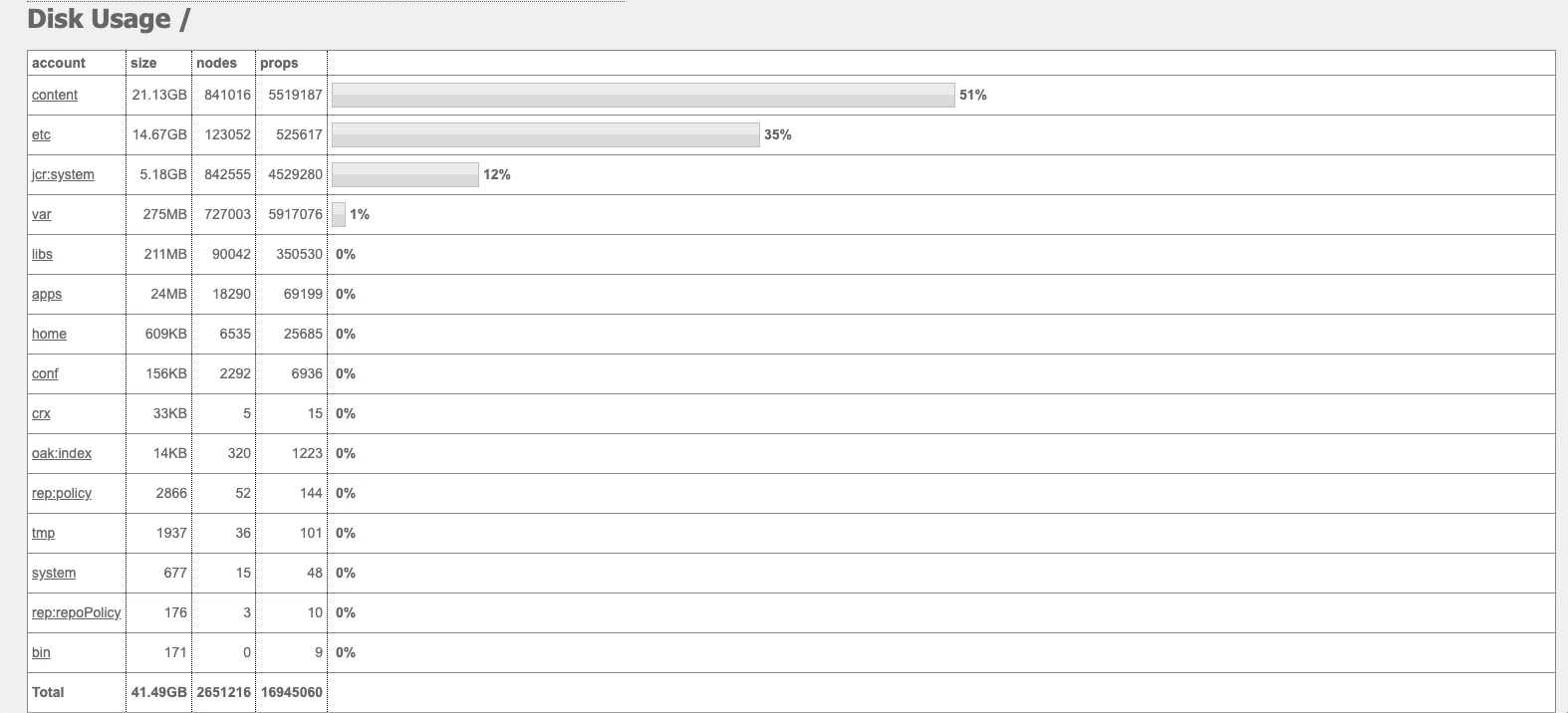
Tasks we have tried,

  • Ran all the Maintenance tasks manually (though they were running as per schedule daily and weekly)
    • Daily - Revision Clean up
    • Weekly - Data Store Garbage collection, Workflow purge and AuditLog Maintenance Tasks
  • Restarted AEM and re-ran Maintenance tasks again
  • I have deleted some packages that were About 11GB (When compared the AEM disk usage report before and after deleting the packages) but this didnt reduce the disk usage on the server. I did run maintenance jobs again assuming the maintenance jobs will free up the space but no luck.

On the server the datasore folder is using around 230GB.

Also we have noticed that after regular or manual maintenance jobs are run the server disk usage doesn’t change at all. But PROD author has a decline in server disk usage after the maintenance tasks.

Is there anything that we should try to reduce the disk space or should we be doing an offline compaction(we know online is the recommended way) ?

Thank you in advance

This post is no longer active and is closed to new replies. Need help? Start a new post to ask your question.

7 replies

Adobe Employee
July 30, 2019

If this growth seems unusual I recommend to understand the reason by analyzing the unusual repository growth [1] then you will be able to take the action to address it.

[1] Analyze unusual repository growth

Adobe Employee
July 30, 2019

In addition to what Hamid mentioned, run the following :

- Offline compaction

- Followed by Datastore Garbage Collection


Going forward, keep the online compaction running every day and run offline compaction once a month.

For AEM 6.3, Online compaction is not good in reclaiming disk space. 6.4 introduced tail online compaction[1] which is very effective but for 6.3, I would still recommend running offline compaction to reclaim disk space.

[1] Revision Cleanup

Kunal_Gaba_
July 30, 2019

Do you see any errors in datastore GC job logs in error.log file ?

Dinesh_AAuthor
Level 2
July 30, 2019

Hi kunal23

Yes I did see an error related to Datastore Garbage Collector Maintenance task, though the task is successful.

org.apache.jackrabbit.oak.plugins.blob.MarkSweepGarbageCollector Not all repositories have marked references available : [1755f625-89c9-41cc-bec8-bbcd754d9431]

Looked into Splunk and from the time the error started to showup the number of Blobs deleted are 0 for every Datastore Garbage Collector Maintenance task.

Adobe Employee
July 30, 2019

Hello,

From the error message, it seems there are multiple repositories registered in the same FileDataStore. But the mark phase has not been run on one of them. Is this a shared datastore?

Check the list of files with their attributes at the root of the DS.

Regards,

Vishu

Adobe Employee
July 30, 2019

For the error, you go to <AEM_Install_Directory>/crx-quickstart/repository/datastore and check how many "repository-*" files are there? Note the ID's of all the "repository-*" files.

Then, go to "http://<host>:<port>/system/console/jmx/org.apache.jackrabbit.oak%3Aname%3DSegment+node+store+blob+garbage+collection%2Ctype%3DBlobGarbageCollection

" on each of the AEM instance and check which ones are valid. The ones marked with * will be valid.

Remove the invalid "repository-*" from datastore directory and DSGC should work fine.

Dinesh_AAuthor
Level 2
August 5, 2019

Hi JaideepBrar,

Removing the invalid "repository-*" has resolved the issue. We did gain a lot of storage space.

Thank you.