AEM 6.2 Issues with copy / Paste / Move AEM 6.2 within crxde | Community
Skip to main content
Level 2
August 21, 2017
Solved

AEM 6.2 Issues with copy / Paste / Move AEM 6.2 within crxde

  • August 21, 2017
  • 5 replies
  • 4086 views

Hi All,

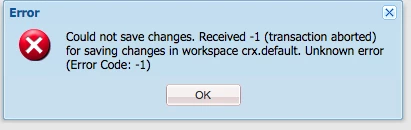
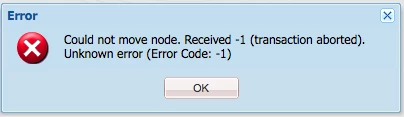
So from time to time we are encountering issues where an error box appears saying "could not copy" or "could not move" or "could not save". nothing is popping up on the error logs and the message itself isn't providing any clues to what the issue is.

AEM version: 6.2

service pack: service pack 1 installed. 
Any insight as to what this could be would be helpful

Thanks

Eric

This post is no longer active and is closed to new replies. Need help? Start a new post to ask your question.
Best answer by kautuk_sahni

It is recommended to use "Save All" with each action (delete/paste).

If this is still happening after using "Save All", can you help us reproduce it?

~kautuk

5 replies

Adobe Employee
August 22, 2017

Do you use the "Save All" button often?
It can be worth hitting this regularly when working in CRXDE Lite, especially when creating nodes, etc.

These errors are sometimes seen when a later event is dependent on a previous action. If this initial event hasn't been properly persisted, then CRXDE Lite can throw an error.

Level 2
August 22, 2017

HI

it happening when we are trying to move a subtree of content from 1 location to another or when deleting a big-ish subtree.  then these errors occur

so we would delete a content node and click save all. if the node we delete was fairly big it sometimes produces the error above "could not save"

Similar situation with the move operation sometimes we get the could not move (and sometimes even though its says could not move it moves the content anyway a few minutes later).

kautuk_sahni
Community Manager
kautuk_sahniCommunity ManagerAccepted solution
Community Manager
August 22, 2017

It is recommended to use "Save All" with each action (delete/paste).

If this is still happening after using "Save All", can you help us reproduce it?

~kautuk

Kautuk Sahni
benhenson
Level 2
March 5, 2024

This isn't helpful. I am experiencing this as well. The page doesn't paste, so how can I Save All?

smacdonald2008
Level 10
August 22, 2017

Only time i see this is when JCR is not saved properly.

August 28, 2019

This Save All solution does not work consistently. The issue is that the node won't paste. Saving after copying a node is not a guaranteed solution.